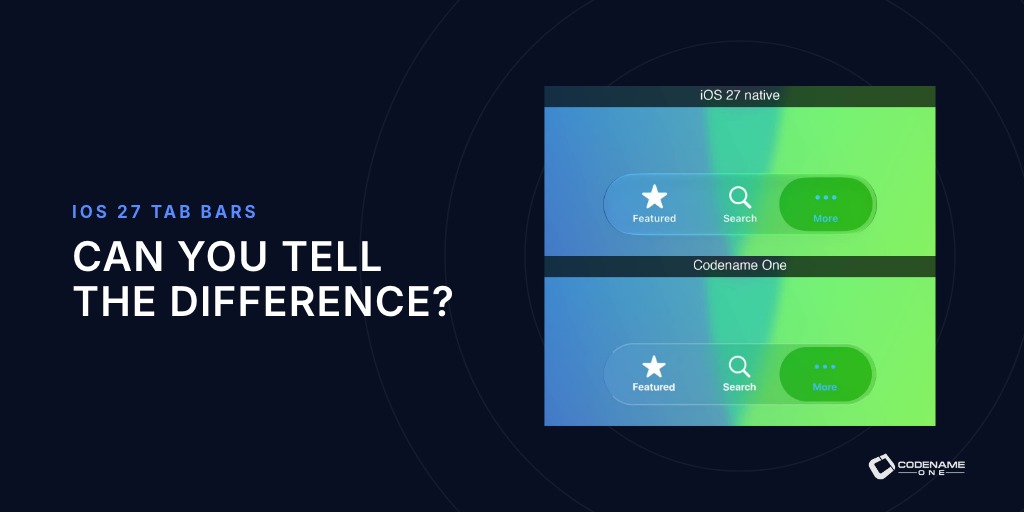
Apple just announced iOS 7 support the other day and it includes quite a few UI changes. We are already working full speed at incorporating support for iOS 7 before the general availability of the OS and have already released an initial skin through the OTA download feature (it will only work properly with the next plugin update).
The trend towards simpler flat design is great since we can now create applications that look good/consistent on all platforms much more easily than we could in the past and we will probably update our themes to incorporate more of the flat design concepts as we move forward.
Keep in mind when going over the theme that this is work in progress and that at the moment this isn't applied to the actual device builds, however when the time comes all you will need to do in order to support the feel of iOS 7 would be to send a build to the build server.
Codename One Maker is a pretty elaborate app, there is only so far we can go with simplifying the app itself.
So we added a tutorial mode which is common in mobile/web apps, to walk the user through the process of creating a simple application and using the GUI builder (we also added a
Udemy course but I digress). This feature is probably useful for almost every app out there, so here is how you can achieve that with Codename One...
There are generally two approaches for laying an overlay: - Glass pane - this is how we used to do things in the old days, its powerful but has many limitations. You essentially need to draw everything using graphics.
A glass pane is just a "layer" on top of all components that you can draw on. It might seem that you can "emulate" the glass pane by overriding the paint method in Form and that would indeed work for simple use cases however the glass pane is "clever" and knows how to repaint itself when a component is updated (e.g. if a ticker is running the whole form won't repaint so glass pane will work but overriding Form paint would not!).
- Layered layout - this is a more "modern" approach we take where we essentially place two containers in a LayeredLayout and the last one added remains on top.
Generally the glass pane is not interactive (it just draws) where the layered layout can actually grab input etc. we made use of the layered layout in a previous post (
when a dialog is no a dialog). In this case though, I chose to use a glass pane mostly because I was too lazy to go back to every form and add a layered layout to the hierarchy
You will notice several interesting things about the tutorial mode. We added an option to "swipe" out of the tutorial mode at any time (this is the bottom portion starting at line 47).
We draw everything manually in the glass pane (that's how it works).
You will notice that some sections accept null as the highlight component, this can happen when we use the title as the highlight component on Android 4.x.
Newer Android devices use the native action bar for the title and so will return null when we query for the title area.
We hope this is useful for you when building your apps.
One of the things we've been working on with Maker is getting the new GUI builder to support hierarchies/layouts which should be landing tomorrow or so. When we initially built the GUI builder within the Codename One designer we made many mistakes but one of the big ones was with layouts, it takes too long to see how a layout affects something (you need to physically accept a dialog/rinse repeat) so people just don't experiment enough with the options.
In Maker we intend to fix that, by providing the UI you see in the video and the image. Essentially when you spin the spinner the layout changes automatically and animates the components into place giving a clear indication of the change between positions (if they "jump" its harder to notice differences in some cases).
The problem is that a "normal" dialog doesn't allow for this UI, it doesn't allow an "always on top" window and it doesn't really allow the underlying form to "animate". If you will study the code the reasoning for that will become crystal clear: a dialog is really a Form that takes up the entire screen and just "draws" the previous form behind. Since the previous form is "deinitialize" it just won't run most of the animations (to preserve CPU). This was done ages ago with a very specific set of use cases in mind and its generally very efficient but we just can't implement something like this using this approach.
So how did we implement this feature?
We used LayeredLayout.
The LayeredLayout allows placing components one on top of the other. So we created a LayeredLayout and when time came to show the fake dialog we just did something similar to this:
As you can see the "Dialog" is just a container with the right UIID and some additional components faking the title and content pane.
We place it in the correct location by using a layout manager and we can animate it into place (and out) by using layout animations or replace (for disposing the dialog).
The PC isn't going away tomorrow but I think we took a major step in reducing the need for it when building some applications in the upcoming version of Maker. We just launched a very preliminary preview of our new Drag & Drop form designer for Maker. This is pretty rough early on, but having built quite a few GUI builders I can tell you that its 90% there!
You can drag elements into place, yes they are all in a vertical layout (BoxLayout Y) and there is no container hierarchy (yet) but the infrastructure is there and its already looking better than our current GUI builder looked at that stage!
Stay tuned and as usual we really appreciate your feedback.
Arguably the more interesting story is the plugin support. As Codename One developers you can now build plugins for Maker using Codename One & NetBeans!
This effectively turns Maker into a tool that is limited only by your imagination and not by some arbitrary constraints we put forth.
One thing to keep in mind before proceeding: A plugin can't be previewed within Maker. The user will be able to pass arguments (settings) to the plugin and see it within the app but he won't be able to launch it (we can't dynamically download code according to store EULA's and also some technical limitations).
So how does this work?
A Codename One Maker plugin is really just 2 files an XML file and a CN1Lib file.
The XML file describes the requirements of the plugin from the user and gives us basic details about the plugin, only the XML file is ever downloaded to the device.
When the user sends the build, the details are sent to the server. The server downloads and incorporates the CN1Lib file which can include native code or any other capabilities. Its compiled like any Codename One library in that regard. When the built application on the device the user can see the plugin in action.
So how do we build a hello world plugin?
I created a simple Twitter feed plugin just to show the basic principals (see the full project at the bottom of this post). To start off we need to create a new Library Project in NetBeans (sorry currently Eclipse doesn't support Library projects although its theoretically possible to work with it to build these projects).
We can remove the hello world code and create a new package with our company and name of the plugin, then we need to implement the plugin. The plugin is a class that derives from MakerPlugin here is the simple Twitter plugin from the code below.
Notice the overriden methods above are a part of the plugin interface, once we are in the plugin itself we can just write any Codename One code that we want although keep in mind that I try not to block the execution thread... Otherwise I might create an unpleasant experience when building a tabs based application.
Also notice that I enable scrollability since the parent form won't be accessible we disabled scrolling there (to avoid nested scrolling issues), if you need scrolling you need to explicitly declare it.
Its probably obvious but bares stating that the plugin class must be public, have a no argument constructor (or no constructor which is the same thing) and mustn't be abstract.
You will also need one more file which is the xml descriptor file, in my case its twitter.mplugin (in the root of the downloaded file) which you can see right here:
Notice several things:
- We declare the maker version, this is crucial since if someone hasn't updated Maker on the device and your plugin expects a specific version... It should fail to install.
- The package name and the class name must match exactly your class since that is how we generate the plugin calls on the server!
- The cn1lib entry MUST point at an absolute URL where the plugin can be downloaded from, the download only happens on the build server so the build will fail if the file isn't accessible.
- You can define as many arguments as you want but currently all of them must be strings, we are working on adding more options in the future.
I hope this has been educational for you and I hope we all start building Codename One plugins soon!
| hellocodenameoneplugin.zip |
| File Size: | 2261 kb |
| File Type: | zip |
Download File
Mobile development platform Codename One is announcing the release of its 1.1 version on Monday, May 20th. Less than 4 months after releasing its 1.0 version, Codename One doubled its user base becoming the 5th most downloaded NetBeans plugin of all time and more than doubling builds on its cloud servers month over month.
Codename One is a one of a kind solution that allows Java developers to build native applications that work on all mobile devices seamlessly, it combines an open source client architecture that integrates with industry standards Eclipse/NetBeans with a one of a kind cloud build system. This unique architecture enables Java developers to build iPhone applications without owning a Mac or Windows Phone applications without a Windows 8 machine.
Version 1.1 solidifies Codename One as the technological market leader in Write Once Run Everywhere (WORA) on mobile devices with key features such as: Windows Phone 8 support, 3rd party Library Support, many UI improvements and tools to assist development.
The platform to date has been used to build over 2,000 native mobile applications and has received widespread, viral acclaim in technology and business media including InfoWorld, Slashdot, Hacker News, VentureBeat, Business Insider, The Next Web, Dr. Dobbs and Forbes, which named the company one of the 10 greatest industry disrupting startups of 2012.
“It is amazing that within 4 months since our 1.0 doubled or more on every single KPI, we have some amazing plans for the future and expect to exceed that many times over.” said co-founder and CEO Shai Almog.
Almog, along with co-founder Chen Fishbein, decided to launch the venture after noticing a growing inefficiency within mobile application development. By enabling developers to significantly cut time and costs in developing native applications for iOS, Android, Blackberry, Windows Phone and other devices, Almog and Fishbein hope to make mobile application development increasingly feasible.
The Java-based platform is open-source and utilizes lightweight technology, allowing it to produce unique native interfaces highly differentiated from competitive cross-platform mobile development toolkits, which typically use HTML5 or heavyweight technology.
By drawing all components from scratch rather than utilizing native widgets, Codename One enables developers to avoid fragmentation – a major hindrance found in the majority of competitors – and additionally allows accurate desktop simulation of mobile apps.
The startup’s founders are recognized for engineering Sun Microsystems’s famous Lightweight User Interface Toolkit, a mobile platform used by leading mobile carriers and industry leaders to this date.
Codename One is available for download free of charge.
About Codename One
Codename One, named by Forbes as “one of the 10 greatest industry disrupting startups of 2012,” is an Israel-based technology company that has created a powerful cross-platform software development kit for mobile applications. The technology enables developers to create native applications across multiple operating systems using a single code base. Codename One was founded by renowned software engineers Shai Almog and Chen Fishbein in 2012.
We are working on something exciting, more on that next week (hopefully). One of the things we needed was a way to access files on a device, e.g. images, etc. however this is a painful and fragmented subject.
Most of my files are still on my laptop and not on my tablet or phone and moving them back and forth isn't convenient... Luckily we have
Dropbox, this neat tool has really helped us collaborate as a startup and has made many painful things remarkably easy.
So Chen came up with an amazing plugin that allows us to treat drop box as yet another file system we can use to extract files from! (He made use of some excellent work contributed to the community by
Eric Coolman for Oauth 1.x support!).
This is absolutely spectacular and hugely convenient! You can download his source code here its a Codename One Library project so you just compile it in NetBeans then add it to the lib directory of either Eclipse or NetBeans. Then right click the project and press refresh libs and it should "just work".
This is a brand new project and Chen would love some contributions and collaborations there so feel free to contribute.
So how do you use it? First you need to create a Dropbox core application here, this will give you the two keys you need below. Keep in mind that in order to use it for more than one account you will need to select an option during the process and in order to use it in production you will need specific approval. Notice: for this code to work properly you will need a "proper" browser component, so you will need Java 7 to be configured properly with FX so the browser component will work as expected on the simulator. First you just need to login:
The code above logs in to Dropbox then invokes the Dropbox file picker code which I'll show you below using our tree component.
The code below completes the picture by creating a file picker tree allowing us to download a file from dropbox and do whatever we please with it!