If you haven’t checked the
How Do I?
section recently check it out now. It’s completely redone with a filter tool and every video now has the ability to accept comments right below it which you can use to give out tips to other community members about the usage of a specific feature. There is also a
new video covering the include sources feature
and how to debug a Codename One iOS application on xcode with the native device/simulator.
Apparently the old i18n How Do I video
that I recorded ages ago slipped between the cracks and never made it to the how do I page either so
it’s now there as well
.
We updated the Codename One developer guide with more than 50 additional pages passing the 200 page mark
, we will update that guide as part of the 2.0 release.
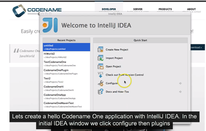
The IDEA plugin is also generally available now and includes its own
getting started video
guide.
Notice: This post was automatically converted using a script from an older blogging system. Some elements might not have come out as intended…. If that is the case please let us know via the comments section below.
Archived Comments
This post was automatically migrated from the legacy Codename One blog. The original comments are preserved below for historical context. New discussion happens in the Discussion section.
Anonymous — December 9, 2013 at 11:42 am (permalink)
Anonymous says:
Hi Shai
Can you do some tutorials on animations?
Anonymous — December 10, 2013 at 5:15 am (permalink)
Anonymous says:
Its in my todo list but its pretty low in the queue since we have quite a lot of other priorities. Animations should be very well documented in the developer guide though, what don’t you understand?
Anonymous — December 12, 2013 at 4:37 am (permalink)
Anonymous says:
Looks like it has been broken for a couple of days. Cannot see the images for Themes and Templates in the “Codenameone” project. They displayed as radio buttons instead. But it did work for me the very fist day when you announced this plugin.
Tested on Windows 7, Mac OS X Mavericks with IntelliJ-13 versions Ultimate and CE.
Anonymous — December 12, 2013 at 4:55 am (permalink)
Anonymous says:
This was broken by IDEA 13 which seems to have a Windows specific bug there, we filed an issue on that. The images don’t show but the dialog should work as usual.
I’m using IDEA on Mac (Lion) and I see the images with the latest plugin, which JDK are you using?
Anonymous — December 12, 2013 at 6:22 am (permalink)
Anonymous says:
jdk1.7.45
Anonymous — December 12, 2013 at 5:38 pm (permalink)
Anonymous says:
Thanks, there is an issue here http://youtrack.jetbrains.c… to address this.
We are also looking into the possibility of it being related to that specific JDK.
Discussion
Join the conversation via GitHub Discussions.