The NetBeans plugins.netbeans.org site has been down for another weekend and
has been down again today. This isn’t ideal as we like the convenience the official plugin center affords in our
update process. However, this blocks installs and updates of our plugin most of which originate from NetBeans.
As a workaround we decided to relaunch our own update center which we will manually update with each plugin
to allow you to install the plugin even when NetBeans is down. The URL for this update center is
https://www.codenameone.com/files/netbeans/updates.xml
Setting Up The New Update Center
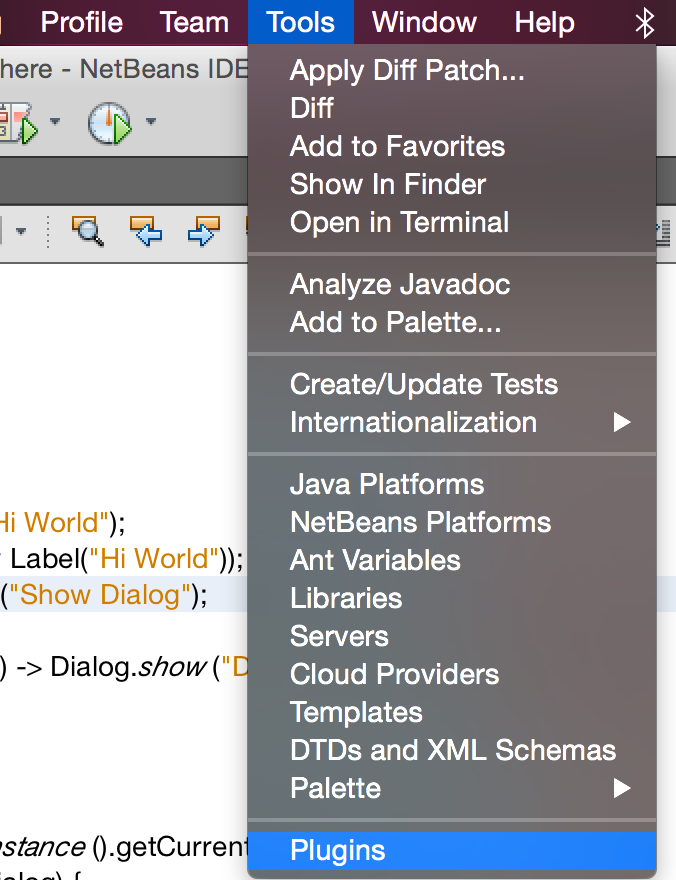
Figure 1. Select Tools → Plugins in the menu
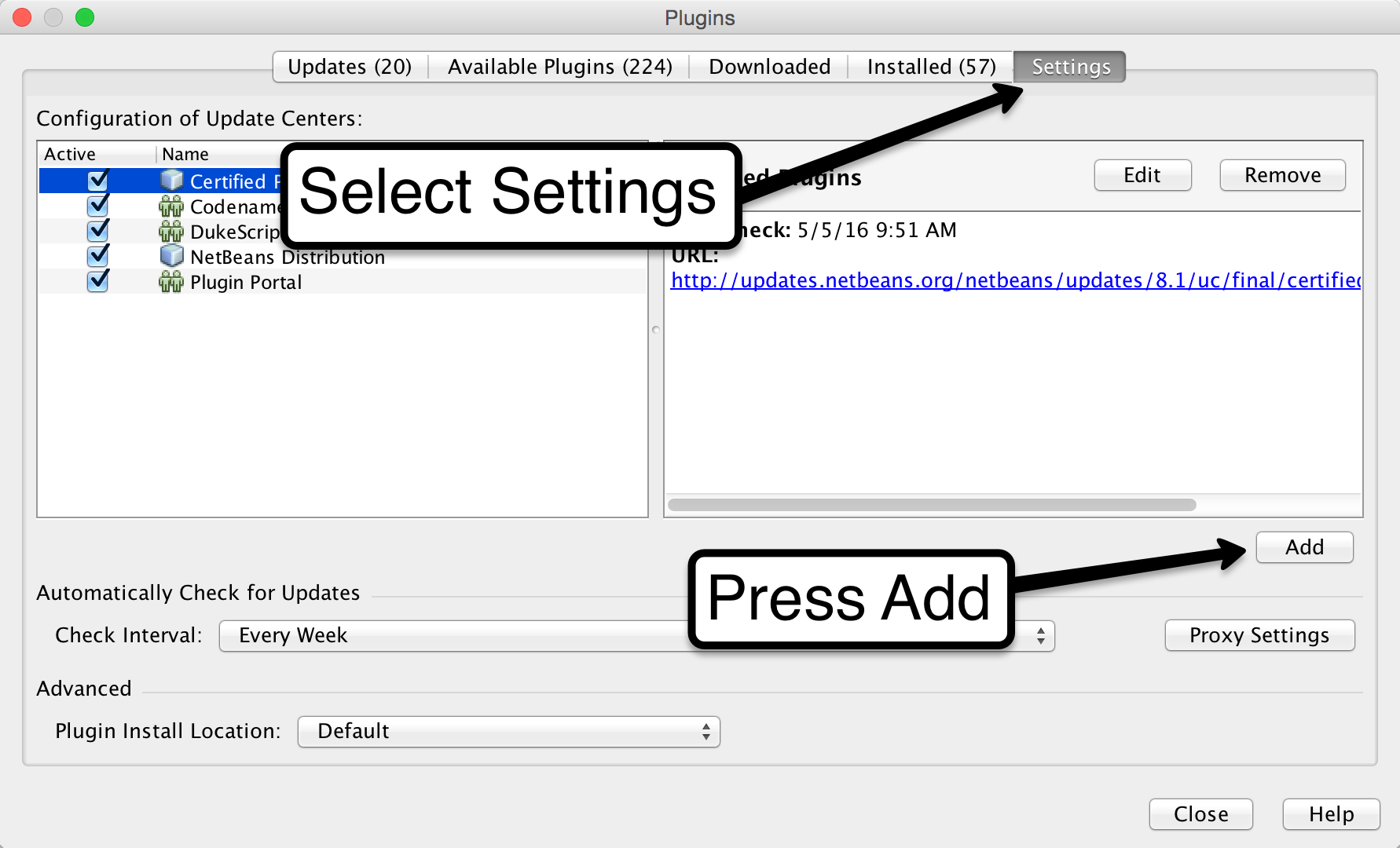
Figure 2. Select the Settings tab and click Add
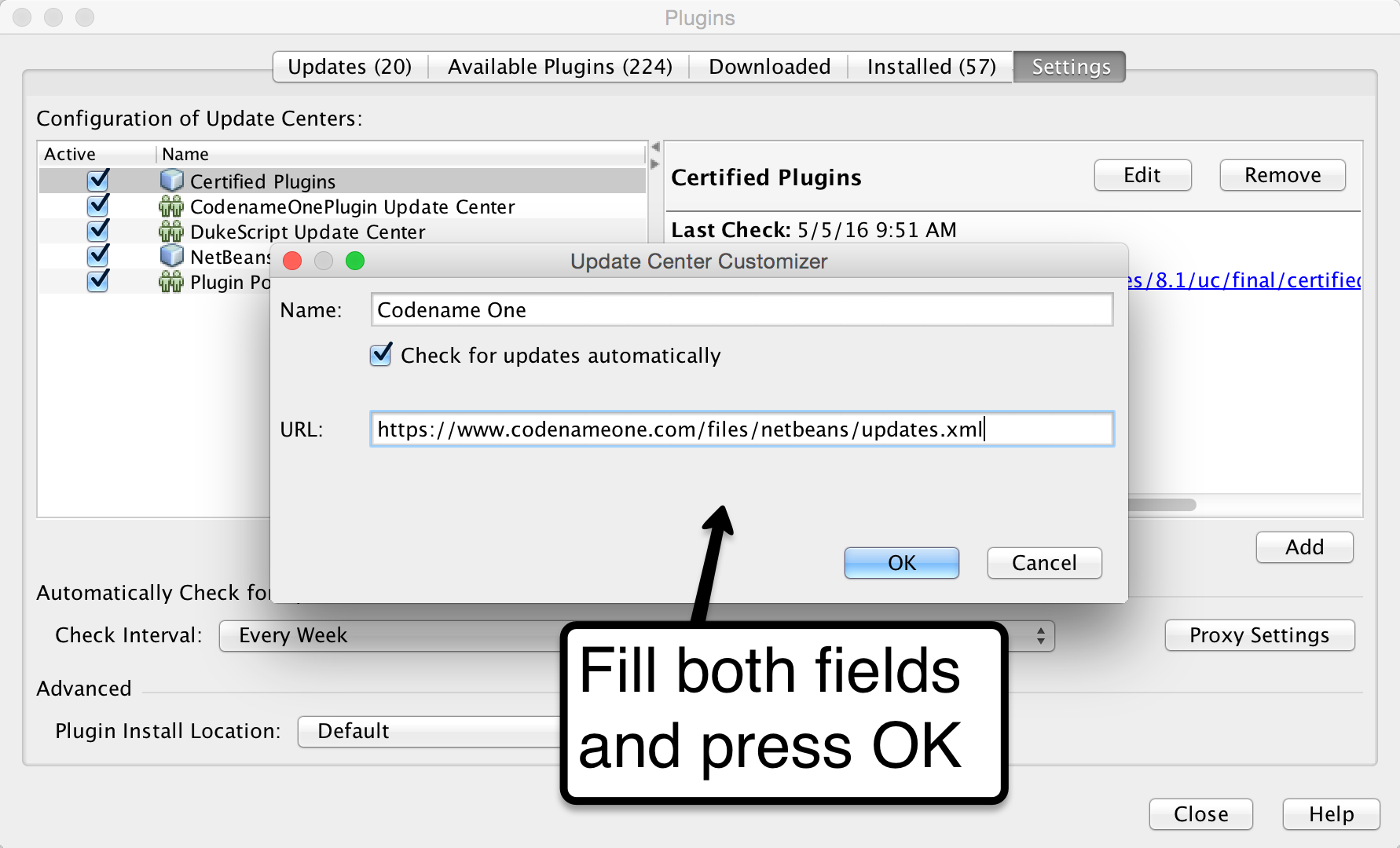
Figure 3. Type in Codename One as the name and enter the update center URL https://www.codenameone.com/files/netbeans/updates.xml
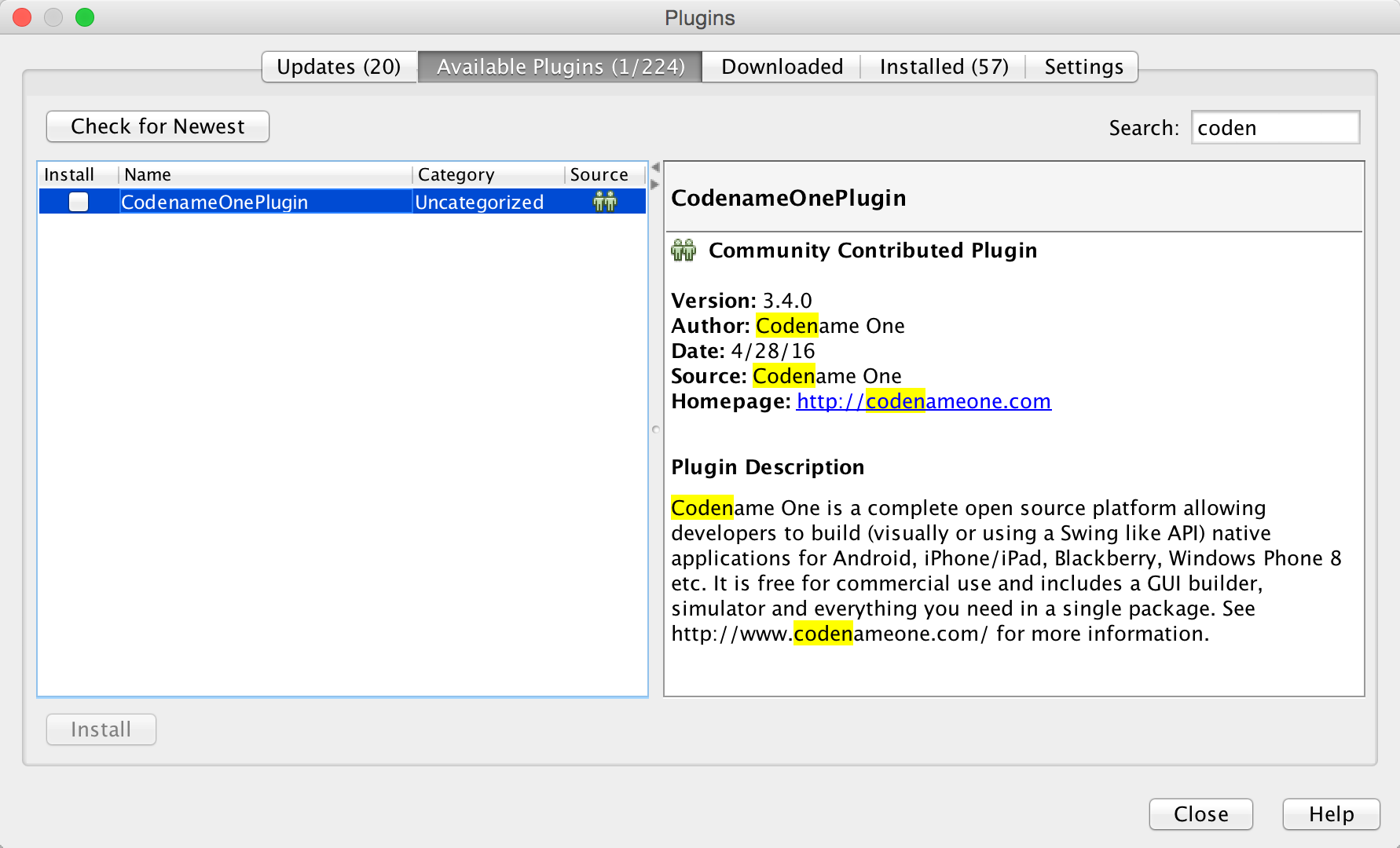
Figure 4. You can now proceed to install Codename One just like in the getting started video
Should I Use This or The Update Center?
We prefer you use the update center from NetBeans. We think having one official source for plugins is convenient
and the fact that the install process is simpler (just type codename) is a huge plus.
Archived Comments
This post was automatically migrated from the legacy Codename One blog. The original comments are preserved below for historical context. New discussion happens in the Discussion section.
Mohasin — June 14, 2016 at 2:51 pm (permalink)
I have followed the procedure and i am not getting CodenameOne listen in available plugins. I tested the connections and tried again. It didnt work for me
Shai Almog — June 15, 2016 at 4:00 am (permalink)
I’m not sure what is the issue but you can download the nbm directly from https://www.codenameone.com…
linnet maruve — June 18, 2018 at 2:10 pm (permalink)
how can l update my netbeans plugin. when ever l run my project it writes it seems like you are using an old version l have tried the procedure but l can not find a way to update it
Shai Almog — June 19, 2018 at 5:11 am (permalink)
The latest version of the plugin is 4.0. Codename One Settings includes its own update system under Basic -> Update Client Libs.
linnet maruve — June 19, 2018 at 6:39 am (permalink)
linnet maruve says:
that is the one l downloaded but its still saying its an old version of codenameone whenever l execute a program
linnet maruve — June 19, 2018 at 9:58 am (permalink)
linnet maruve says:
Shai Almog — June 20, 2018 at 4:15 am (permalink)
Shai Almog says:
Once you send a build for the first time or update via Codename One Settings this message will go away.
linnet maruve — June 20, 2018 at 6:48 am (permalink)
linnet maruve says:
l have tried to update it but its not working
Shai Almog — June 21, 2018 at 6:07 am (permalink)
Shai Almog says:
What’s the error message you get when you update?
linnet maruve — June 21, 2018 at 2:14 pm (permalink)
linnet maruve says:
linnet maruve — June 21, 2018 at 2:15 pm (permalink)
linnet maruve says:
when click update project libs where l have highlighted the written words on the button will only turn grey and nothing ever happens
Shai Almog — June 22, 2018 at 7:30 pm (permalink)
Shai Almog says:
Try running this from command line to see if there are errors printed there when you try to update. Are you running possibly as a user without administrator privilege?
To do this do something such as:
java -jar path-to-your-user-directory.codenameoneguibuilder.jar -settings path-to-cn1-projectcodenameone_settings.proper…
linnet maruve — June 25, 2018 at 1:42 pm (permalink)
linnet maruve says:
linnet maruve — June 25, 2018 at 1:44 pm (permalink)
linnet maruve says:
l have updated using cmd but its still not updated
Shai Almog — June 26, 2018 at 9:02 am (permalink)
Shai Almog says:
It should popup another dialog when downloading the update. Your image is cropped so I can’t see the version of Codename One Settings. Its version should be 4.2. If it isn’t that’s the problem.
linnet maruve — June 26, 2018 at 9:07 am (permalink)
linnet maruve says:
there is only version 4 on the update there is no version 4.2
linnet maruve — June 26, 2018 at 9:11 am (permalink)
linnet maruve says:
those uploads
linnet maruve — June 26, 2018 at 9:35 am (permalink)
linnet maruve says:
how can l make it 4.2 its only showing 4
Shai Almog — June 27, 2018 at 5:41 am (permalink)
Shai Almog says:
The plugin version is 4.0. The version of Codename One Settings should update after you do an update client libs to 4.2.
linnet maruve — June 27, 2018 at 10:15 am (permalink)
linnet maruve says:
when l go to basics it shows update project libs there is no update client libs. where can find that client libs
Shai Almog — June 28, 2018 at 6:09 am (permalink)
Shai Almog says:
Project libs. This went through renames a couple of times I don’t recall the latest name.
Discussion
Join the conversation via GitHub Discussions.