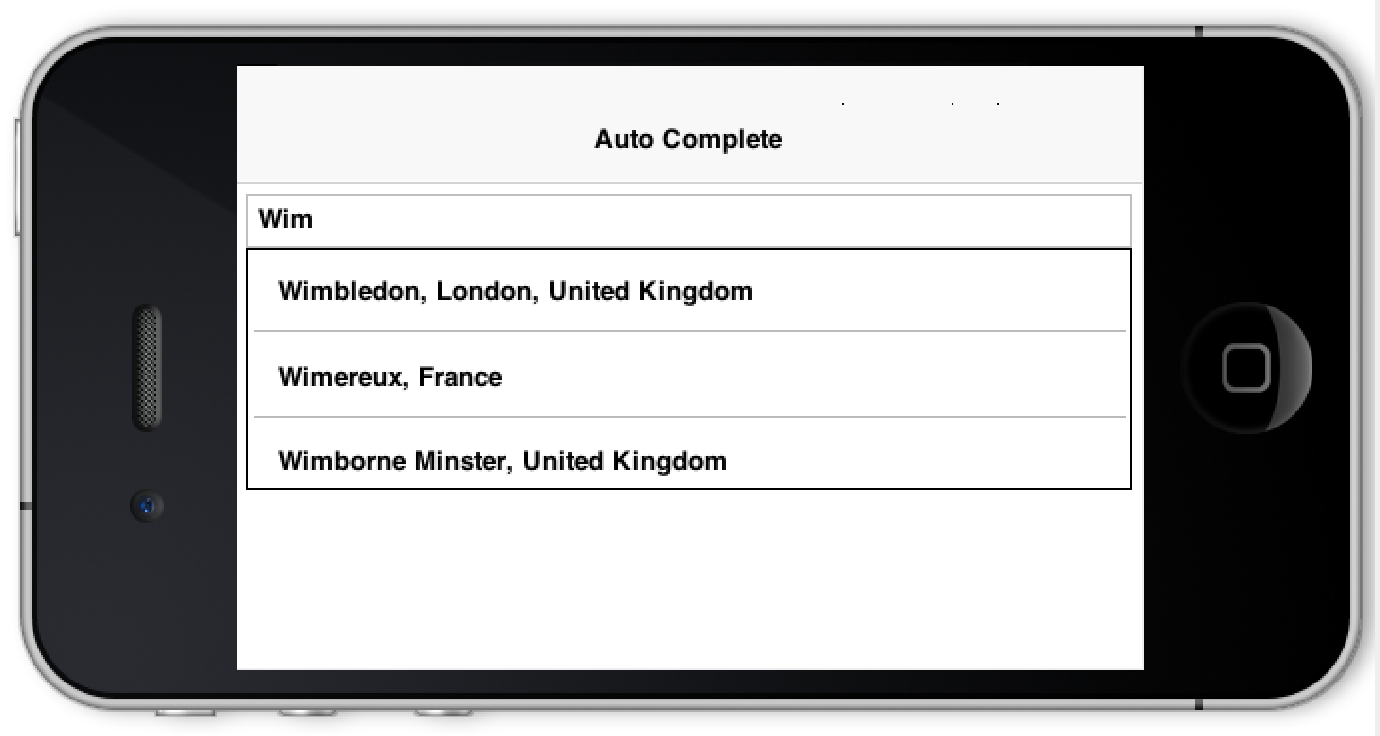
With the fix for issue #1694 we can now have
a moderately simple method of creating an
AutoCompleteTextField
that works with a webservice. This has been requested quite often and was quite frustrating to implement in the past
it is now relatively simple with just a few lines of code.
Check out the live demo using the JavaScript port on the right side here
You can see the full working sample of this project in this
github repository notice that you will need to fill
in a google web API key for the webservice to work as explained
here.
The sample works relatively simply, instead of passing a fixed list of elements we pass a model to the auto
complete and then just modify the model. The auto complete updates itself based on the modification to the
model which is completely asynchronous.
The main thing we need to do is override the filter method and mutate the model there.
Check out the main code of this app below:
Form hi = new Form("AutoComplete", new BoxLayout(BoxLayout.Y_AXIS));
if(apiKey == null) {
    hi.add(new SpanLabel("This demo requires a valid google API key to be set in the constant apiKey, "
            + "you can get this key for the webservice (not the native key) by following the instructions here: "
            + "https://developers.google.com/places/web-service/get-api-key"));
    hi.getToolbar().addCommandToRightBar("Get Key", null, e -> Display.getInstance().execute("https://developers.google.com/places/web-service/get-api-key"));
    hi.show();
    return;
}
 final DefaultListModel<String> options = new DefaultListModel<>();
 AutoCompleteTextField ac = new AutoCompleteTextField(options) {
     @Override
     protected boolean filter(String text) {
         if(text.length() == 0) {
             return false;
         }
         String[] l = searchLocations(text);
         if(l == null || l.length == 0) {
             return false;
         }

         options.removeAll();
         for(String s : l) {
             options.addItem(s);
         }
         return true;
     }
 };
 ac.setMinimumElementsShownInPopup(5);
 hi.add(ac);
 hi.show();
Notice that it relies on a call to the Google webservice as such:
String[] searchLocations(String text) {
    try {
        if(text.length() > 0) {
            ConnectionRequest r = new ConnectionRequest();
            r.setPost(false);
            r.setUrl("https://maps.googleapis.com/maps/api/place/autocomplete/json");
            r.addArgument("key", apiKey);
            r.addArgument("input", text);
            NetworkManager.getInstance().addToQueueAndWait(r);
            Map<String,Object> result = new JSONParser().parseJSON(new InputStreamReader(new ByteArrayInputStream(r.getResponseData()), "UTF-8"));
            String[] res = Result.fromContent(result).getAsStringArray("//description");
            return res;
        }
    } catch(Exception err) {
        Log.e(err);
    }
    return null;
}
Archived Comments
This post was automatically migrated from the legacy Codename One blog. The original comments are preserved below for historical context. New discussion happens in the Discussion section.
Carlos — July 14, 2016 at 3:46 pm (permalink)
Carlos says:
Awesome, thank you, but I would take
options.removeAll();
right before:
if (text.length() == 0)
So if the user erase to empty the textfield, the combo with the completions disappears.
Shai Almog — July 15, 2016 at 4:01 am (permalink)
Shai Almog says:
Makes sense, thanks!
Diamond — July 15, 2016 at 9:03 am (permalink)
Diamond says:
Hi Shai,
How do I style the AutoCompleteTextField List selected item? The default color is orange on my theme and I will like to change it to blue. I’ve tried styling “AutoCompleteList”, but it doesn’t help… the whole list got changed to blue and I want only one item to change. I also tried AutoCompleteListRenderer and AutoCompleteListRendererFocus, not helping either.
Shai Almog — July 16, 2016 at 4:30 am (permalink)
Shai Almog says:
Hi Diamond,
you can use setCompletionRenderer() to set a custom renderer. It uses the standard list renderer with ListRendererFocus and ListRenderer UIID’s.
Diamond — July 19, 2016 at 8:07 pm (permalink)
Diamond says:
Hi Shai,
Is it possible to change the AutoComplete popup to have an icon and text?
Also, is it possible to clear the text input if user didn’t choose from the popup? This is to force only suggested values in the TextField.
Lastly, Can I make the popup list break line for long text?
If any of these are possible, can you please guide on how to achieve this.
Thank you.
Shai Almog — July 20, 2016 at 4:26 am (permalink)
Shai Almog says:
Hi Diamond,
It’s a renderer so you can do everything a renderer can do with its standard limitations.
So icon should be easy just use your data model when you fetch the information to render the icon and potentially more than one row.However, dynamic line breaking is problematic with renderers so that won’t work.
I’d love to have a way to use components in box Y instead of list+renderer for this component and the original issue actually suggested going in that direction.
Diamond — July 22, 2016 at 10:57 am (permalink)
Diamond says:
ac.getHintLabel().setUIID(“CustomHintUIID”); is throwing a nullPointer exception, is there a way to fix this?
Shai Almog — July 23, 2016 at 4:44 am (permalink)
Shai Almog says:
That’s standard behavior in a text area/field as well… If you didn’t call setHint(…) first the label wasn’t created so it will be null.
emaalam — April 27, 2017 at 12:56 pm (permalink)
emaalam says:
Hi Shai
i have two problems first i want to add a map in AutoCompleteTextField exactlly in DefaultListModel and after i want to add the the listmodel in my autocompletetextField second : how can i get the text when i select an element in the AutoCompleteTextField
emaalam — April 27, 2017 at 3:33 pm (permalink)
emaalam says:
hi Shai
please answer me here http://stackoverflow.com/qu…
Discussion
Join the conversation via GitHub Discussions.