Managing your project dependencies and 3rd party extensions among the hard to navigate list of cn1libs has
always been challenging. We are now tackling this problem in the new settings UI which is scheduled to launch
for all IDE’s this Friday.
To get started just open the new Codename One settings UI:
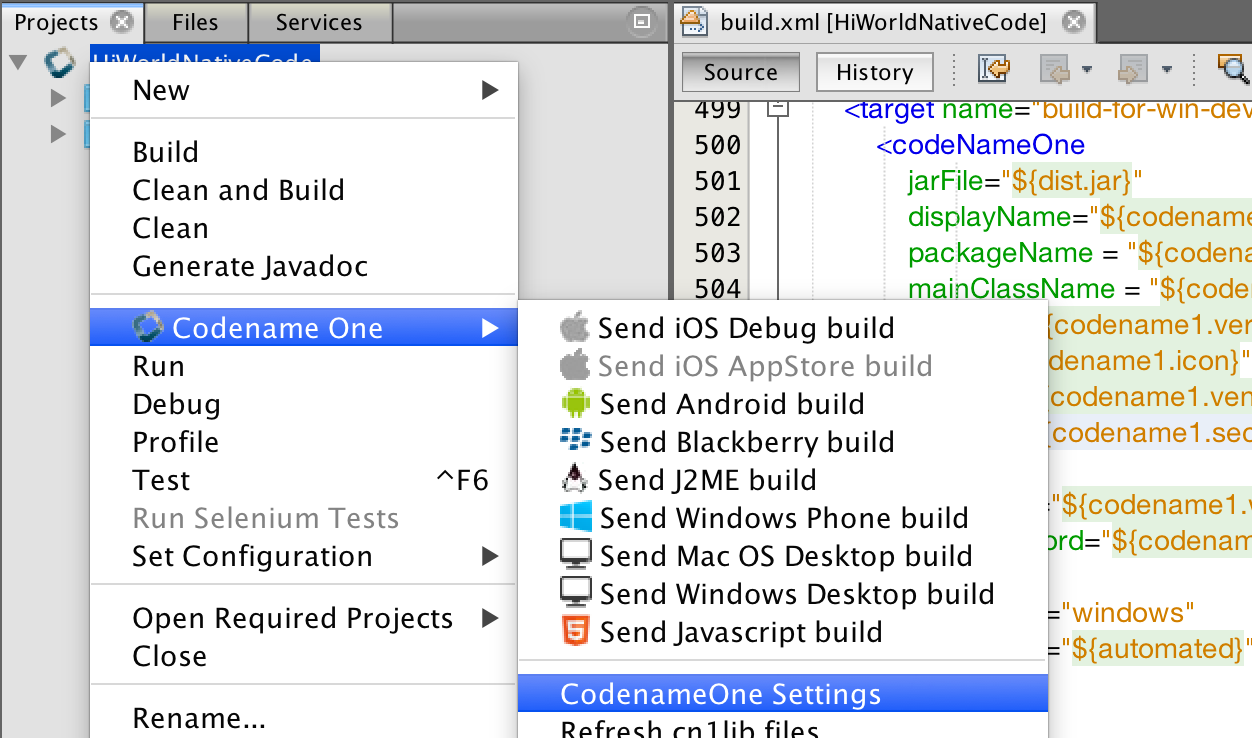
Figure 1. Launching the new preferences UI
| __ | You need to use an up to date plugin from the June 10th release |
|---|
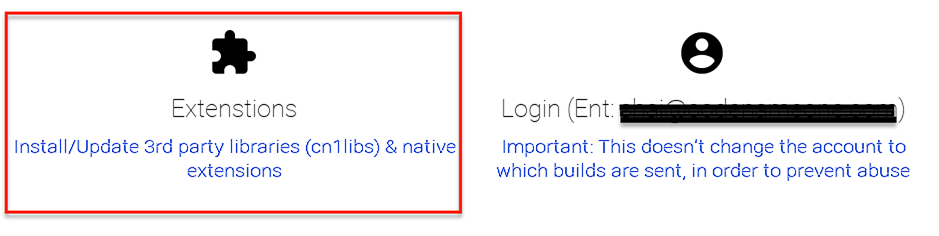
Then open the extensions option:
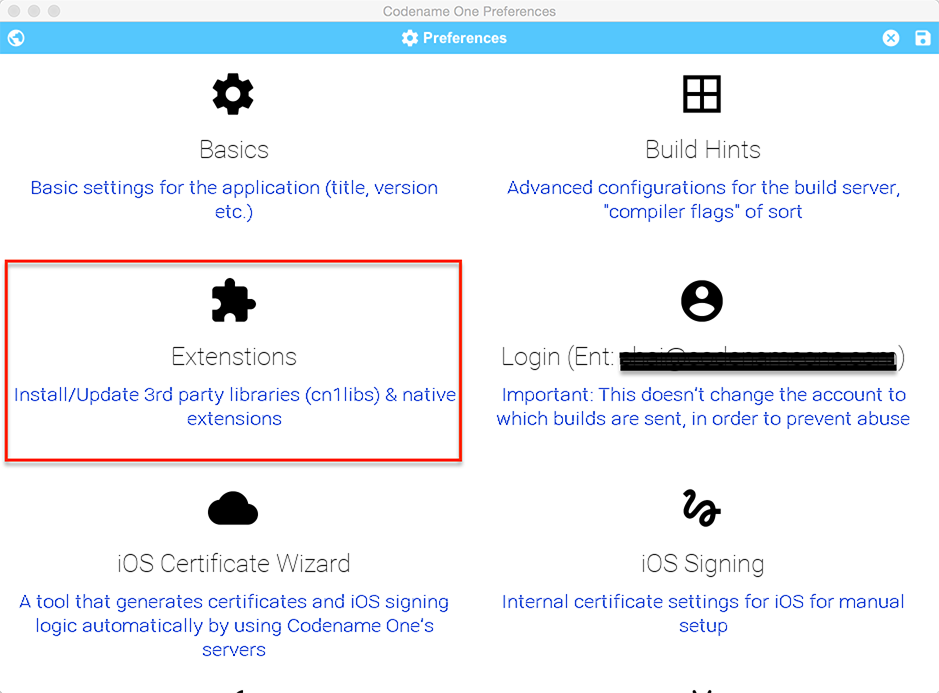
Figure 2. Extensions Option In the Settings
Once you launch the extensions UI you should see this screen where you can download/search thru available
Codename One extensions.
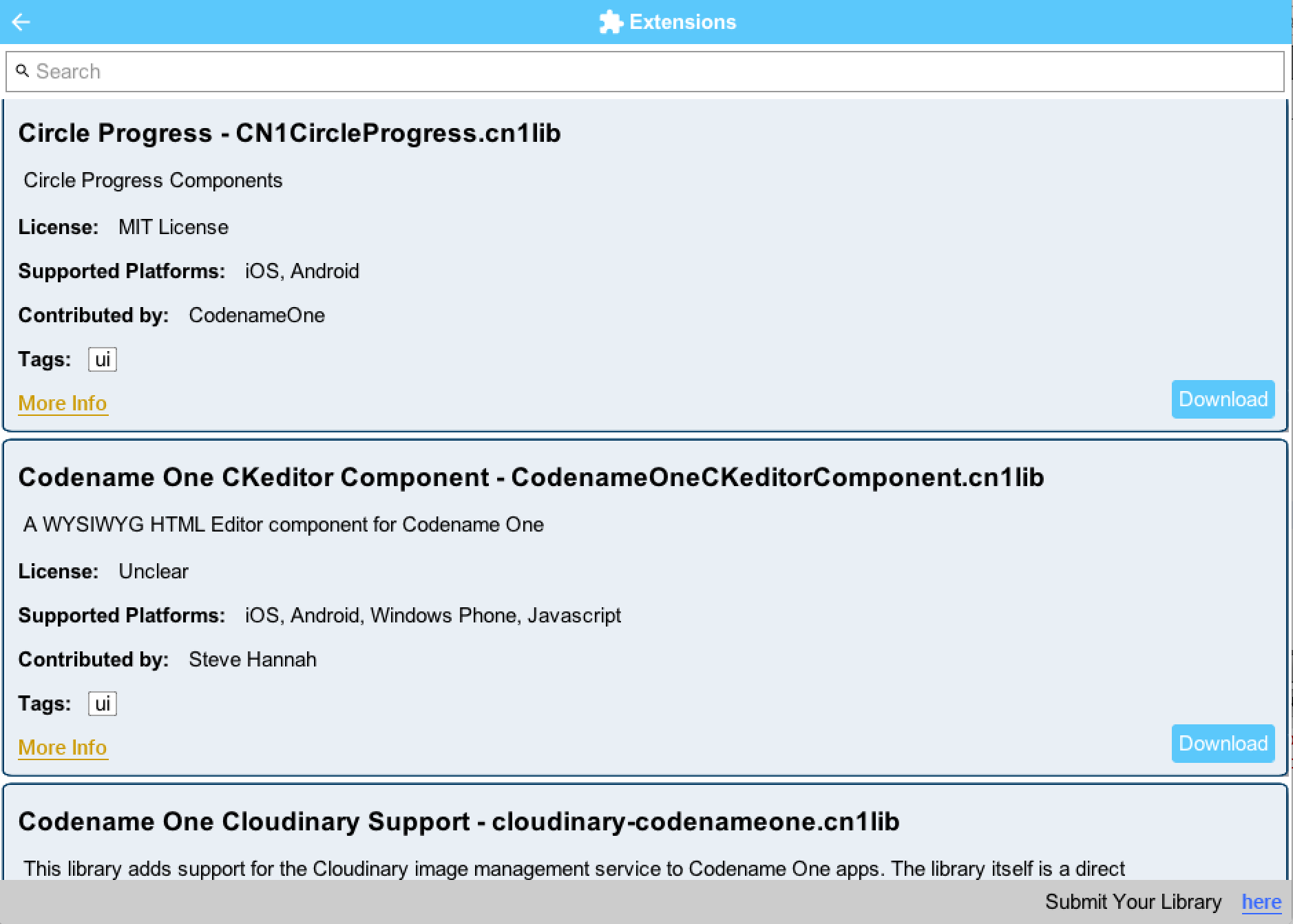
Figure 3. The Extensions UI
Once downloaded you will see a check mark next to the installed extensions.
Adding your Own
The list of extensions is based on a github project which
you can fork to extend. You can update the version of cn1libs you make and also contribute. Notice that while
all the current libraries in the list are open source this is by no means a requirement…
We have quite a few cn1libs already from the community and we’d appreciate more of those to help the community
at large.
What’s Next?
We will probably refine this process as it matures e.g. add more tagging based UI and make an “uninstall”
process as well…
However, this depends a lot on your involvement & feedback so let us know what you think and take part in the
project.
Archived Comments
This post was automatically migrated from the legacy Codename One blog. The original comments are preserved below for historical context. New discussion happens in the Discussion section.
Chidiebere Okwudire — June 8, 2016 at 2:50 pm (permalink)
This sounds really cool! I’m definitely gonna try it out in the upcoming parse4cn1 update scheduled for later this month and give you feedback.
By the way, I have an interesting situation and I’d like to know how best to handle it. The current (and most likely upcoming) version(s) of parse4cn1 ships in two flavors: One with push notification support and one without, the reason being that push notification requires some native sdks which conflicted with those in CN1 causing build failures (e.g., Facebook SDK).
How best can I handle this? Make two separate CN1libs (e.g. Parse4CN1.Push and Parse4CN1.NoPush)? Ideas are most welcome.Can’t wait to try this out 🙂
Shai Almog — June 9, 2016 at 3:50 am (permalink)
Thanks!
We wanted the current version to be as simple as possible and the only complexity we really tried to solve was relatively simple dependency management. So I don’t see another way other than the one you suggested.
FYI parse4cn1 is already in the current repository (we added most of our existing cn1libs section). At the moment we didn’t take that strategy and it’s listed as the standard cn1lib.
Chidiebere Okwudire — June 9, 2016 at 7:47 am (permalink)
Yeah, I already peeped at the git repo. The version number is also incorrect but that’s no problem. I’ll fix it within the coming update hopefully next week. At the time, I’ll also split it up
Shai Almog — June 9, 2016 at 8:05 am (permalink)
Shai Almog says:
Notice that this isn’t the “actual” version number. It’s the version in our repo which is an integer. We use this to determine if there is an update only and this isn’t displayed to the user… So the number is fine in that sense.
Chidiebere Okwudire — June 17, 2016 at 8:30 am (permalink)
Chidiebere Okwudire says:
Good point. By the way, do the IDEs automatically detect updates of the github repo is are the changes only available after the weekly cn1 updates?
Shai Almog — June 17, 2016 at 11:51 am (permalink)
Shai Almog says:
Neither. It’s a separate process where we manually deploy the changes to the codenameone.com website. We try to be quick about it but there is also caching from CDN and it’s a manual thing.
The logic is that we want the ability to migrate hosting. In the past we had an update center for NetBeans on Google code and it seems some people were still using it until now… In the future github might come down on partial binary hosting and we’d like such an eventuality to be seamless to our users.
Jérémy MARQUER — August 9, 2016 at 10:15 am (permalink)
Jérémy MARQUER says:
Hey. I cannot access to the new Preferences UI of CN1 with eclipse. My cn1 plugin version is “1.0.0.201608062027”. Thanks.
Shai Almog — August 10, 2016 at 5:37 am (permalink)
Shai Almog says:
Hi,
is this on a Mac or a PC?
Are you using JDK 8 to run Eclipse (you need to set it up in eclipse.ini)?
Jérémy MARQUER — August 10, 2016 at 7:09 am (permalink)
Jérémy MARQUER says:
On a PC. Yes sure, I launch Eclipse with this flag
“-vm
C:/Program Files/Java/jre1.8.0_77/bin/javaw.exe”
Shai Almog — August 11, 2016 at 4:41 am (permalink)
Shai Almog says:
Check that you have the GUIBuilder jar at c:myuserhomedir.codenameoneguibuilder_1.jar
Assuming it’s there try running it from command line using java -jar c:myuserhomedir.codenameoneguibuilder_1.jar -settings path_to_projectcodenameone_settings.proper… are there any errors printed to the console?
Jérémy MARQUER — August 11, 2016 at 7:12 am (permalink)
Jérémy MARQUER says:
As I expected, I obtain the old settings UI (not the latest I think) …
(and no errors printed)
Shai Almog — August 12, 2016 at 4:16 am (permalink)
Shai Almog says:
That’s a problem. We’ll look into it.
Jérémy MARQUER — August 17, 2016 at 4:31 pm (permalink)
Jérémy MARQUER says:
It’s ok, thanks.
Julien Sosin — December 5, 2017 at 3:24 pm (permalink)
Julien Sosin says:
Hi !
How can I delete a lib ? I tried CodeScanner but it looks deprecated and I can’t build iOS app anymore :/
Shai Almog — December 6, 2017 at 9:11 am (permalink)
Shai Almog says:
Hi,
there is currently no standard uninstaller but it shouldn’t be too hard. See the instructions I posted here: https://stackoverflow.com/a…
Discussion
Join the conversation via GitHub Discussions.