The com.codename1.vr package renders application scenes in stereoscopic VR and displays 360-degree panoramas, built entirely on the portable com.codename1.gpu pipeline and the com.codename1.sensors motion sensors. There is no platform SDK dependency: everything here runs wherever Display.getInstance().isGpuSupported() is true, which includes the simulator, and adds nothing to the build for apps that don’t use it.
Like com.codename1.gpu.Renderer, the VRRenderer and TextureSource callbacks run on the platform render thread that owns the GPU context - never touch Codename One UI components from them. Everything else in the package is ordinary EDT-friendly component API.
Concepts
| Type | Role |
|---|---|
| The stereo component: clears the frame, splits the viewport per eye, positions the cameras from head tracking and invokes your renderer once per eye. |
| Your scene callback: |
| Which eye a frame is for: |
| Interpupillary distance (default 0.064m), per-eye field of view, clip planes and the stereo default. |
| Wires the gyroscope, accelerometer and magnetometer into an orientation with thread-safe snapshots for the render thread. |
| The deterministic sensor-fusion math behind the tracker, usable on its own. |
| Per-eye camera math over the existing |
| A 360-degree panorama viewer: an equirectangular image on the inside of a sphere with drag or gyroscope look-around. |
| Extension point feeding dynamic textures (procedural animation, future video) to |
Getting started: A stereo scene
A VRRenderer draws the same scene for every eye; the camera differences produce the depth effect. The view configures the viewport and camera before each onEyeFrame, so the renderer only issues draw calls:
VRView vr = new VRView(new VRRenderer() {
    Mesh cube;
    Material material;

    public void onInit(GraphicsDevice device) {
        cube = Primitives.cube(device, 0.5f);
        material = new Material(Material.Type.PHONG).setColor(0xff3366ff);
    }

    public void onEyeFrame(GraphicsDevice device, VREye eye, Camera camera) {
        device.draw(cube, material, Matrix4.translation(0, 0, -2));
    }

    public void onDispose(GraphicsDevice device) { }
});
vr.setContinuous(true); // head tracked scenes want continuous rendering

Form f = new Form("VR", new BorderLayout());
f.add(BorderLayout.CENTER, vr);
f.show();
setStereo(false) switches to a single centered viewpoint (VREye.CENTER) at runtime, useful for a non-headset preview of the same scene. setPosition(x, y, z) moves the viewer through the world; setClearColor(argb) sets the background.
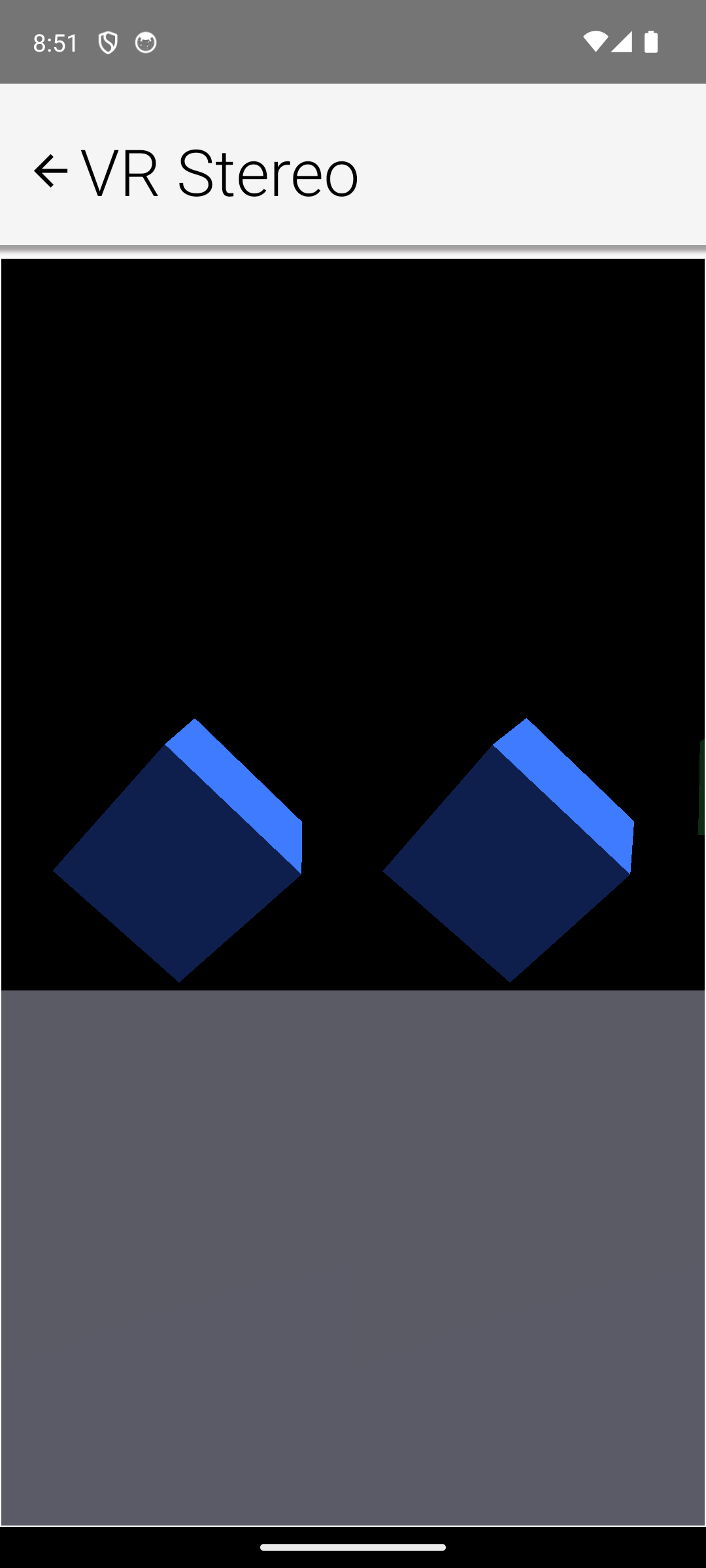
Head tracking
VRView starts its HeadTracker when the component appears and stops it when it leaves the screen; the sensors draw power only between the two. The tracker fuses the gyroscope with the accelerometer (tilt reference) and, when present, the magnetometer (yaw reference) through a complementary filter - tune the blend via getHeadTracker().getFilter().setGyroWeight(float).
Call recenter() to make the current view direction the new "straight ahead," keeping pitch and roll - the standard VR recentering gesture. On devices without a gyroscope the tracker falls back to accelerometer tilt: pitch and roll stay accurate but yaw has no stable reference. HeadTracker.isSupported() reports whether any usable motion hardware exists; without it the orientation simply stays put and the scene still renders.
The 360 photo viewer
Media360View displays equirectangular panoramas - the format produced by 360 cameras and phone panorama modes, where longitude maps to X and latitude to Y:
Media360View pano = new Media360View();
pano.setImage(EncodedImage.create("/panorama.jpg"));
f.add(BorderLayout.CENTER, pano);
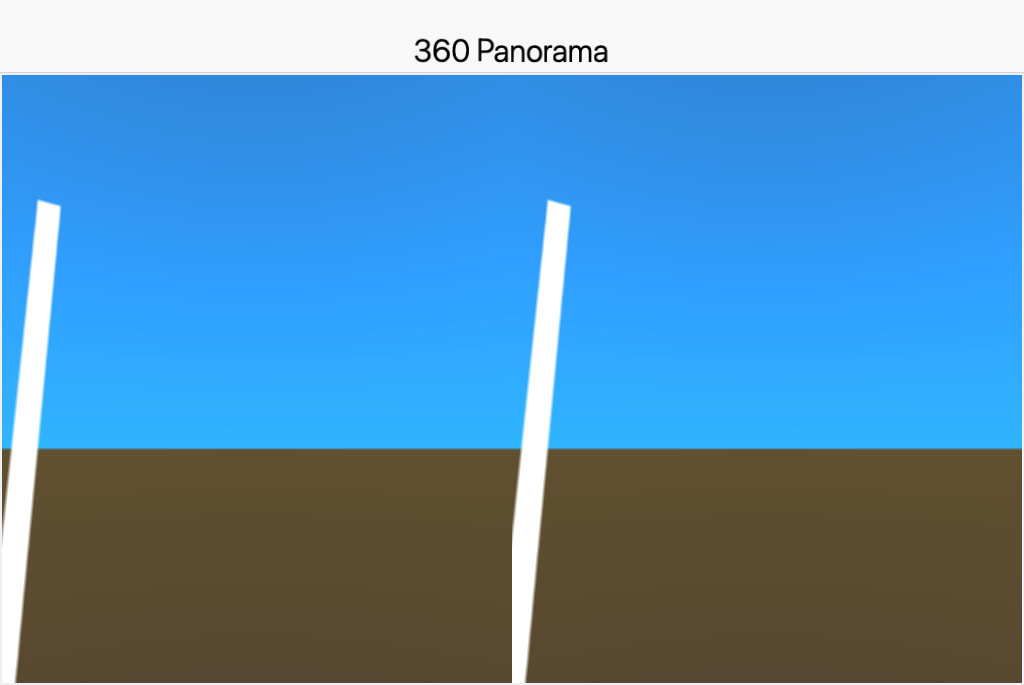
Dragging looks around with the grab-the-world gesture; setHeadTrackingEnabled(true) adds gyroscope look composed with the drag, and setStereo(true) renders side by side for cardboard-style viewers. Photo spheres are captured from a single point, so stereo intentionally uses zero eye separation - there is no parallax information in the image to reproduce. setYaw/setPitch position the view programmatically and reset() returns to straight ahead.
360 video and dynamic content
There is no platform path from media frames to GPU textures yet, so 360 video isn’t supported directly. TextureSource is the extension point for dynamic content: the view calls createTexture once on the render thread and updateTexture before every frame, so procedurally animated panoramas work today and a future media-to-texture bridge can plug in without API changes.
pano.setTextureSource(new TextureSource() {
    public Texture createTexture(GraphicsDevice device) {
        return device.createTexture(1024, 512, initialPixels);
    }
    public boolean updateTexture(GraphicsDevice device, Texture texture) {
        // mutate pixels and re-upload as needed; return true when changed
        return false;
    }
    public void dispose(GraphicsDevice device) { }
});
The simulator
Both VRView and Media360View run in the simulator through the desktop 3D backend, and the Simulate menu’s Motion / Gesture Simulation window feeds synthetic sensor data to the HeadTracker, so head-tracked scenes are drivable from the desktop. Drag-look in Media360View works with the mouse as it does with a finger.
Limitations and notes
Lens distortion: the stereo output is undistorted side-by-side rendering. Barrel distortion for lens-based viewers requires an offscreen render pass the portable GPU API doesn’t expose yet, so there is no distortion setting to configure.
Battery: continuous rendering plus live sensors is the most power-hungry mode a phone UI can run; stop or pause the view whenever it isn’t visible (the component does this automatically on hide).
Coordinates: the world frame matches the AR and 3D graphics APIs (meters, right-handed, Y up, -Z forward), letting content and math move between the three without conversion.