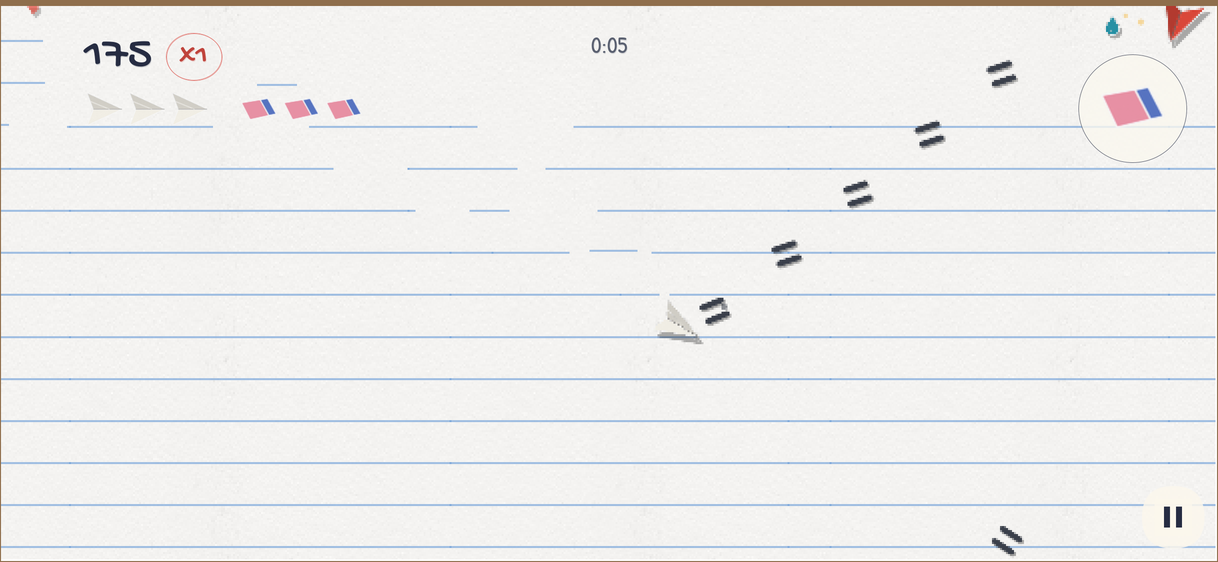
Papercut is a twin-stick arena shooter drawn in cut paper and ink on a page of a school notebook. You fly a paper quill, the pencil fires in the direction of your right thumb, and folded paper creatures arrive from the edges of the page. Every creature you cut up leaves a stain of its own ink behind, so a long run turns the page into a record of everything that happened on it.
It shares the module layout and the accounts with Skirmish and Splat, but it’s smaller: a game that runs entirely on the phone, and a server that keeps the scores honest without playing the game itself. This chapter shows where each part lives and what to change to make the game yours.
Running it
The project is in scripts/papercut, and the Initializr generates it under your own
package and name. Start the server on the development profile, which keeps its
database in memory, seeds the demo accounts and simulates purchases:
CN1_PROFILE=dev backend/server.sh runThen run the app in the simulator, from the project’s directory:
mvn verify -Psimulator -DskipTests -Dcodename1.platform=javaseTo build the native iOS app on a Mac, generate the Xcode project, which lands under
ios/target, then open it and run it on a simulator or a device from Xcode:
mvn package -DskipTests -Dcodename1.platform=ios -Dcodename1.buildTarget=ios-source -Dopen=falseThe game itself plays without a server; you only need one to sign in, keep scores
and shop. Four demo accounts exist on the development profile, each with the
password papercut-demo:
| Account | What it’s for |
|---|---|
A player with runs on the boards. | |
A second player to compare scores with. | |
A player with a flagged run, so the console has something to review. | |
The administrator. |
A field of rivals with runs spread over all three modes, this week and today, is
seeded too, so every board and the daily sheet have something on them. Outside the
development profile only the admin is made, and only when the
papercut.admin.email and papercut.admin.password properties say who.
What the sample does
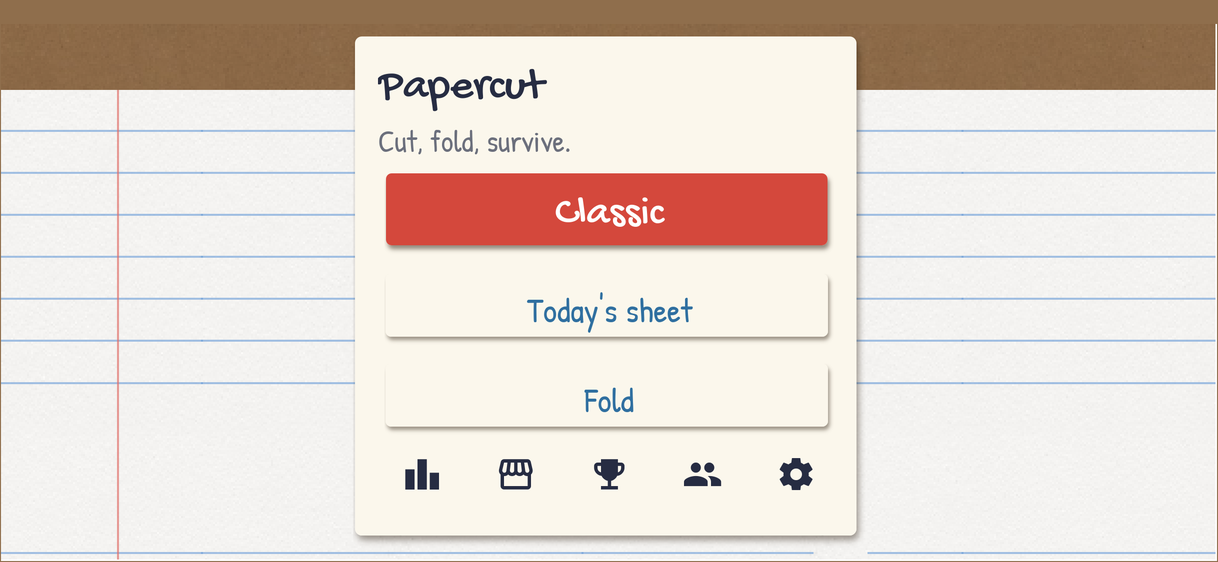
The home screen plays the game by itself behind the menu: a Bot flies an
ArenaView in Classic mode as an attract loop. The menu offers three ways to play:
- Classic
Survive. Creatures arrive in waves that grow harder, every one you cut drops a drop of ink, and every drop you pick up raises the multiplier, up to x20. Losing the quill resets the multiplier to x1.
- Today’s sheet
Classic on the day’s seed, so everyone who plays today faces the same waves and competes on the same board.
- Fold
No pencil. Paper gates drift across the page, and you burst them by steering the quill between their two ends.
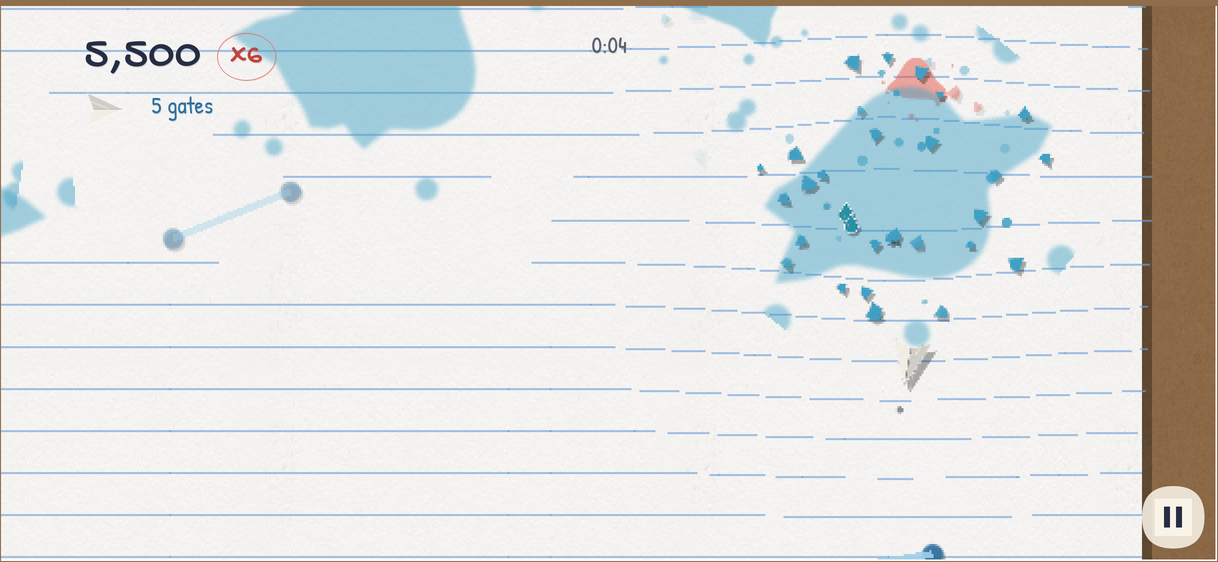
The controls are a floating stick on each half of the screen: the left thumb moves the quill, the right thumb aims and fires while it’s held. The eraser, the game’s bomb, is a button at the top right that wipes every creature off the page. On a desktop, WASD moves, the arrow keys aim and fire and Space erases; the mouse aims and fires while its button is held; and a gamepad uses its two sticks and A or either shoulder button.
The modules
| Module | What’s in it |
|---|---|
| The API between the app and the server: the |
| The app. |
| The server: |
| The iOS build and its native settings. |
There is no separate rules module. The game lives in the app alone, because the server never plays it again (see Honest scores without a second copy of the game).
The arena runs without a screen
Arena is the whole game, as state and one step(float). Positions are in sheet
units on an Arena.WIDTH by Arena.HEIGHT page, and whatever controls the quill
sets moveX, moveY, aimX, aimY, firing and bombPressed before each step.
What the player should see or hear happen — a burst, a pick-up, a lost quill — goes
to an Arena.Listener, which ArenaView implements and turns into paper scraps, ink
and sound.
That split is what lets ArenaTest play a hundred runs with the Bot and no
display, and it’s what makes the attract loop on the home screen free: the bot sets
the same fields a thumb would.
The modes are the constants Arena.CLASSIC, Arena.FOLD and Arena.DAILY, passed
to the constructor with a seed. Classic and the daily share one director that picks a
creature kind by cost as the run goes on; Fold has its own that sets out the gates.
The multiplier climbs by one for every drop picked up and stops at
Arena.MAX_MULTIPLIER; the pencil gets more strokes as it climbs (streams()), which
is the reward for staying alive.
The creatures
Every creature is an Enemy, and the kinds differ only in how Arena steers them:
| Kind | Behaviour |
|---|---|
| Folds toward the quill and keeps folding: the simplest chaser. |
| Drifts and bounces, spinning; harmless alone, deadly in a crowd. |
| Glides in curves; cut it and it unfolds into two cranelets. |
| What a crane leaves behind: small, fast, orbiting. |
| Lines up with the quill, then snips across the sheet in a straight dash. |
| A pool of ink that pulls everything toward it, and bursts into darts when it has drunk too much. |
| The gate of the Fold mode. |
Their size, points, hit points and color are the arrays Enemy.RADIUS,
Enemy.POINTS, Enemy.HP and Enemy.COLOUR, indexed by kind. Adding a creature is
a new constant, a row in each array, a branch in the arena’s steering and a shape in
the art script.
Drawing the page
ArenaView extends com.codename1.gaming.GameView, and draws everything as sprites
on the game layer: the page, the stains, the drops, the creatures, the shots and the
quill. Every cut-out is drawn twice, the second time tinted black and offset as its
shadow, so no image carries a shadow of its own. Hud paints the score, the
multiplier, the lives, the eraser button and the sticks over it.
The page is a Sheet: a grid of springs, one point mass for every crossing of the
ruled lines, each tied to where it was printed. A burst pushes the points out with
poke(float, float, float, float), an inkwell pulls them in, and the springs bring
them back, so the lines ripple and pucker the way paper would if you could poke it.
The view draws the horizontal lines blue and one column red, which is all it takes to
read as a notebook. Like the arena, the sheet is plain arithmetic and runs in tests.
Every kill leaves an ink stain in the creature’s color. The stains are a ring buffer, so a long run fills the page and the oldest marks give way to new ones rather than slowing the game down.
Two sticks by hand
The gaming package’s TouchControls offers one joystick, and a twin-stick shooter
needs two. ArenaView therefore reads the pointer itself: a thumb that lands on the
left half of the view becomes ArenaView.move, one on the right half ArenaView.aim,
and each ArenaView.Stick is centered wherever its thumb landed. The pointer callbacks
write the sticks on the EDT, and the render thread reads them when it copies the
controls into the arena. The eraser button is a circle the view and the Hud agree on
through eraserButton().
Honest scores without a second copy of the game
Skirmish and Splat run the same deterministic rules on the phone and the server, so the server can play a match again and know its outcome. Papercut doesn’t. Keeping a second copy of a real-time shooter on the server, in step with every change to the game, costs more than a sample’s leaderboards are worth, and it would force the game to be bit-for-bit deterministic across devices.
Instead a result is held to two things:
A ticket. Before a run, the app asks
RunApito start one, andRuns.startissues a single-use ticket for that mode. The result must answer a ticket this server issued, once, for the mode it was issued for. A daily ticket also pins the day’s seed, so a daily result is always for the sheet everyone else was dealt.Arithmetic.
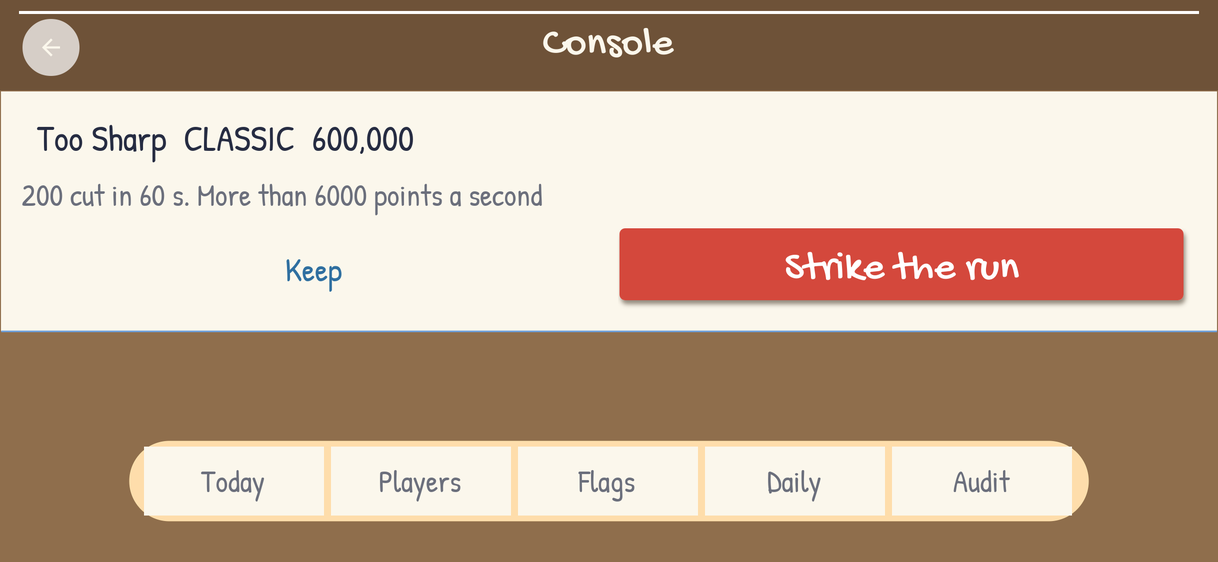
ScoreBoundsstates what a run can claim: the most a creature is worth, the multiplier’s ceiling, the most kills a second and the longest run.Runs.submitrefuses a result past those bounds, and keeps one that is merely remarkable but files a flag for the console.
/*
 * Copyright (c) 2026, Codename One and/or its affiliates.
 *
 * Permission is hereby granted, free of charge, to any person obtaining a copy
 * of this software and associated documentation files (the "Software"), to
 * deal in the Software without restriction, including without limitation the
 * rights to use, copy, modify, merge, publish, distribute, sublicense, and/or
 * sell copies of the Software, and to permit persons to whom the Software is
 * furnished to do so.
 *
 * THE SOFTWARE IS PROVIDED "AS IS", WITHOUT WARRANTY OF ANY KIND, EXPRESS OR
 * IMPLIED, INCLUDING BUT NOT LIMITED TO THE WARRANTIES OF MERCHANTABILITY,
 * FITNESS FOR A PARTICULAR PURPOSE AND NONINFRINGEMENT. IN NO EVENT SHALL THE
 * AUTHORS OR COPYRIGHT HOLDERS BE LIABLE FOR ANY CLAIM, DAMAGES OR OTHER
 * LIABILITY, WHETHER IN AN ACTION OF CONTRACT, TORT OR OTHERWISE, ARISING
 * FROM, OUT OF OR IN CONNECTION WITH THE SOFTWARE OR THE USE OR OTHER DEALINGS
 * IN THE SOFTWARE.
 */
package com.codenameone.examples.papercut.api;

/// What a submitted run can honestly claim, and nothing else.
///
/// The server does not play a run again to check it: the game lives in the
/// app (`play/Arena`), and keeping a second copy of it on the server, in step
/// across every change, costs more than the leaderboards of a sample are
/// worth. Instead a run is held to arithmetic the game cannot exceed, and a
/// run past it is refused, while one that is merely remarkable is kept but
/// flagged for the console. A cheat that stays under the bound gets a
/// plausible score; that is the trade, and the place to tighten it is here.
///
/// `ArenaTest` in the app plays the real game against these numbers, so a
/// change to the game that breaks them fails a test, not a leaderboard.
public final class ScoreBounds {
    /// The most any one creature is worth before the multiplier.
    public static final int MAX_POINTS = 250;
    /// The multiplier's ceiling.
    public static final int MAX_MULTIPLIER = 20;
    /// The most creatures a run can cut up in a second, averaged over the run.
    public static final int MAX_KILLS_PER_SECOND = 16;
    /// The longest a run can last, in seconds: an hour.
    public static final int MAX_SECONDS = 3600;
    /// A score per second above this is flagged for a person to look at.
    public static final int SUSPICIOUS_PER_SECOND = 6000;

    private ScoreBounds() {
    }

    /// True when `score` could have come from `kills` cuts in `seconds`.
    public static boolean possible(long score, int kills, int seconds) {
        if (score < 0 || kills < 0 || seconds <= 0 || seconds > MAX_SECONDS) {
            return false;
        }
        if (kills > (long) seconds * MAX_KILLS_PER_SECOND + 40) {
            return false;
        }
        return score <= (long) kills * MAX_POINTS * MAX_MULTIPLIER;
    }

    /// True when a possible run is still worth a second look.
    public static boolean suspicious(long score, int seconds) {
        return seconds > 0 && score / seconds > SUSPICIOUS_PER_SECOND;
    }
}
A cheat that stays under the bound gets a plausible score; that’s the trade, and
ScoreBounds is the place to tighten it. ArenaTest plays the real game against
these numbers, so a change to the game that breaks them fails a test rather than a
leaderboard.
The server
- Accounts and sign-in
accountregisters players, signs them in and makes the demo accounts.- Boards
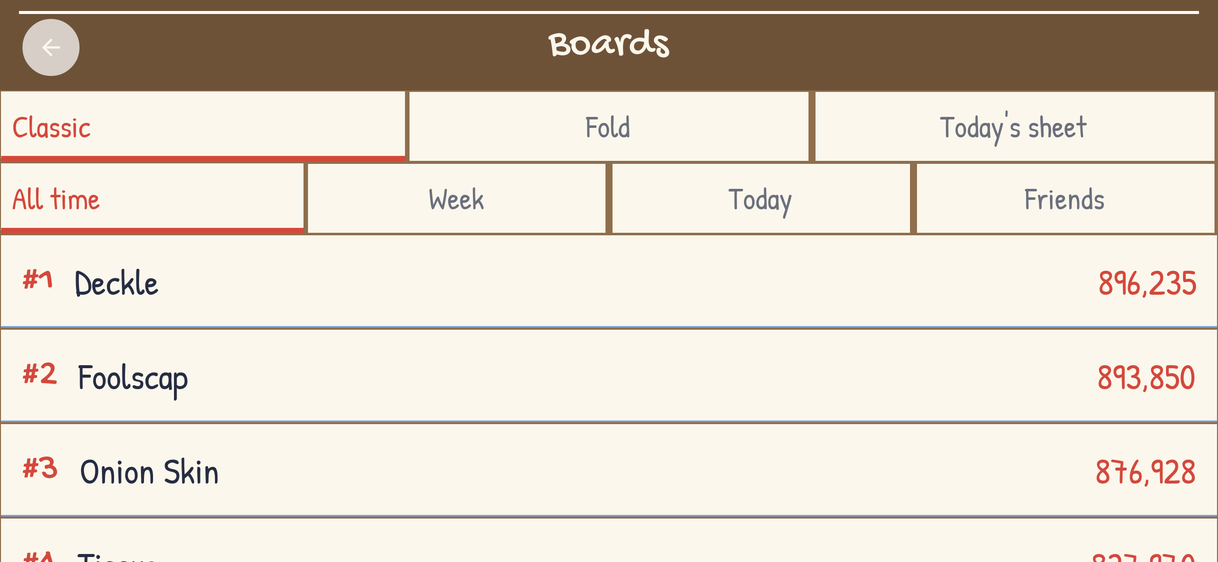
Boards.leaderboardanswers each player’s best standing run of a mode over a period:ALL,WEEK,TODAYorFRIENDS(Modes). A board is worked out from the runs on every request rather than kept as a table of bests, because a week or a day is a window a stored best can’t answer, and a struck run or a benched player has to vanish from every board at once. A game with millions of runs would keep a per-period table.- The daily seed
DailySeeds.seedOfis a hash of the UTC date unless an admin has picked a seed for that day, so a day nobody played still has one and two servers agree without talking.- Friends
A friendship goes one way: adding someone puts them on your
FRIENDSboard, not you on theirs, so nobody has to accept anything and nobody can push onto a stranger’s board.- The shop
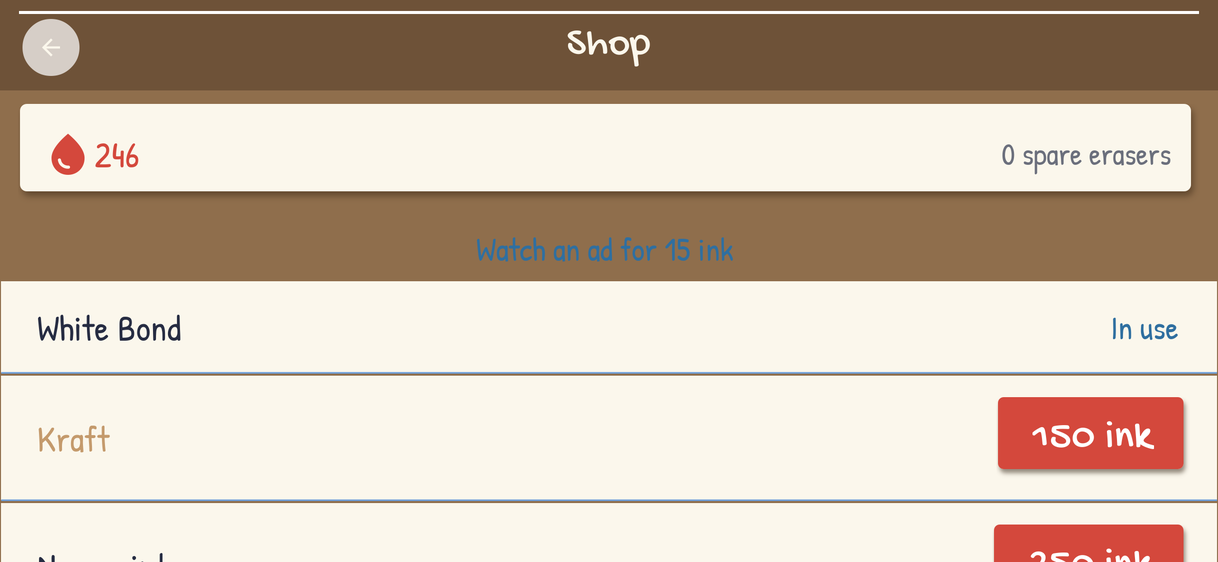
Cataloglists the quills (paper colors bought with coins), spare erasers and two coin packs sold through the platform stores.Shoptakes the profile row’s lock before every change, so two taps on Buy can’t spend the same coins, and checks store receipts through aReceiptValidator; the development profile simulates them. Rewarded ads credit coins once per nonce.- Achievements
Achievementsstores nothing. Each is worked out from the player’s standing runs whenever asked, so striking a run takes back what it unlocked, and a new achievement counts every run played before it existed.- Administration
AdminApicovers the stats, a player search, actions on a player, the flags and their resolution, picking the daily seed, broadcasts and the audit log. Every action is written to the audit log in the same transaction as the change, so the log can’t miss one; a broadcast’s push, which no rollback can recall, is sent only after its rows are written.
The art pipeline
Nothing in Papercut is drawn by hand in an image editor. tools/make-art.py draws
the creatures, the quill, the ink drops, the eraser, the stains, the scraps and the
icon from polygons, then multiplies real photographed paper into every cut-out so it
reads as paper. The paper textures are CC0 from ambientCG, the sounds are CC0 packs
from OpenGameArt, and the two typefaces, Gochi Hand and Patrick Hand, are under the
SIL Open Font License. ART.md beside the project lists every source, its author and
its license.
To make the art again, download the sources ART.md names into one directory and run
the script on it. It needs Pillow and ffmpeg, and rewrites every image and sound in
common/src/main/resources and the app icon:
python3 -I tools/make-art.py ~/papercut-sourcesRe-skinning
Colors. A creature’s color is
PALETTEat the top of the script andEnemy.COLOURin the game, which its bursts and stains take. Change both together.Shapes and sizes. A creature’s shape is one function in the script; its size on the page is
Enemy.RADIUS.The page. Swap the paper textures for another surface — graph paper, a blueprint, a chalkboard — and change the line colors
ArenaViewdraws the sheet with.Tinted images. Stains, scraps, pencil strokes and rings are drawn white on purpose, because the game tints them at run time.
Type and theme. The fonts load through
Art.title(float)andArt.body(float), and the forms are styled by the theme incommon/src/main/css.
Tests
ArenaTest plays the game headless with the bot and holds it to ScoreBounds; the
backend tests cover accounts, runs and tickets, the boards, the shop, achievements
and the admin actions:
./run-e2e.sh
mvn -pl shared,backend -Dcodename1.platform=backend test