I usually blog about a feature the week it lands. This one landed a few weeks ago and was in development for months before that: Codename One can now take a Flutter app’s Dart source and build it as a Codename One app. The results are amazing. I held this post back because I know how explosive these claims are. I wanted the numbers to come from a CI job that runs on every commit instead of a benchmark I tuned once on my laptop.
In the meantime we also added support for Kotlin Multiplatform with Compose, for a big part of Swing and JavaFX, and for classic Android apps on iOS. More is coming. The part that still surprises me is how well Codename One does against the originals where we measured them. The same Flutter app, built from the same Dart files, starts faster, uses less memory and ships less code when Codename One builds it. That holds on Android, macOS, Windows and Linux, and the sizes hold on iOS and the web too.
The same Dart, two builds
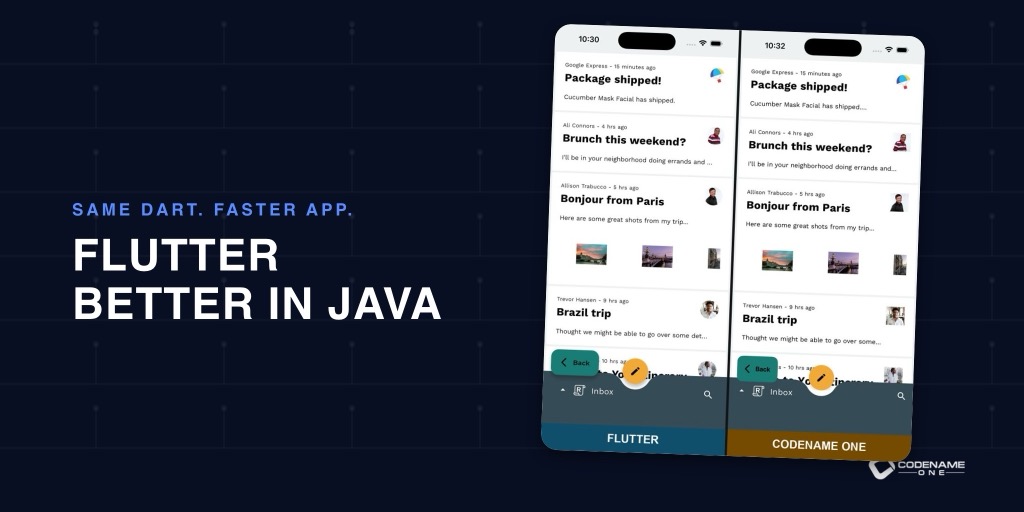
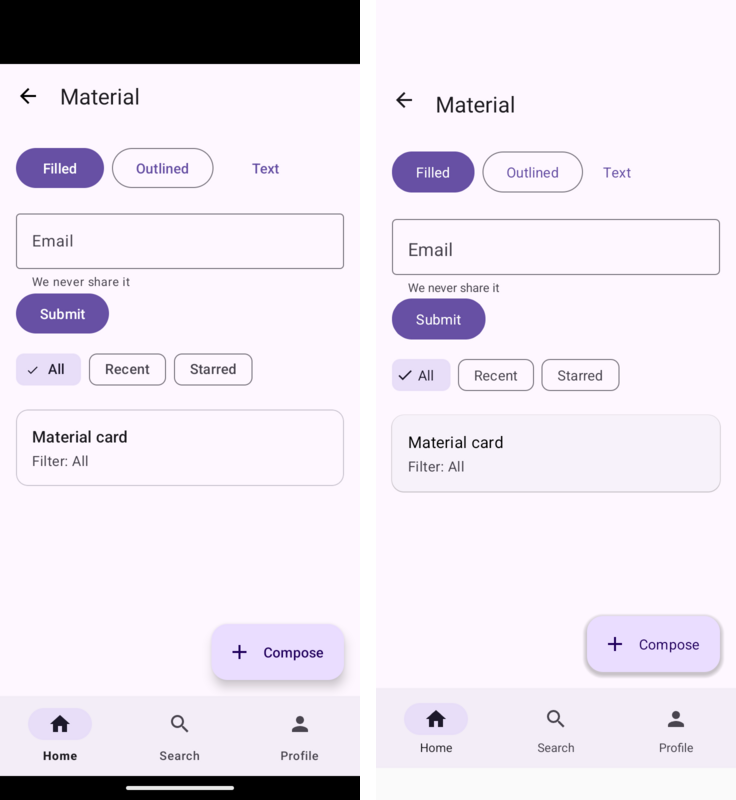
This is the Flutter Gallery, the Flutter team’s own showcase app. On the left it runs as Flutter built it. On the right, Codename One built it from the same Dart source, with no edits.
Look closely and you’ll see it isn’t pixel identical. In the Reply inbox the avatars are circles on the Flutter side and rounded squares on ours. Text wraps a few characters apart in places. The translation isn’t perfect, and the developer guide says so up front: Dart support is experimental, some callbacks and parameters are accepted and then ignored, and so far we have verified it against one large app. If you bring a Flutter app over, test every interaction your screens depend on.
But the hard part works. Layout, navigation, theming, text input, lists and the Material and Cupertino widgets all render from the original source, and what you get is a real Codename One app, not a picture of one.
Bringing a project over is one command in a Codename One project:
mvn cn1:import-flutter-project -Dcn1.flutter.import=/path/to/flutter_app
It copies lib, the assets and the fonts, adds the Flutter runtime to the build, writes the main class and tells you which of your pub dependencies are covered. You don’t need the Dart or Flutter SDK to build the result. The transpiler is Java and runs inside the normal Maven build.
Coming This Week
Today is the Flutter story and the numbers behind it. Then one post a day:
- Saturday, October 31: Your Compose Code, on More Screens and Less CPU. Kotlin Multiplatform and Compose, running on Codename One, and why the Java version of the same screen is faster still.
- Sunday, November 1: Your Swing and JavaFX Code on iPhone, Android and the Web. What carries over, what doesn’t, and why you might not miss the parts that don’t.
- Monday, November 2: Bastion: A Hardened Bank Template, and Crypto Wallets in Core. A virtual bank and exchange with passkeys, signed requests and a double entry ledger, plus wallets for Ethereum, Bitcoin, and Solana.
- Tuesday, November 3: Reel: Your Own Streaming Service or Course Platform. Community uploads, courses, DRM and moderation in one Java project.
- Wednesday, November 4: GrapheneOS, LineageOS, /e/OS and Others Are Now Officially Supported. Room, WorkManager and document pickers in the Android layer, and apps that run on GrapheneOS as they are.
- Thursday, November 5: Caches, Certificates, Streaming Uploads and a Simulator That Types. Eight backend upgrades and a simulator with a virtual keyboard and video recording.
The numbers
Every commit to Codename One builds the Flutter Gallery twice: once with Flutter’s own release build and once with Codename One. CI measures both on the same machine in interleaved rounds, so a runner that slows down halfway through penalizes both builds equally. The figures below are from the run on October 29.
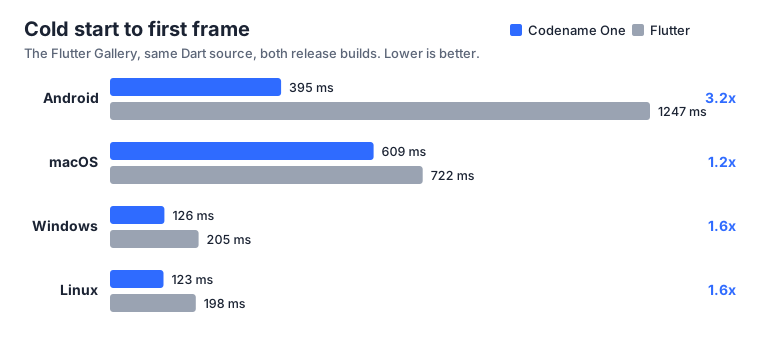
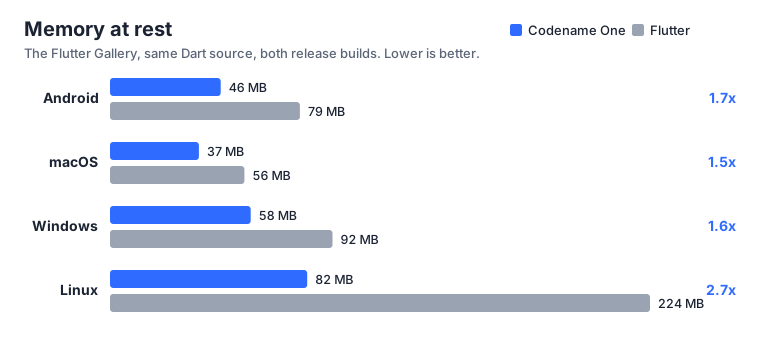
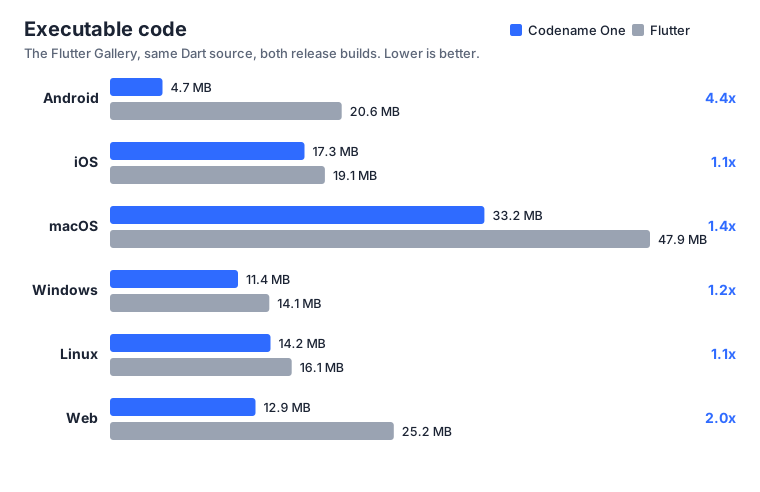
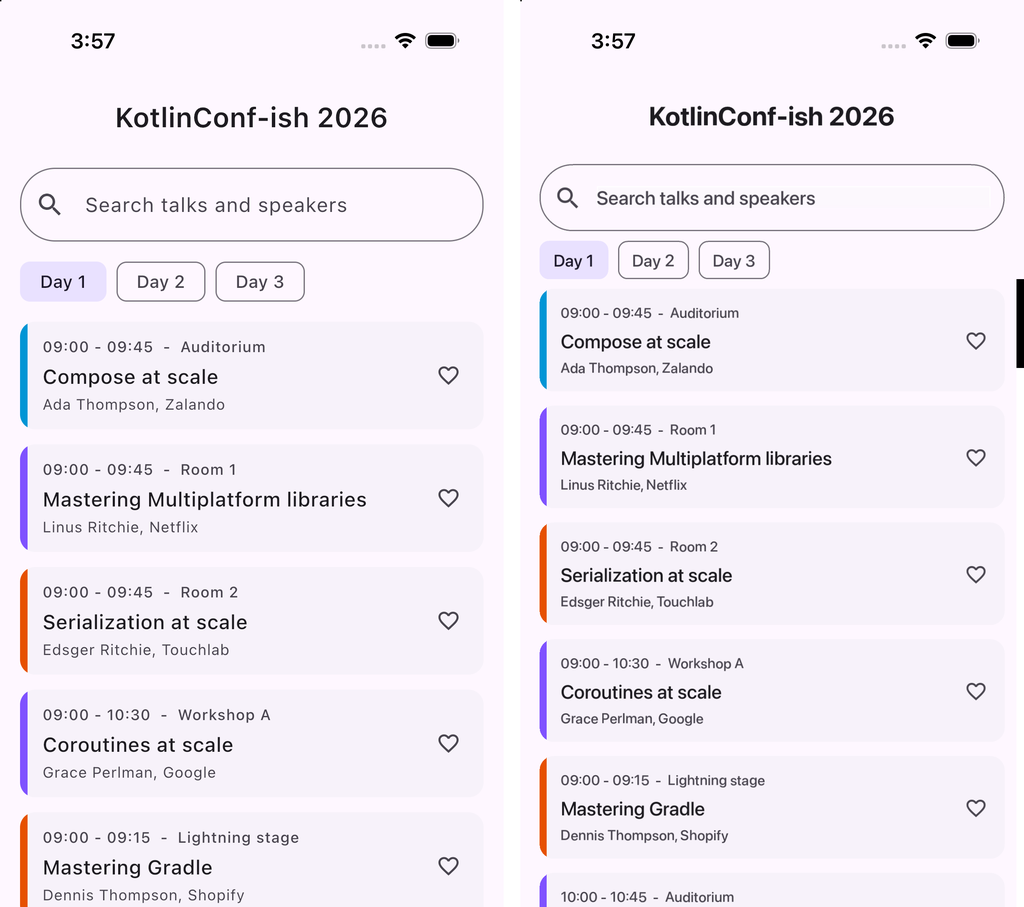
CI collects 26 metrics: installed size, executable code and download size on six platforms, plus cold start and memory at rest on the four where we can measure both sides fairly. Codename One is ahead on all 26. The Android timings come from an emulator, and iOS start-up and memory aren’t measured; both are explained below. The biggest gaps are on Android, where the app starts in a third of the time and carries a quarter of the code, and on Linux, where it settles at 82 MB against 224 MB.
The comparison is tilted toward Flutter, not away from it. The app is Flutter’s own showcase, written by the Flutter team in Flutter’s idioms, and Codename One runs it as it is. To do that, Codename One carries a runtime that reimplements Flutter’s widget, element and layout model on top of Codename One components. That layer is slower than Codename One code written directly; the Compose post shows the same effect, where the imperative Java version of a screen does a third of the work of the declarative one. A Codename One app never pays for that layer. We win while paying for it.
CI also runs eleven compute workloads (hash maps, recursion, string building, sorting, arithmetic and more) in Java and in Dart. On every native platform we measured, Codename One is faster overall, by 1.3x on Android up to 1.9x on Windows and Linux:
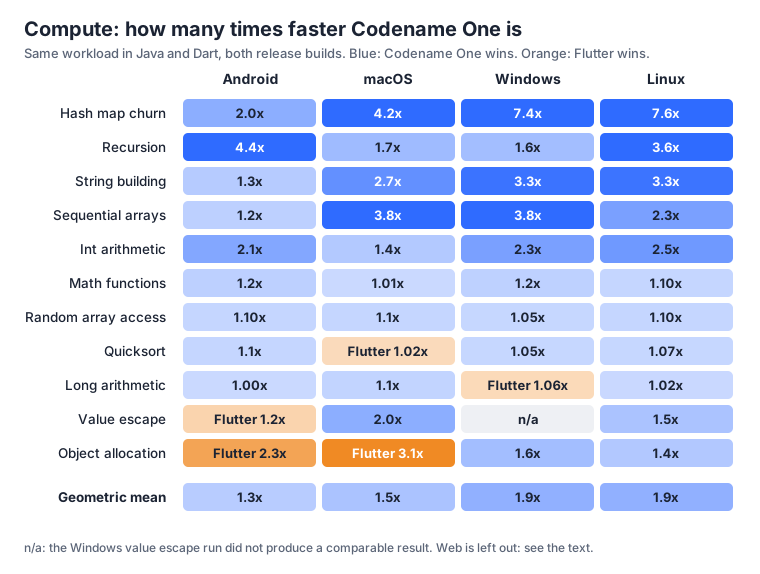
Flutter takes 5 of the 43 cells. Two are within 6%. The real one is object allocation on Android and macOS, where Dart’s allocator is quick at short lived objects; that’s on our list.
The web is the exception, and it’s the one place Flutter is faster. We leave it out of the comparison because Flutter’s web build gets some of the workloads wrong: integer arithmetic, random array access and quicksort return different checksums than the same code on every other platform, because Dart on the web runs numbers as JavaScript doubles. A benchmark that gets the answer wrong can’t be timed against one that gets it right. On the workloads where both sides agree, Flutter is ahead. The browser is asynchronous by nature, and that’s the one environment where Flutter’s model helps it rather than costing it. The sizes still favor us there.
Some things aren’t measured, and the charts leave them out rather than guess. Flutter can’t compile Dart ahead of time for the iOS simulator, so iOS start-up and memory would compare Flutter’s debug engine against our release build. We report iOS sizes only. Web start-up needs a browser driver the benchmark doesn’t have yet. Android timings come from an emulator, so they compare two builds on one machine rather than predicting a phone. The method, the harness and the raw numbers are in the Flutter chapter of the developer guide, and the benchmark lives in scripts/flutter-bench in the repository.
How a compatibility layer can be faster than the original
Each of these compatibility layers is a tool that runs at build time. None of them is a VM inside your app.
The Dart transpiler reads your widget source during generate-sources and writes Java. A runtime library then implements Flutter’s layout and composition model (constraints down, sizes up, elements reconciled against widgets) on top of Codename One containers. It does not reimplement Flutter’s rasterizer. Painting is ours. Compose works the same way: kotlinc compiles your Kotlin, the Compose runtime ships unmodified, and only the UI layer is ours. Swing, JavaFX and Android apps compile against their usual APIs, and a remap step points the bytecode at our implementations.
So the overhead is real, and it’s added on top of Codename One. The reason the result still wins is what’s underneath. ParparVM compiles Java ahead of time to C and then to a native binary, and its dead code elimination drops whatever your app doesn’t reach. There’s no Dart VM, no Skia or Impeller engine and no second runtime in the bundle. That’s how the Android build ends up with 4.7 MB of executable code against 20.6 MB.
Here is the Dart that calls into the platform. It’s ordinary Flutter code:
final batteryChannel = MethodChannel('com.example.app/battery');

Future<int> getBatteryLevel() async {
  final level = await batteryChannel.invokeMethod('getBatteryLevel');
  return level as int;
}
And here is the other side of that channel, in plain Java, with no plugin and no per-platform Swift or Kotlin:
MethodChannel channel = new MethodChannel("com.example.app/battery");
channel.setMethodCallHandler(new MethodChannel.MethodCallHandler() {
    @Override
    public void onMethodCall(MethodCall call, MethodChannel.Result result) {
        if ("getBatteryLevel".equals(call.method())) {
            result.success(87);
        } else {
            result.notImplemented();
        }
    }
});
You don’t have to move the whole app either. FlutterUI.wrap() returns an ordinary Container, so a Dart screen can sit inside a Codename One form next to components you wrote in Java:
Form dashboard = new Form("Dashboard", BoxLayout.y());
dashboard.add(new Label("Written in Codename One"));
dashboard.add(FlutterUI.wrap(new Text("Rendered from Dart")));
dashboard.add(new Button("Also Codename One"));
dashboard.show();
Similar in spirit
Flutter and Codename One made the same bet. Neither wraps the platform’s widgets. Both draw every component themselves on a lightweight surface, so you control every pixel and the behavior doesn’t drift between platforms. Codename One still ships native themes, so an app can look like iOS on an iPhone and like Material on Android, or look like your brand everywhere. That shared architecture is why a Flutter widget tree maps onto Codename One so naturally. The differences are in what sits around that core: the threading model, how apps are built and how features ship.
Can’t Flutter do the same?
No. Flutter could, in theory, run a Codename One app the way we run a Flutter app. It would be slow, because the two models point in opposite directions.
Flutter is asynchronous to the core. Dart runs in an event loop, platform calls are messages that come back as futures, and the engine draws on its own threads. Codename One is synchronous: your code calls the platform and gets an answer. Emulating a synchronous API on top of an asynchronous one means queuing, waiting and copying on every call. Going the other way is cheap: a future is a callback, and a callback is a method call.
The same reason explains why Flutter can’t catch Codename One on most platforms. Operating systems, graphics APIs and hardware are synchronous. Codename One calls them directly. Flutter goes through a message channel and its own engine to reach them.
Android makes it obvious. The native platform on Android is Java. Codename One compiles to it and talks to Android the way Android expects. Flutter avoids it, shipping its own VM and engine beside the one the phone already has. That’s why Android shows the biggest gap: a third of the start-up time and a quarter of the code.
Two differences you feel every day
The threading model shows up in the benchmarks. These two don’t, but you notice them every day you work.
Builders
A Codename One app is a Java project. The build of a native app happens in a builder: our cloud build servers or a local build, which take your compiled code and produce the iOS, Android or desktop binary. That moves the hard part of the developer experience into our hands:
- Build iOS apps from Windows or Linux. The cloud builder holds the Mac, Xcode and the signing steps. You don’t need to own a Mac to ship to the App Store.
- Cheap CI. Your unit and UI tests run in Java, in the simulator, on any CI runner. No emulator to boot and no macOS runner to pay for on every commit.
- New features without migration work. When Apple or Google change a requirement, or we add a capability, we update the builder. Your project picks it up on the next build, with nothing to upgrade or reconfigure.
Everything in one place
Codename One used to aim for a modular core, with features broken out into cn1libs. Flutter is going through that phase now, moving pieces such as its Material and Cupertino themes out of the framework into independent packages. We went the opposite way. The Codename One core now covers what Flutter does, plus most of what people reach for in Flutter’s most popular packages, and this week’s posts add more.
A bigger core costs you nothing, because you don’t pay for what you don’t use, and that works on two levels. ParparVM drops every class your app doesn’t reach. The builder goes further: it looks at what your compiled code calls and adds a native library only when a feature needs it. This week’s crypto support is a good example. Its native kernels for secp256k1, Ed25519 and the hashes are what make it fast, and an app that never touches the crypto API shouldn’t carry them. It doesn’t. Call a wallet or a signature API and the builder links them in, and you get native speed that our CI measures against the reference libraries, libsecp256k1 and OpenSSL among them. That’s how the builds above stay smaller than Flutter’s. What you get instead:
- One version. No matrix of package versions to keep compatible, and no upgrade that breaks because two packages disagree.
- Nothing abandoned. No package your app depends on that its author stopped maintaining two years ago.
- A short supply chain. This is the big one. Every package in a dependency tree is a person you trust with your users’ devices. A maintainer who burns out, sells the package, gets angry or gets hacked can push code into your app on the next update, and attacks on open source packages have done exactly that. With the features in core, your app’s dependencies are one project with one review process, not a tree of packages from strangers. That fits the rest of this week: the Bastion template is a hardened bank because security is something we take seriously, and banks and other regulated organizations build on Codename One. For them, a short supply chain is a requirement.
- Everything moves together. When we fix rendering, add a platform or change the build, every feature comes along, including the niche ones.
- One source of truth. The developer guide documents all of it, and when something breaks there is one team responsible for the answer.
We can finally show the code
For years, every Codename One against Flutter discussion went the same way. I’d explain why ahead of time compiled Java with a lightweight UI should produce a smaller, faster app. Someone would explain why it shouldn’t. Neither of us had the same app built both ways, so it came down to which camp you were already in.
Now there’s one app, built both ways, measured on every commit. If you think a number is wrong, the harness is in the repository and you can rerun it.
The part I didn’t expect is how much this made Codename One better. Each compatibility layer exposed problems we had missed for years:
- Styles were parsed over and over. Every component re-parsed its pressed and disabled styles from the theme. Caching them took component creation in the Gallery from 131 ms to 17 ms and resident memory from 247 MB to 144 MB.
- Every string constant was created at startup. ParparVM materialized every string literal before
main()ran. Making the pool lazy cut that step from 119 ms to 46 ms. - Rounded images were copied. Rounding an image’s corners built a second bitmap, 32 times during the first frame. Doing it in the fragment shader removed the copies and stopped memory from swinging between runs.
- Images decoded inside the first frame. Deferring that decode took the first frame from 302 ms to 213 ms.
- An idle app burned CPU. The Compose work found, and we fixed, a bug where on phones with a notch, safe area padding kept queuing layout so an idle app sat at 14% to 26% CPU.
None of these fixes are specific to Flutter. If you write Codename One apps in plain Java and never touch a Dart file, your app gets these fixes too: faster start-up, lower memory and an idle CPU that stays idle.
More This Week
Your Compose code, on more screens
Kotlin Multiplatform is a good platform, and Compose Multiplatform is well built. Codename One now runs the same Compose code on more targets, used about a quarter of the CPU per frame on our benchmark screen, and lets you drop to Java where it counts.
class MyApp : Lifecycle() {
    override fun runApp() {
        ComposeForm { LayoutScreen() }.show()
    }
}
Saturday’s Compose article has the numbers and their caveats.
Swing and JavaFX on phones
A large share of real Swing and JavaFX code now builds for iOS, Android and the web: the samples we test include SwingSet2 and Notepad, the JDK’s own demos. On Linux the native build is 4 to 6 times smaller zipped than the same app on the JVM, and starts faster in all 8 apps, even against a JVM tuned with AppCDS.
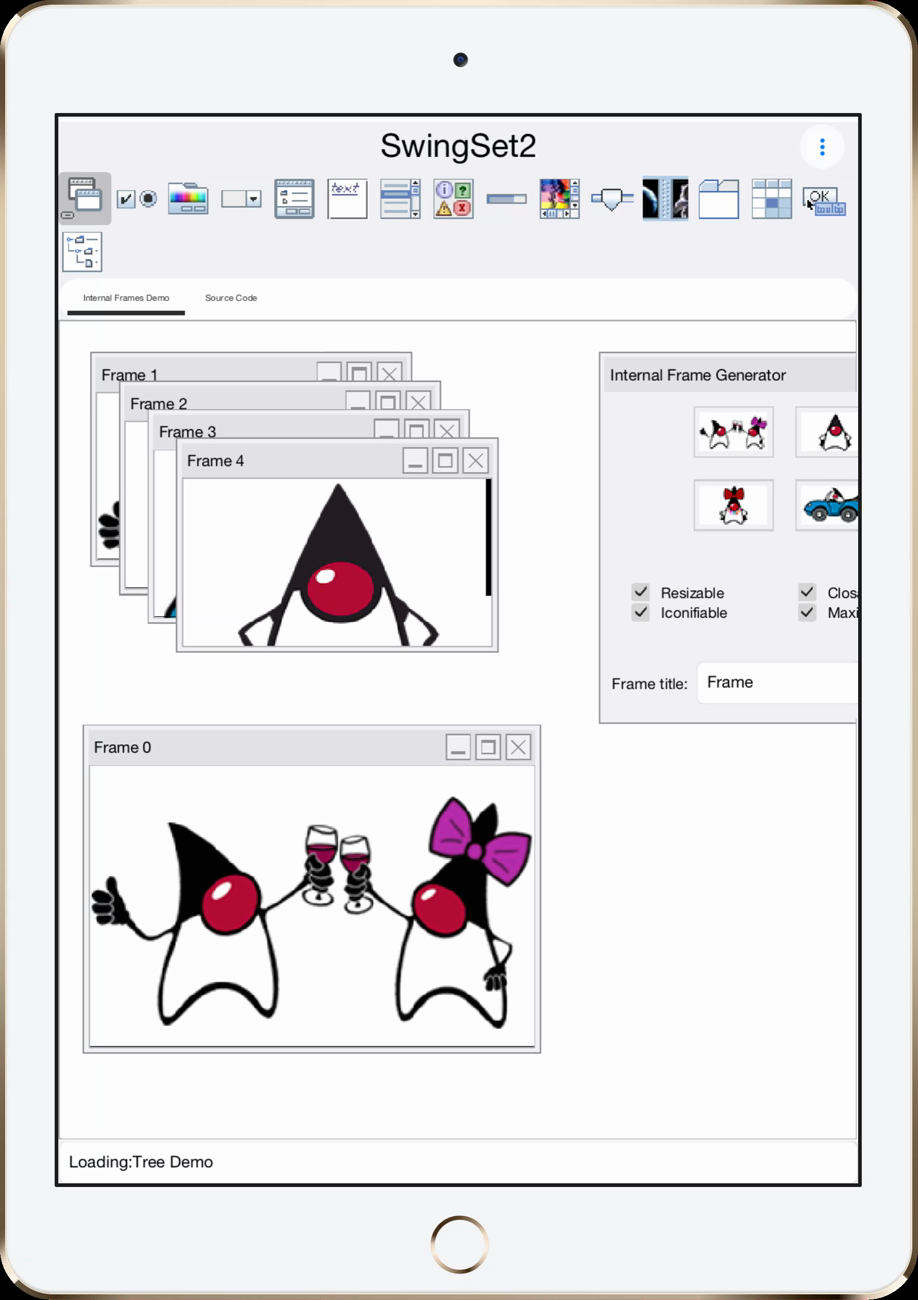
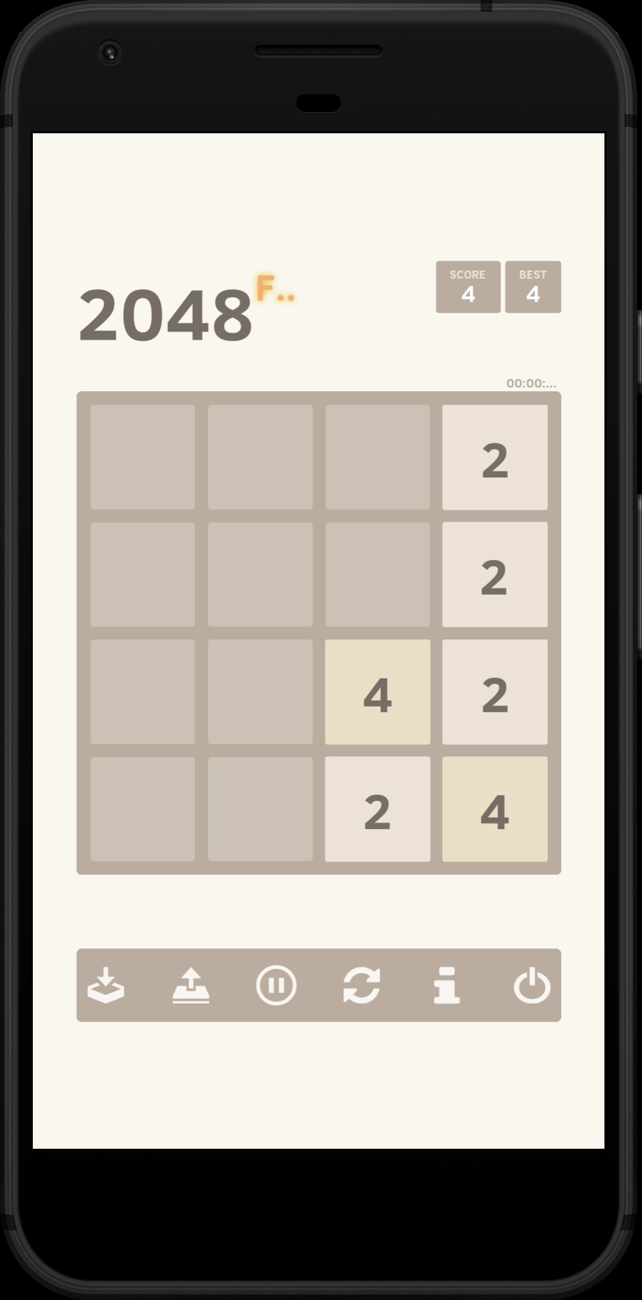
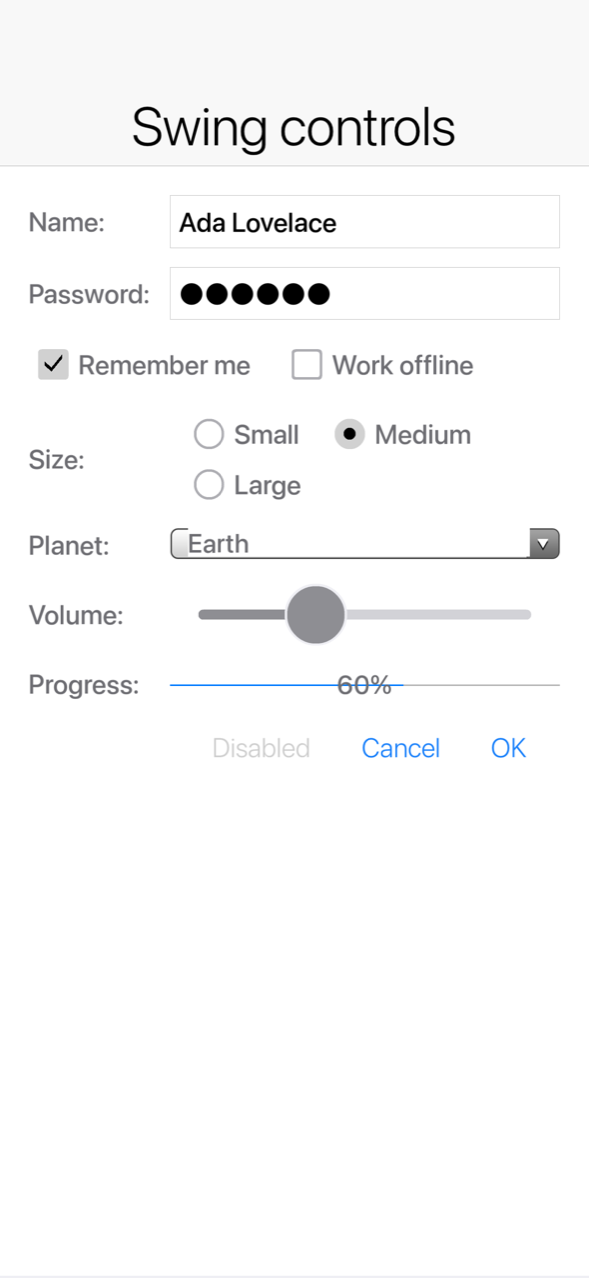
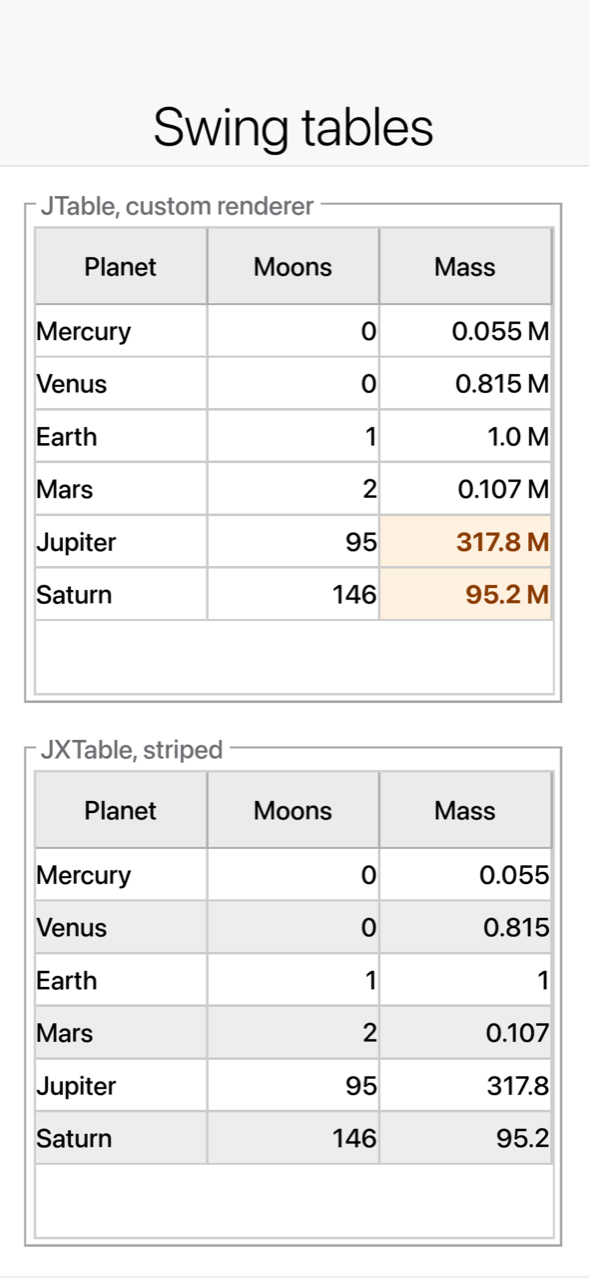
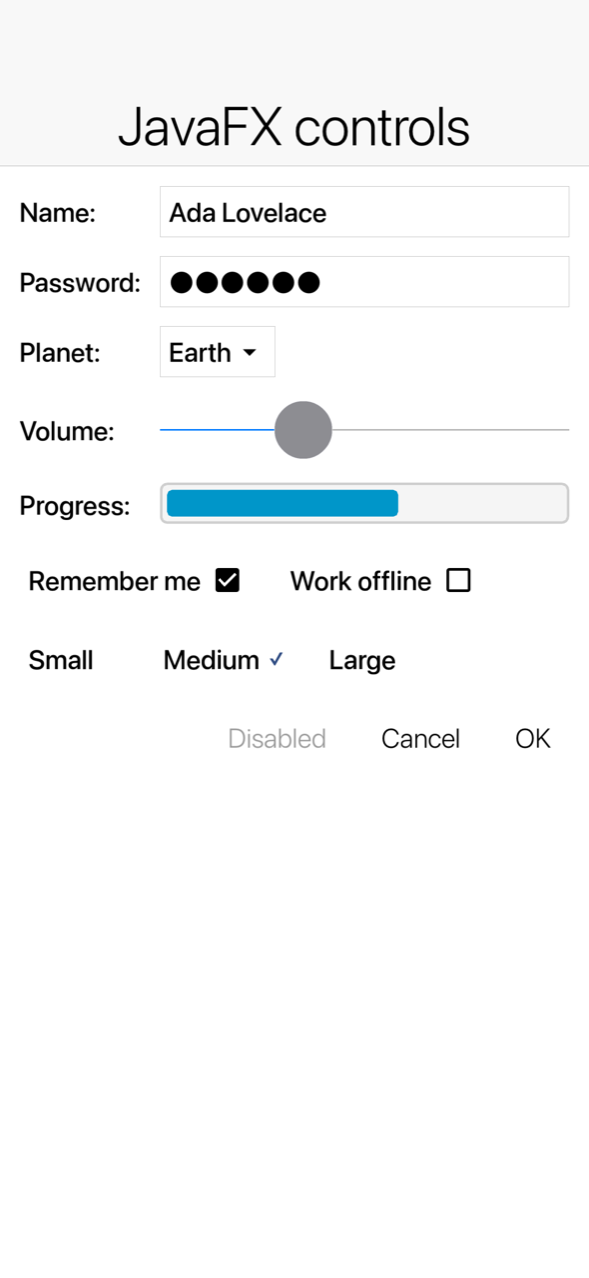
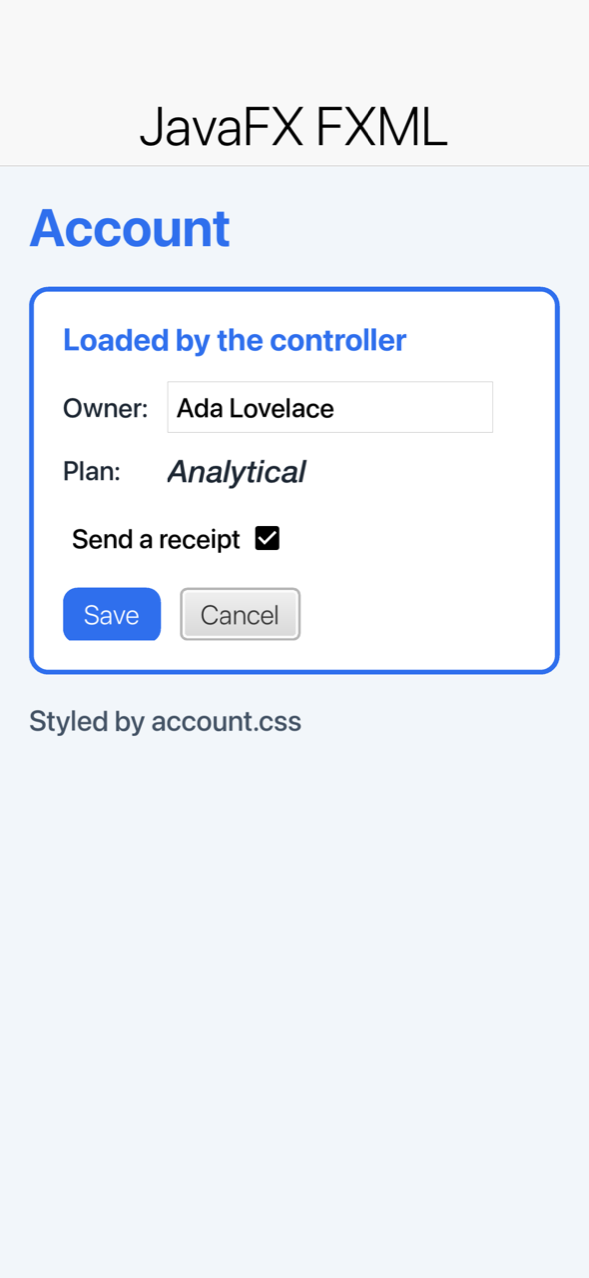
Sunday’s Swing and JavaFX article goes through what carries over and why you won’t miss what doesn’t.
A bank you can study, and wallets in core
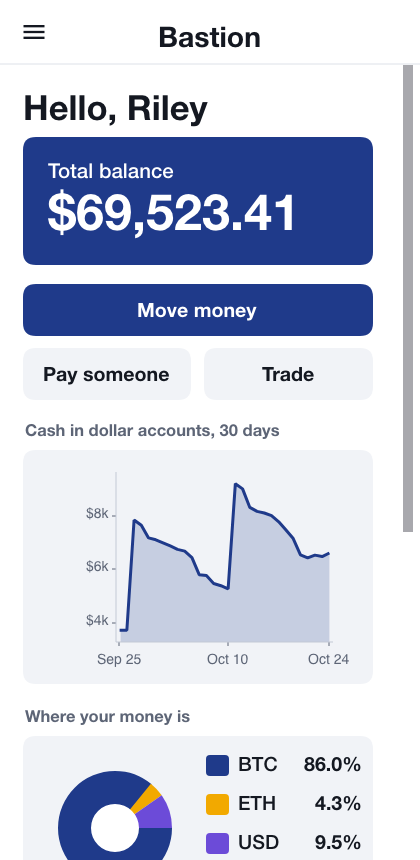
A large share of our users are banks and financial institutions. Bastion is a reference implementation for them: a virtual bank and small exchange with passkeys, TOTP, signed requests, device keys, a hash chained audit log, a double entry ledger and an auditor console. Codename One also gained wallet APIs for Ethereum, Bitcoin, and Solana.
Wallet wallet = Wallet.fromMnemonic(words, "");
EvmAddress eth = wallet.getEvmAddress(0, 0);
BitcoinAddress btc = wallet.getBitcoinAddress(BitcoinNetwork.MAINNET, Wallet.BIP84, 0, 0, 0);
SolanaAddress sol = wallet.getSolanaAddress(0);
Monday’s Bastion article covers the hardening, one layer at a time.
Streaming and courses
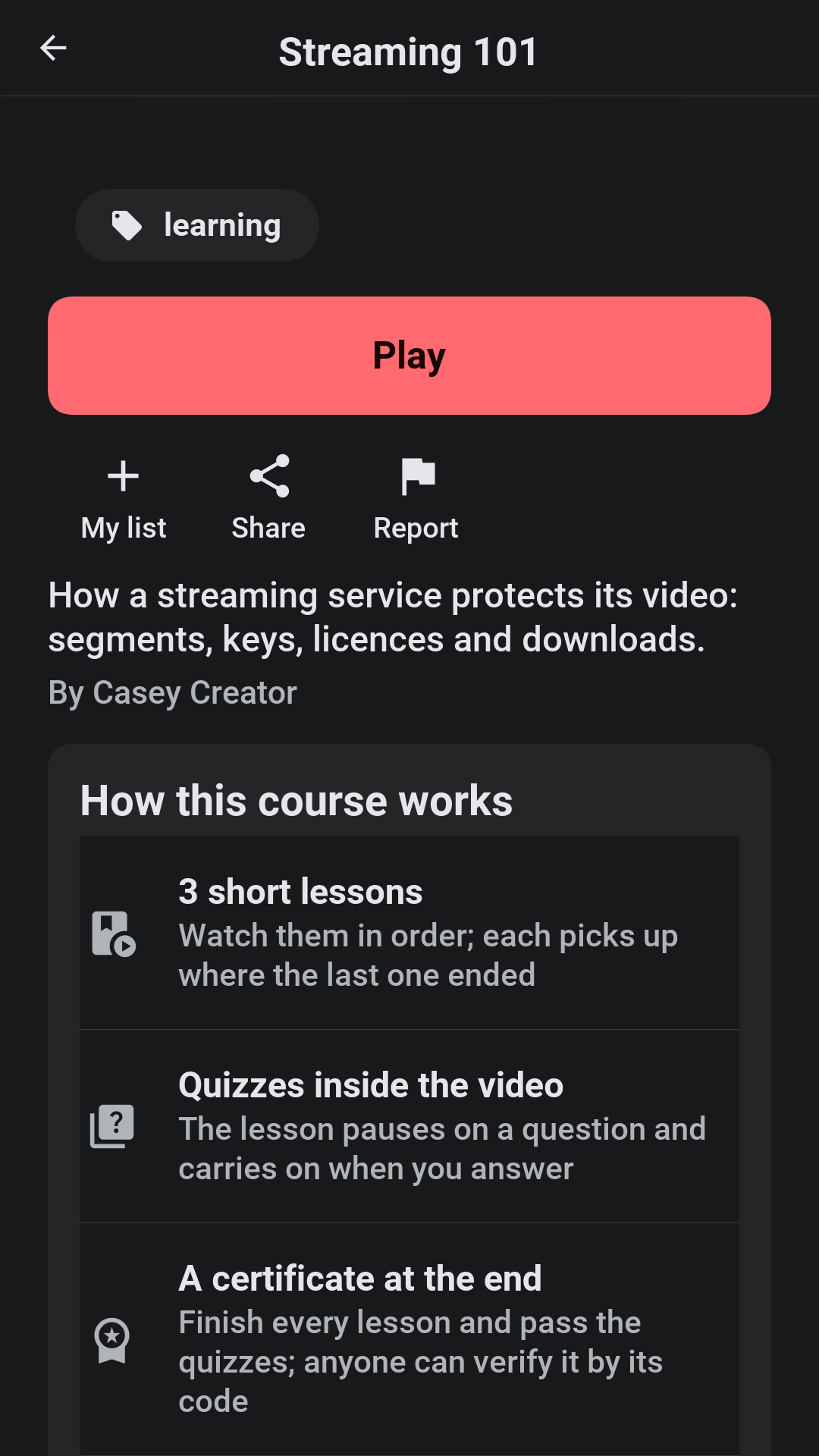
Reel is a streaming service and its server in one Java project. Switch a preset and it becomes a subscription service, a creator platform in the style of YouTube, or an academy with courses, lessons, and quizzes.
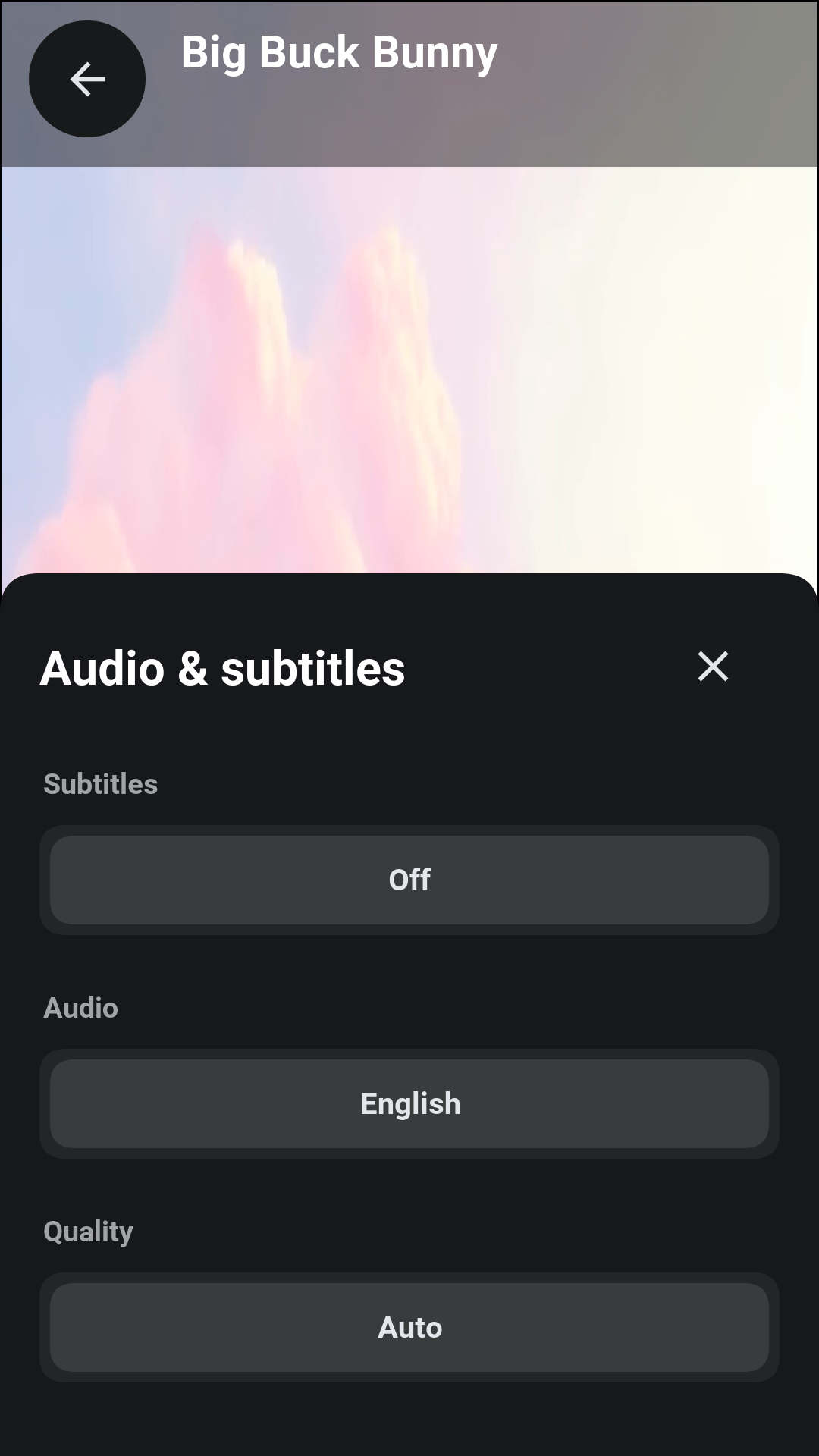
StreamRequest req = new StreamRequest(manifestUrl)
        .setDrm(new DrmConfig(DrmScheme.WIDEVINE, licenseUrl));
Tuesday’s Reel article walks through uploads, moderation, and DRM.
Android code everywhere, including GrapheneOS
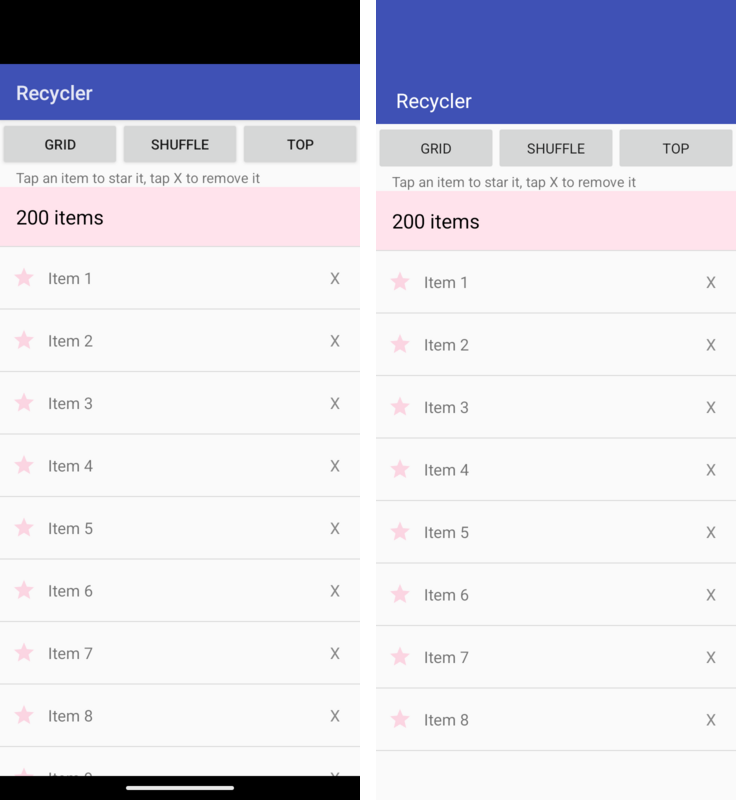
The Android compatibility layer now covers Room, WorkManager, location, sensors, foreground services and the document picker intents, all running on iOS too. And GrapheneOS, LineageOS, CalyxOS and /e/OS are now officially supported, with a boundary CI verifies: one APK checks for Play Services at run time, and push works through UnifiedPush.
Wednesday’s Android article has the details.
A modern backend, and a simulator that types
Thursday closes the week with eight backend upgrades (a bounded cache, outbound OAuth tokens, PKI, JSON codecs, streaming uploads, error advice, java.time in the ORM and test slices) and a simulator that slides up a virtual keyboard and records video. See the backend and simulator article.
The universal platform
Last week I made the case that a Java word processor beats its Rust twin. This week the swing is bigger. Flutter, Compose, Swing, JavaFX and Android code all build into the same kind of app and run on iOS, Android, desktop, the web and the watch.
Instead of coding to an operating system, you code to Codename One, and Codename One becomes the operating system. The usual price for that kind of abstraction is performance. We don’t charge it. You get more performance, more features, more compatibility and more platforms, and it’s free and open source.
If you have a Flutter app, run the import on a copy and build it for the simulator. Tell us which screen breaks first; that’s the most useful bug report we can get right now. If you’re on Kotlin, Swing, JavaFX or Android, the rest of this week is for you. And if you think a number above is wrong, the benchmark is in the repository. Rerun it and open an issue.