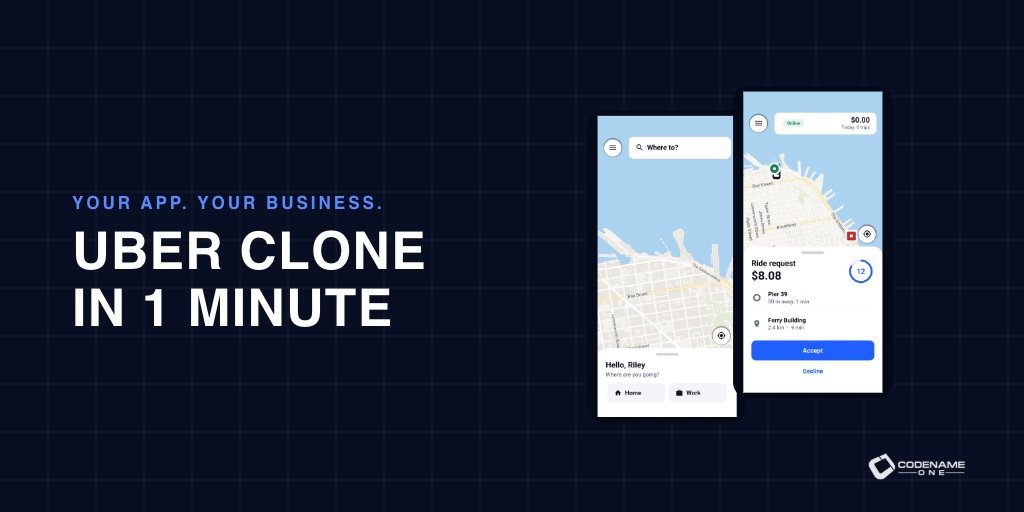
A lot has changed since 2018, both in programming and in Codename One. Back then I wrote Create an Uber Clone in 7 Days: Build a real world full stack mobile app in Java. Today you can start with the application those seven days were meant to teach you to build, then spend your time making it yours.
Meet Wayline, a full-stack, white-label ride-hailing application written in Java. Rider and driver apps, an administration console, payments, live tracking and push notifications are already connected to a Java backend. You get the application and its source, ready to adapt to your business. Open the Initializr, choose Wayline, give it your own name and package, and generate the project. That’s the one-minute task. Downloads and a first build depend on your machine; launching a real transport service still takes real work.
The source is 100% free, under MIT No Attribution, also called MIT-0. No royalties, no revenue share, no required subscription to use Wayline. You can modify it, sell your application and keep your changes private. Hosting and external services carry their own costs and terms. Your application belongs to you.
Coming This Week
Today is the full application tour, including the code and the parts you would adapt for your own business. The next six posts look at the tools that help you build and ship that work:
- Saturday, October 17: Spring Data-Style Repositories Compiled to Native Code. Generated ORM repositories, isolation and completion callbacks.
- Sunday, October 18: Thymeleaf, Spring MVC and htmx for Native Java Backends. Thymeleaf-style templates, Spring MVC-style controllers and htmx.
- Monday, October 19: Build Your App Theme Without a Display Server. A fully headless compiler and the visual details worth checking after the change.
- Tuesday, October 20: Give Your Desktop App a Useful Title Bar and Real Tools. Integrated title content on all three desktop OSs, the Process API and streaming ZIP support.
- Wednesday, October 21: Let Users Install Your Java Web App Again. PWA support returns to the ParparVM JavaScript port.
- Thursday, October 22: A Java IDE in Your Browser, With Your Files in Your Browser. An early preview of what I’m calling Not a Cloud IDE.
A full-stack Java application you can make your own
Wayline includes both sides of the service. The frontend implements the rider, driver and administrator workflows across mobile, desktop and browser builds. The backend owns authentication, ride matching, pricing, payments and the database. This is a white-label application you can brand and extend, with the operational details already expressed in code.
The project has three modules: common for the frontend, backend for the server and shared for the typed contract between them. Both sides use Java. You can follow a button press through an API call, a service and a repository without switching languages or maintaining a second set of request models.
Here is the booking method in the shared RiderApi interface:
@POST("/api/rides")
void request(@Body RideRequestDto request,
        OnComplete<Response<RideDto>> callback);
The interface carries @RestClient. The build generates its client implementation and the RiderApiServer contract. Wayline’s RiderEndpoint implements that contract, injects the Rides service and delegates the request:
@Override
public RideDto request(RideRequestDto request) throws Exception {
    return rides.request(Caller.name(), request);
}
The rider identity comes from the authenticated caller. The client supplies the trip it wants, and the server decides whether the signed-in user can request it. Spring-style dependency injection and authorization keep that decision in the backend; generated DTO serialization and API bindings keep the frontend and backend in agreement.
You can run the server on the JVM while developing, then package it as a native executable with ParparVM. The frontend shares its screens and behavior across targets. The user’s guide tours the application, while the implementor’s guide follows each feature into its classes. All the Wayline screenshots below come from those guides and open at full size when clicked.
Start with the whole trip
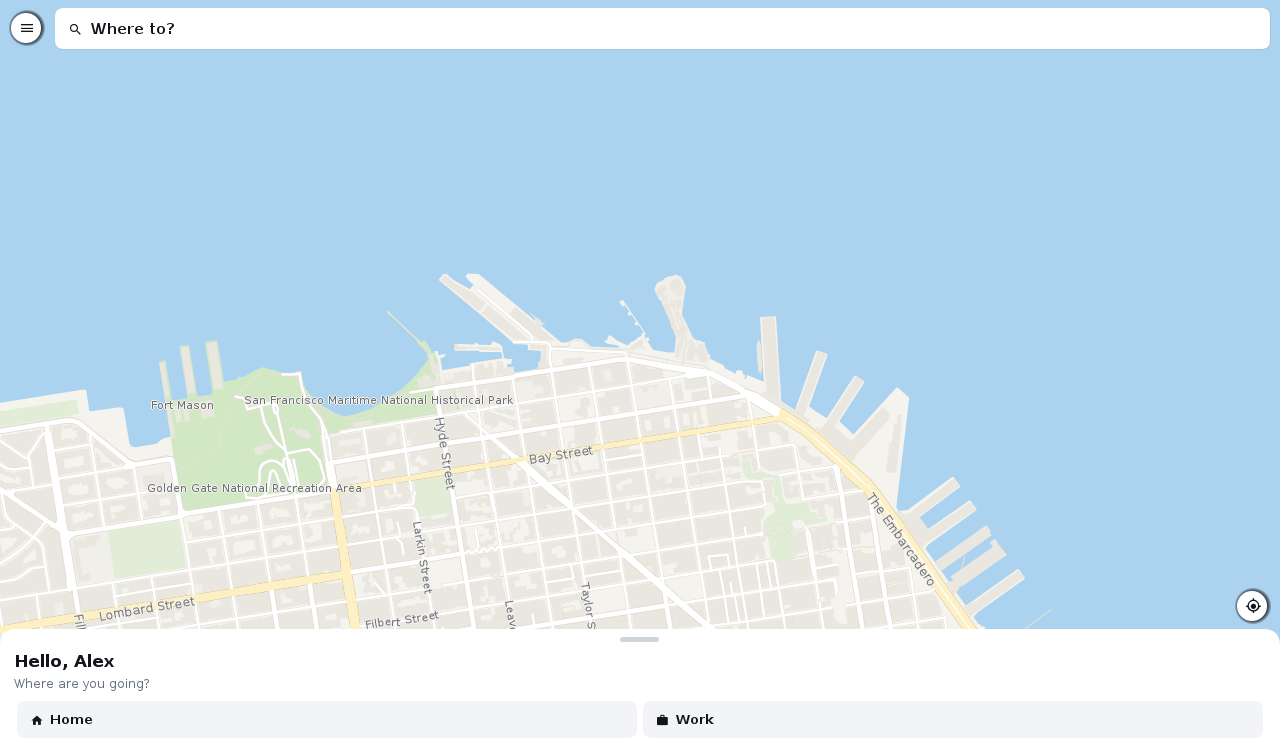
The application opens in the mode that fits the signed-in user. Riders get the booking screen, drivers get their shift, and administrators get the console. An account can have several roles and switch between them. These are distinct workflows within one shared application, so you don’t maintain three unrelated clients.
A new user registers, verifies a phone number and chooses whether to share usage statistics. The development profile displays verification codes instead of sending an SMS, so you can try the flow before connecting a provider.
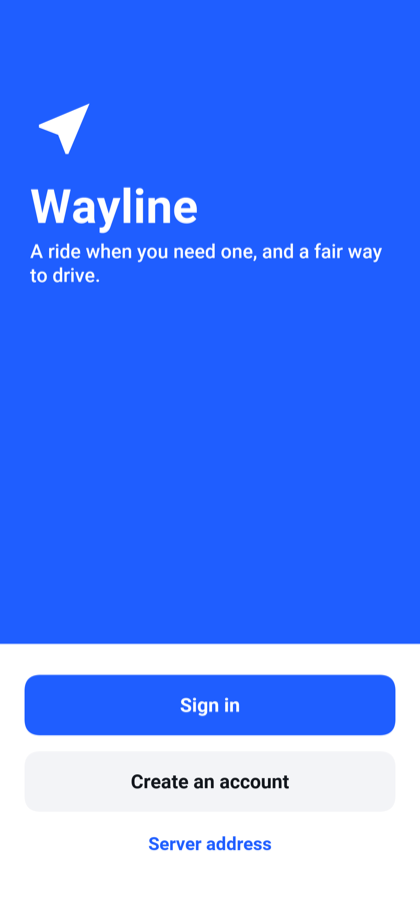
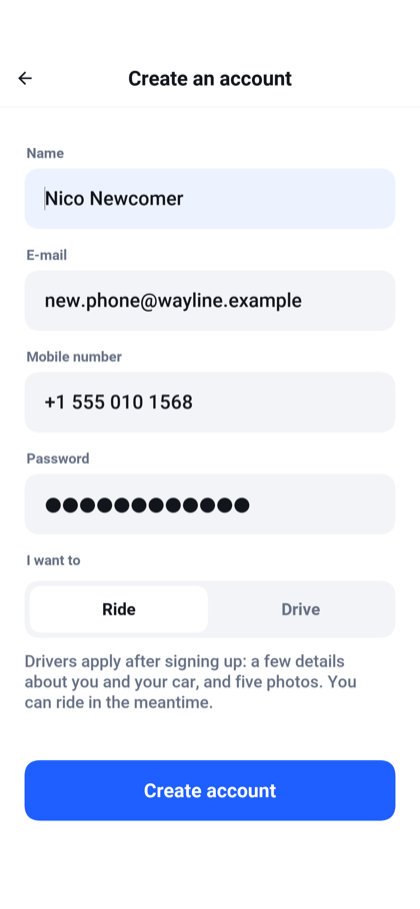
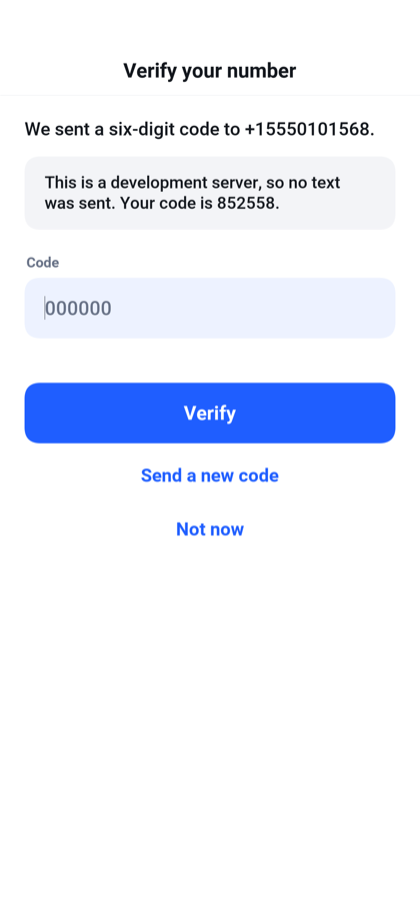
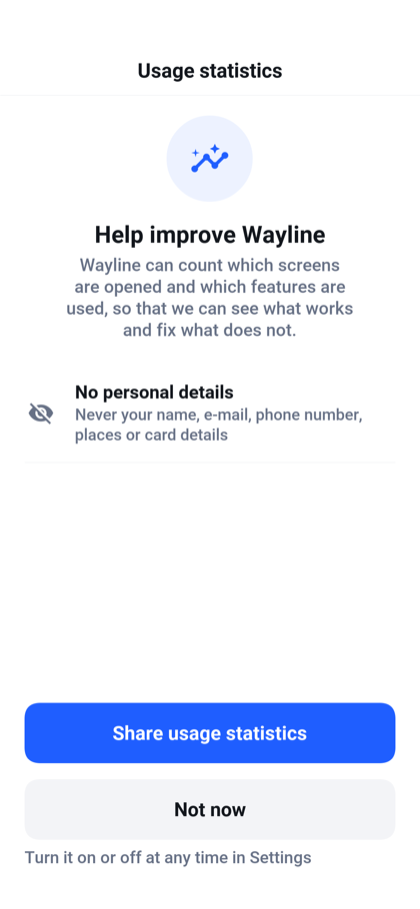
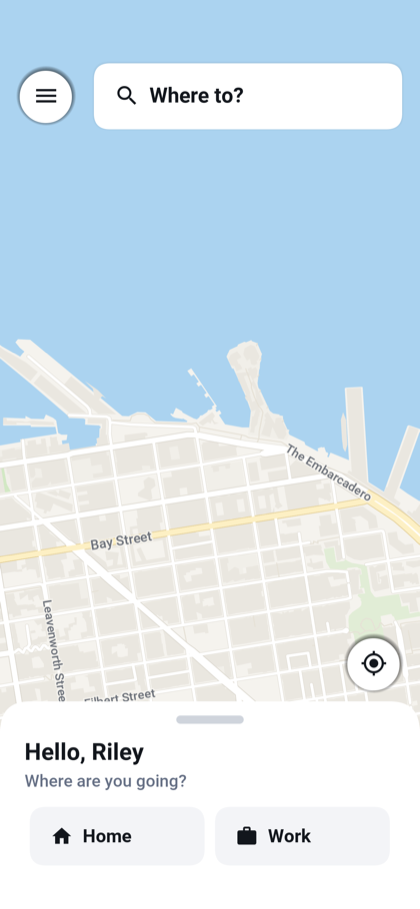
The rider searches for a destination, sees the route and compares three vehicle categories with a fare for each. Home and Work shortcuts save repeated typing. Ride preferences cover quiet trips, accessibility and pets, and can restrict matching to women drivers based on the driver’s profile.
After requesting, the rider follows the approaching driver, sees the car and plate, and can call or message them. At the end, the flow moves to a rating, optional tip and itemized receipt.
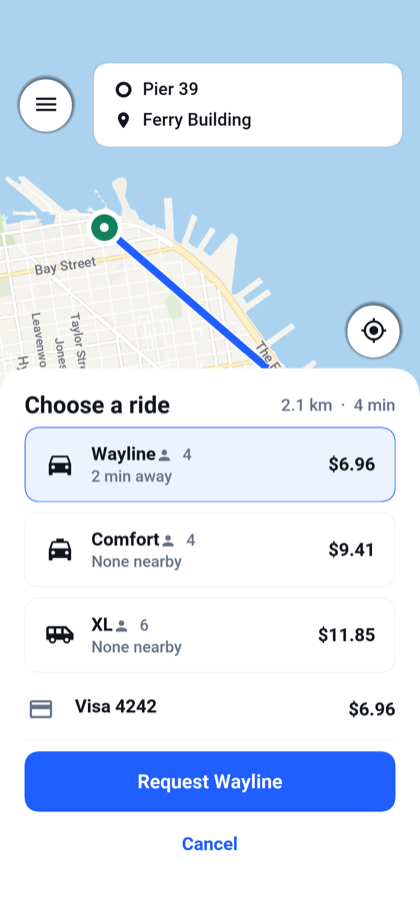
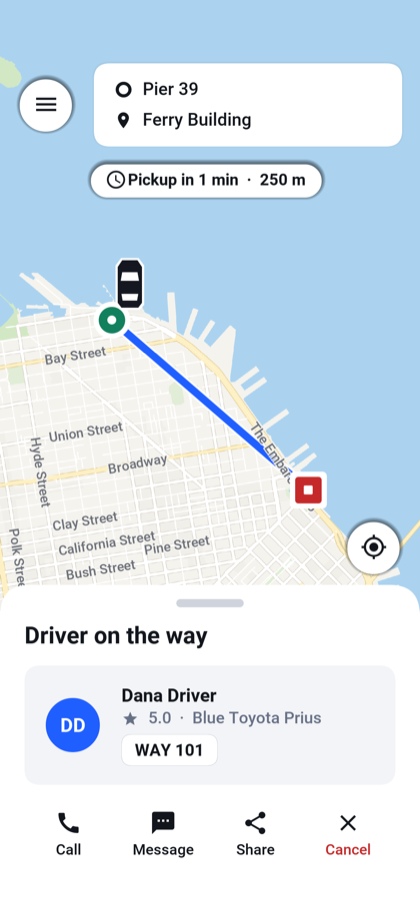
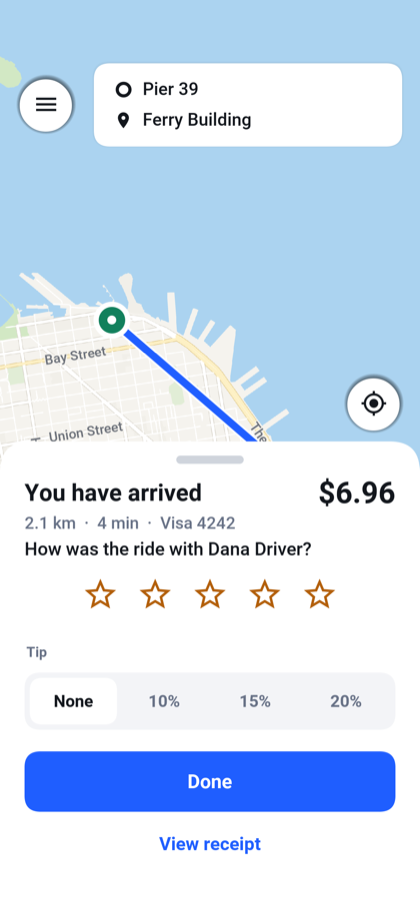
The screen follows the server’s state. A button asks for a change; the server decides whether that change is valid. The repositories use conditional updates so competing actions can be settled by the database. That matters when a cancellation and an acceptance arrive together.
The request flow is visible in Rides:
public RideDto request(String rider, RideRequestDto request) throws IOException {
    validate(request);
    String id = attempt(() -> open(rider, request));
    live.rideChanged(id, RideState.REQUESTED, rider, "", "");
    search(id);
    return read(id, rider);
}
open is transactional. It serializes competing requests from the same rider before creating the ride; attempt handles the retry path. Once that work returns, the service publishes the change and starts matching. The details that prevent two active rides belong here, where every client gets the same rules.
The normal journey is shown here. The application also handles declined offers, expiry, cancellation and payment failures.
Give the driver an application too
A ride-hailing demo that stops at the passenger screen leaves most of the service for you to build. Wayline includes driver signup, document submission and review, then the actual working day.
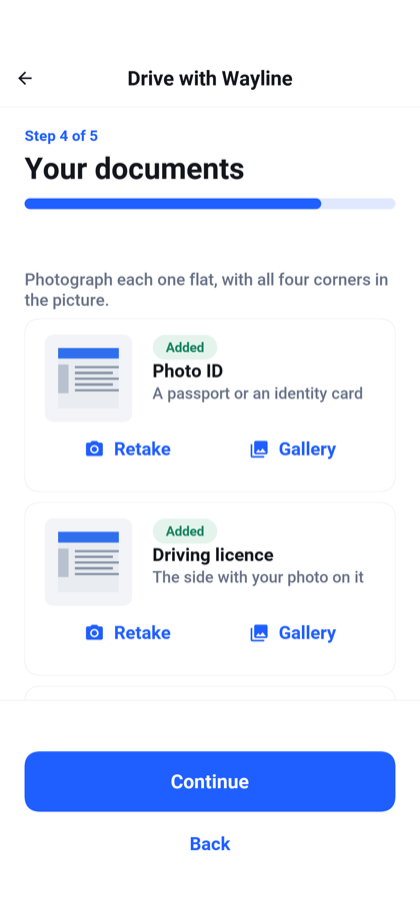
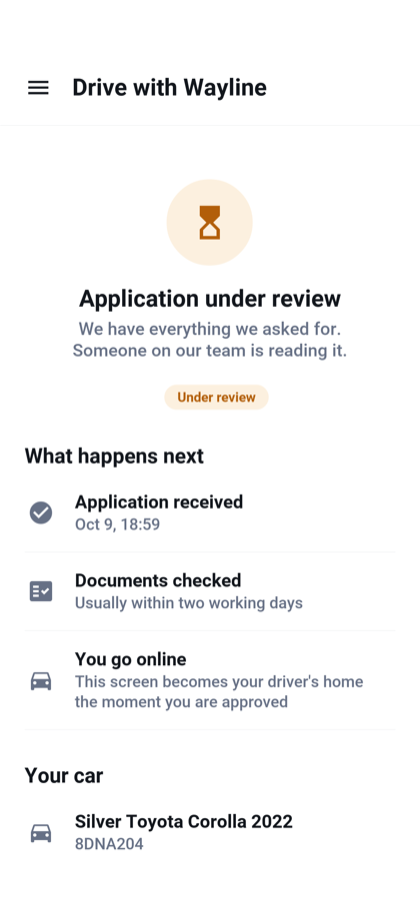
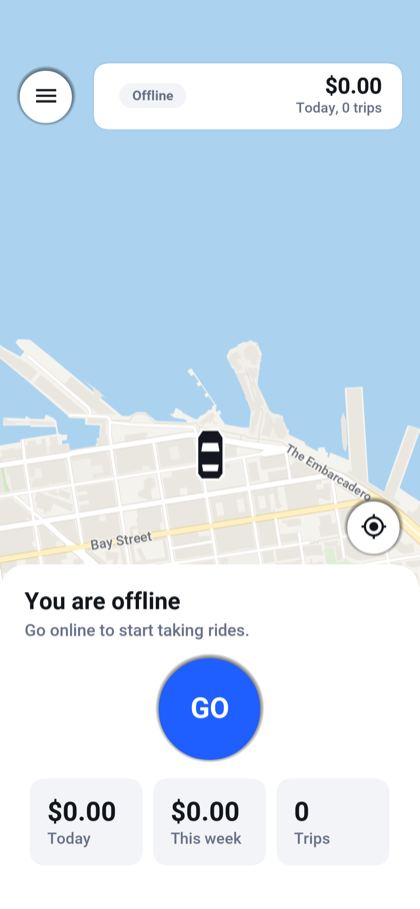
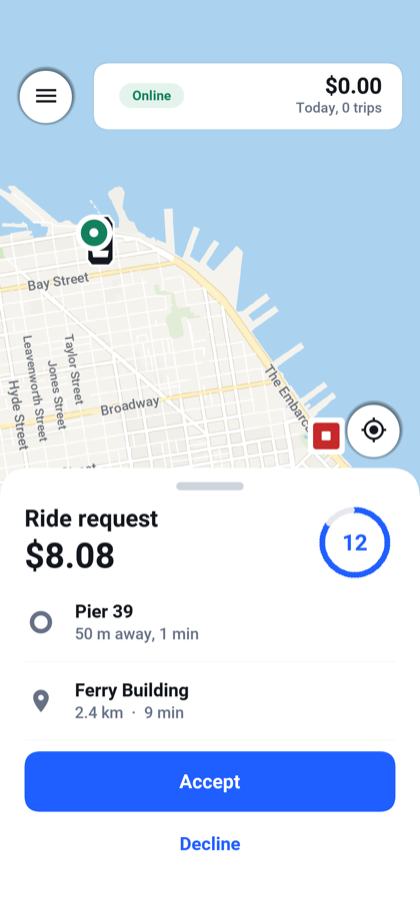
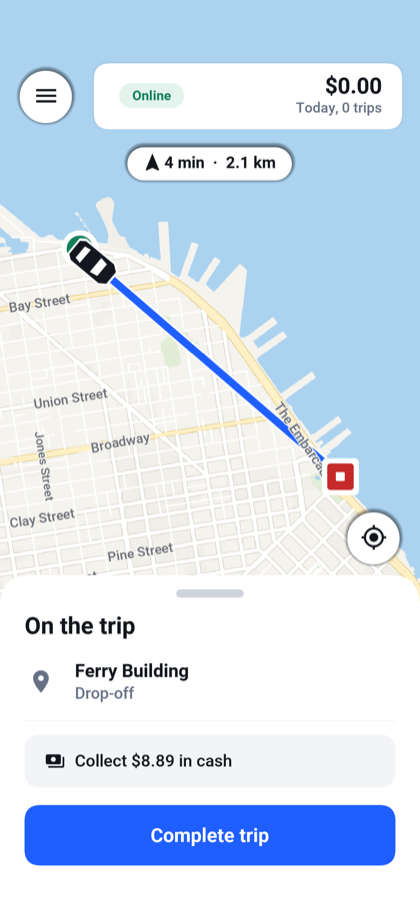
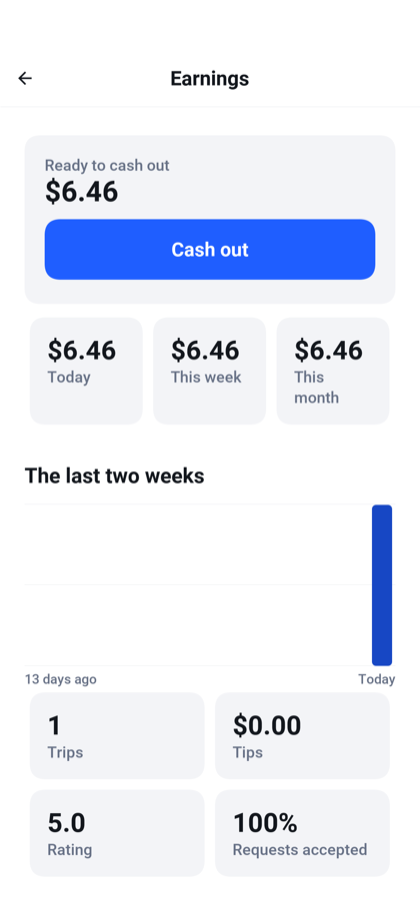
An offer shows the pickup, destination, fare and a countdown. During a trip the driver sees the route and the next action, including the amount to collect for a cash ride. The earnings view shows daily totals and the balance recorded by the service.
When the driver switches to a navigation app or locks the phone, the mobile background-location service keeps reporting during the shift. Reports are spaced by time and distance instead of forwarding every location change. iOS uses background location; Android uses a location foreground service. The browser and desktop preview don’t reproduce that mobile background behavior.
Shift.begin() starts tracking and, on Android, creates the foreground service with a method reference for its background task:
service = ForegroundService.start(CHANNEL, "You're online",
        "Wayline shares your location with riders while you drive.", null,
        Shift::keepAlive);
Shift.end() removes the location watcher and stops that service when the driver goes offline. The same class throttles reports by distance and elapsed time, including a heartbeat for a parked car.
There are ride widgets outside the main screen too. The rider’s active trip appears as an iPhone Live Activity, an ongoing Android notification, or a small desktop/simulator window. A browser has no equivalent surface in Wayline. The lock-screen section explains the distinction: the iPhone implementation updates when the app receives messages, and doesn’t use ActivityKit’s direct server push token. A suspended app can therefore leave the activity showing its last received state.
The widget’s layout is Java too. This excerpt from RideCard.descriptor() supplies the compact iPhone presentation:
return new LiveActivityDescriptor(RideActivityKeys.KIND)
        .setContent(content())
        .setCompactLeading(new SurfaceText("${driver}").setFontSize(13)
                .setMaxLines(1))
        .setCompactTrailing(new SurfaceText("${eta}").setFontSize(13)
                .setColor(SurfaceColor.ACCENT));
The complete descriptor also supplies expanded and minimal layouts. LiveActivity.start(descriptor(), now) starts it, and current.update(now) sends new state. Wayline registers the resulting activity ID with the backend so later push messages can address it.
Live updates over WebSockets
An open app needs to hear when the ride changes or the driver moves. LiveChannel opens a WebSocket and hands its callbacks back to the UI event thread:
socket = WebSocket.build(url)
        .onConnect(ws -> CN.callSerially(() -> opened(mine)))
        .onTextMessage((ws, text) -> CN.callSerially(() -> frame(text, mine)))
        .onClose((ws, code, reason) -> CN.callSerially(() -> lost(mine)))
        .onError((ws, err) -> CN.callSerially(() -> lost(mine)))
        .connect(10000);
This is the connection portion of LiveChannel.open(). Its helpers handle reconnects, heartbeats and stale callbacks from previous connections. The app obtains a short-lived, single-use ticket through its authenticated API before connecting to /ws/live.
The backend endpoint implements WebSocket and is registered with @WebSocketMapping("/ws/live"). It redeems the ticket, checks the account and adds the connection to LiveHub. When a ride changes, the hub constructs the message:
Map<String, Object> frame = new LinkedHashMap<String, Object>();
frame.put("type", "ride");
frame.put("id", id);
frame.put("state", state.name());
String text = Json.write(frame);
It sends that frame through WebSocketSession.sendText to the rider, the driver and connected administrators. Driver positions have their own message type. Removing an admin role also closes that account’s old connections, so a previously authorized socket cannot keep receiving fleet locations. The live channel guide traces both sides.
Push v3 callbacks and backend delivery
The live WebSocket channel serves an app that is open. Push covers the rider with a phone in a pocket and the driver who has just been offered a job.
The frontend uses the Push v3 PushClient API. This is the registration code inside Notifications.start():
client = PushClient.builder(AppConfig.PUSH_APP_KEY)
        .listener(new Listener())
        .build();
client.register();
Its PushListener receives the token through onRegistration and ride notifications through onMessage:
@Override
public void onRegistration(PushSubscription registered) {
    subscription = registered;
    signedIn();
}
The message callback reads the payload and opens the relevant ride screen:
@Override
public void onMessage(PushMessage message) {
    Object ride = message.getData().get("rideId");
    Object role = message.getData().get("role");
    String title = message.getTitle();
    if (ride != null && title != null && title.length() > 0
            && Session.user() != null) {
        Nav.showRide(role == null ? Nav.RIDER : String.valueOf(role));
    }
}
The screen fetches the current ride state rather than trusting an old notification. Silent messages can update the Live Activity without opening a screen. These callbacks run on the UI event thread.
The app registers a device token for the signed-in account and removes that association on sign-out. A notification carries the ride ID and role so tapping it opens the right screen, which then reads the current ride from the server. Expiring driver offers use a short lifetime so a delayed notification doesn’t look like a fresh job.
On the backend, RidePushes builds the message with ordinary Java calls:
return PushNotification.builder()
        .title(title)
        .body(body)
        .collapseKey("ride-" + id + "-" + role)
        .data("rideId", id)
        .data("state", state.name())
        .data("role", role);
CloudPushSender sends the built notification and device targets through CloudPush:
PushResult result = push.send(message, to);
accepted = result.isAccepted();
The call runs on a background task so the ride request doesn’t wait for the push service. Acceptance here means the service accepted the notification; it isn’t proof that someone read it. Wayline also checks the latest ride state before composing a notification, preventing a delayed acceptance event from announcing a ride that has since been canceled.
The server publishes ride changes after they commit. A push delivery failure doesn’t undo an accepted ride. Those are small decisions that make a much bigger difference than adding another animation to the booking screen.
Wayline includes the integration, while development logs notifications to the console. Real mobile push requires the app and server keys and platform credentials described in the push setup. Android push starts disabled so a generated project can build before you have a Firebase or Huawei configuration.
The admin console is part of the product
Someone has to approve drivers, answer a payment question and find out why a rider was blocked. Those jobs shouldn’t require opening a database console.
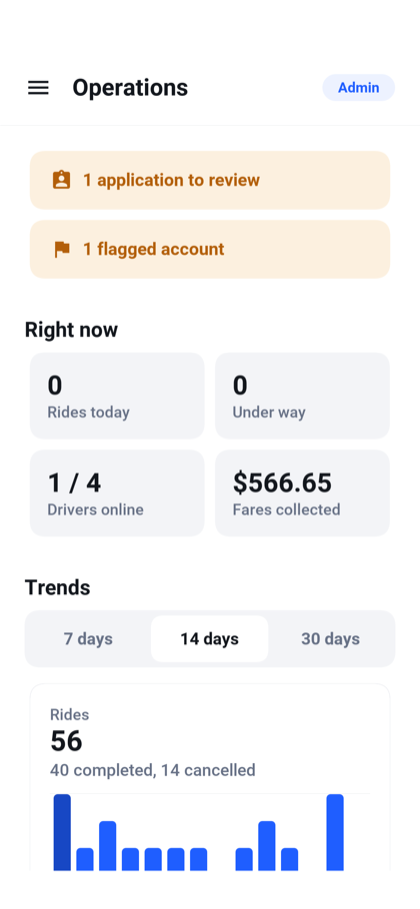
On a phone, administration is one screen at a time. The dashboard starts with work needing attention, then shows current activity and trends. An application review includes documents, and moderation records both the reason and the administrator responsible.
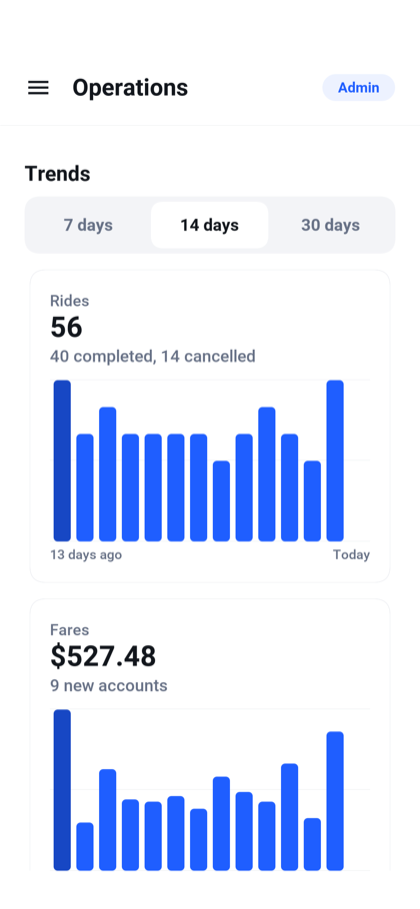
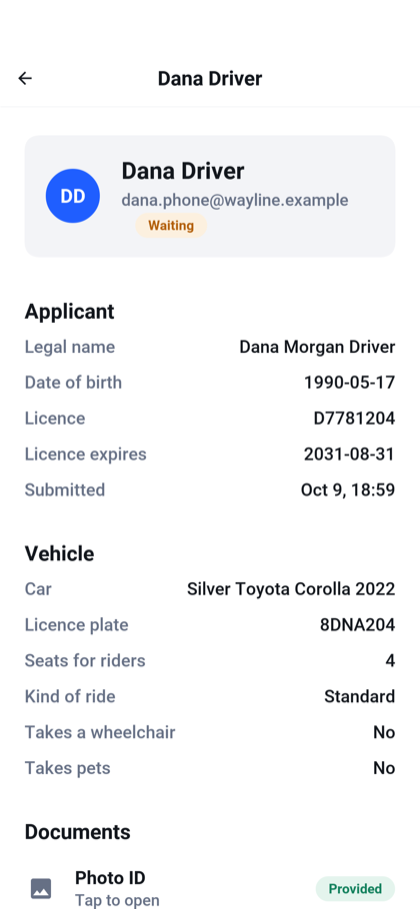
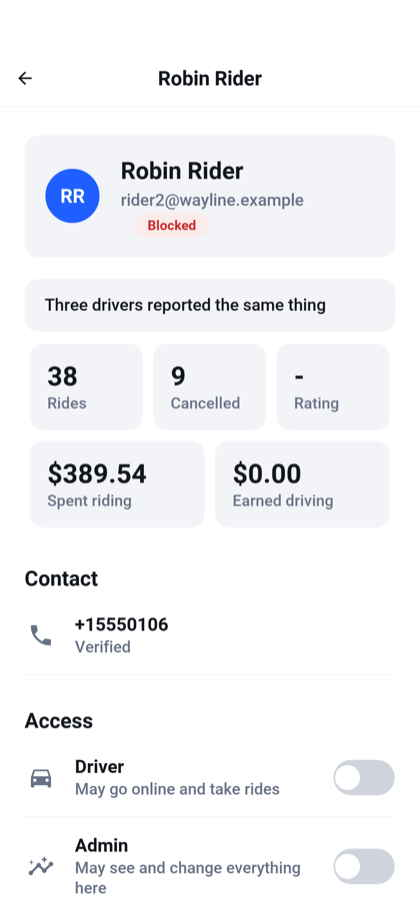
On a wide screen, the same app becomes a console with navigation and room for a list beside the selected item. This is a layout you can work in all day:
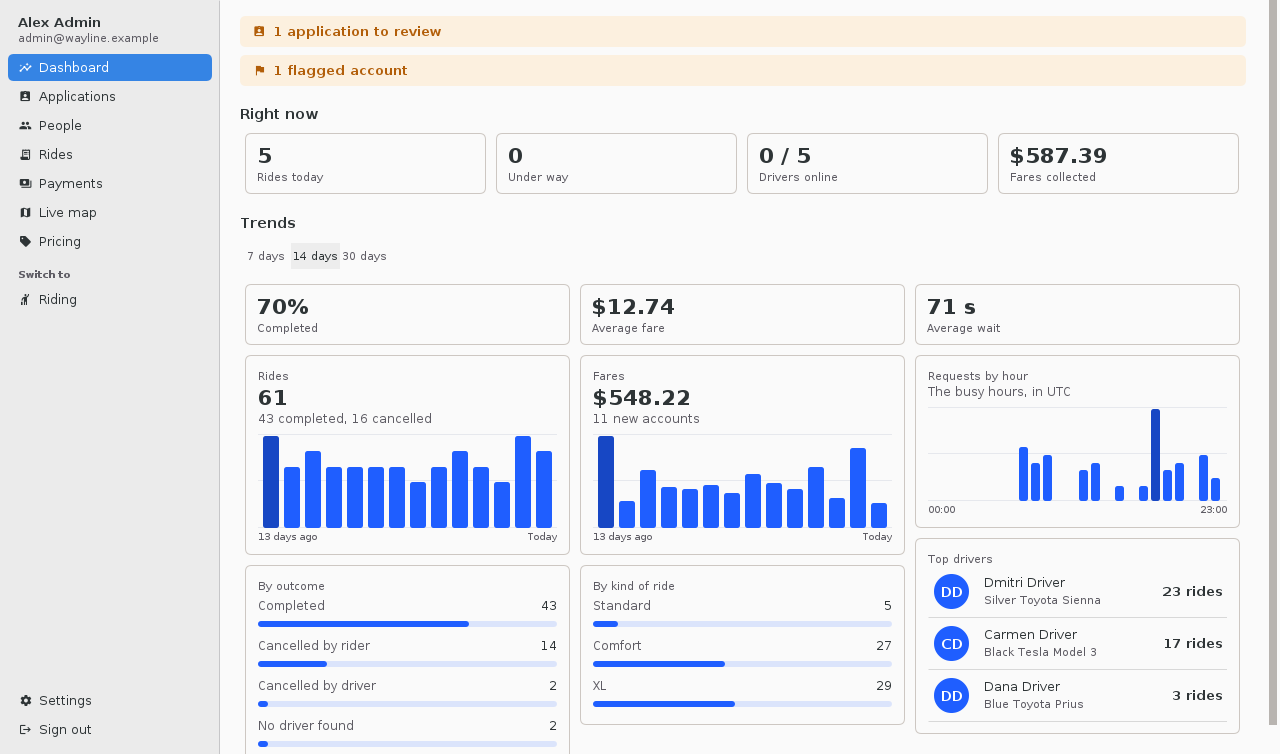
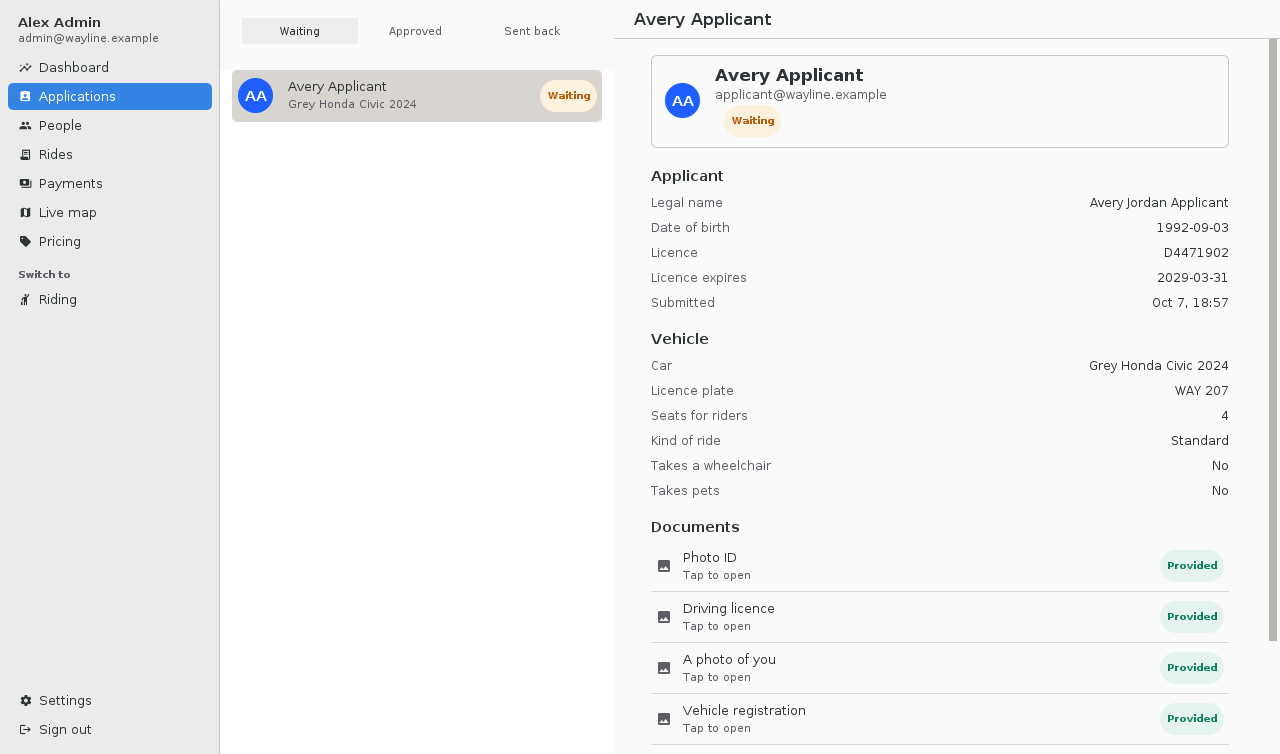
Flagging and blocking aren’t the same operation. A flag calls attention to an account; a block signs it out and prevents access until it is lifted. The people view includes role changes, ride history and financial totals. The rides view lets an administrator inspect or cancel work and request a card refund where applicable.
The backend guards the awkward cases too. Inside Accounts.suspend(), an administrator cannot strand someone halfway through a ride by disabling the account:
if (suspended && signIn.isEnabled() && cleanup.inRideUnderWay(username)) {
    throw new ResponseStatusException(409,
            "That account is on a ride. Block it when the ride has ended");
}
The operation runs in a transaction and records who changed the account and why. The administrator must end the ride first. That rule protects both participants even if moderation is invoked through a different client.
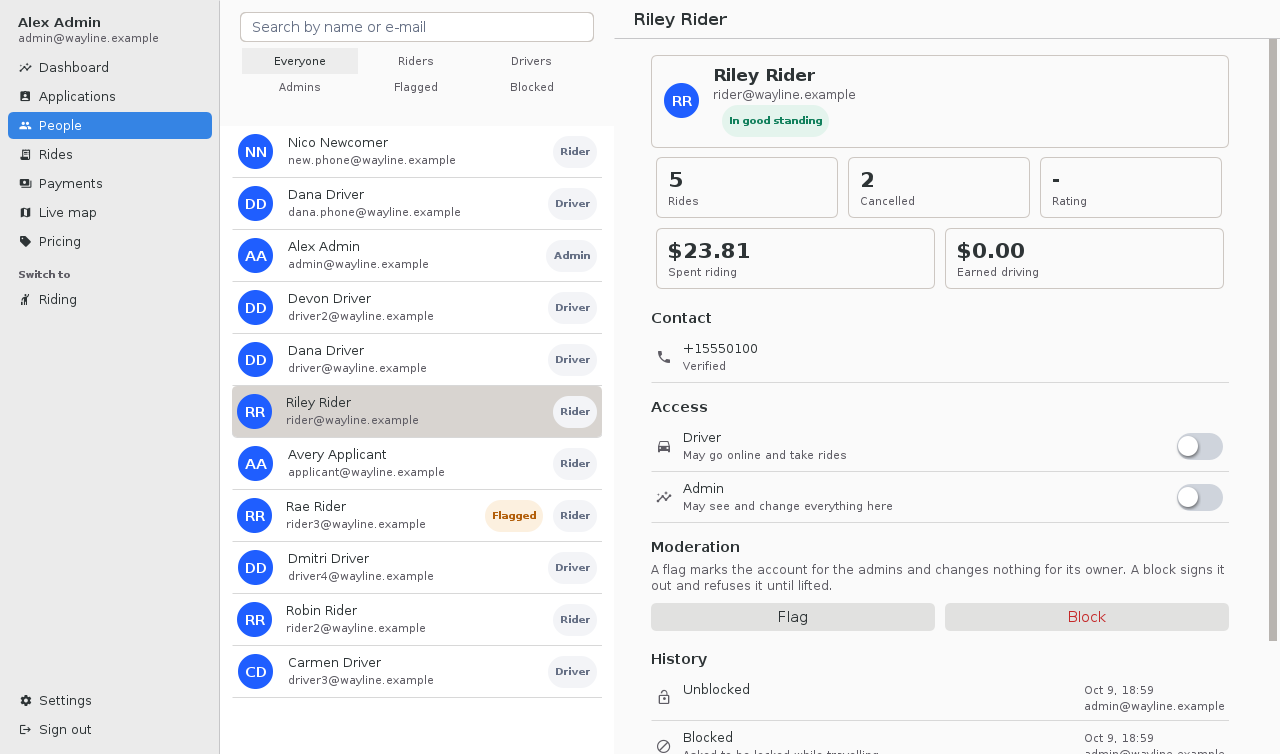
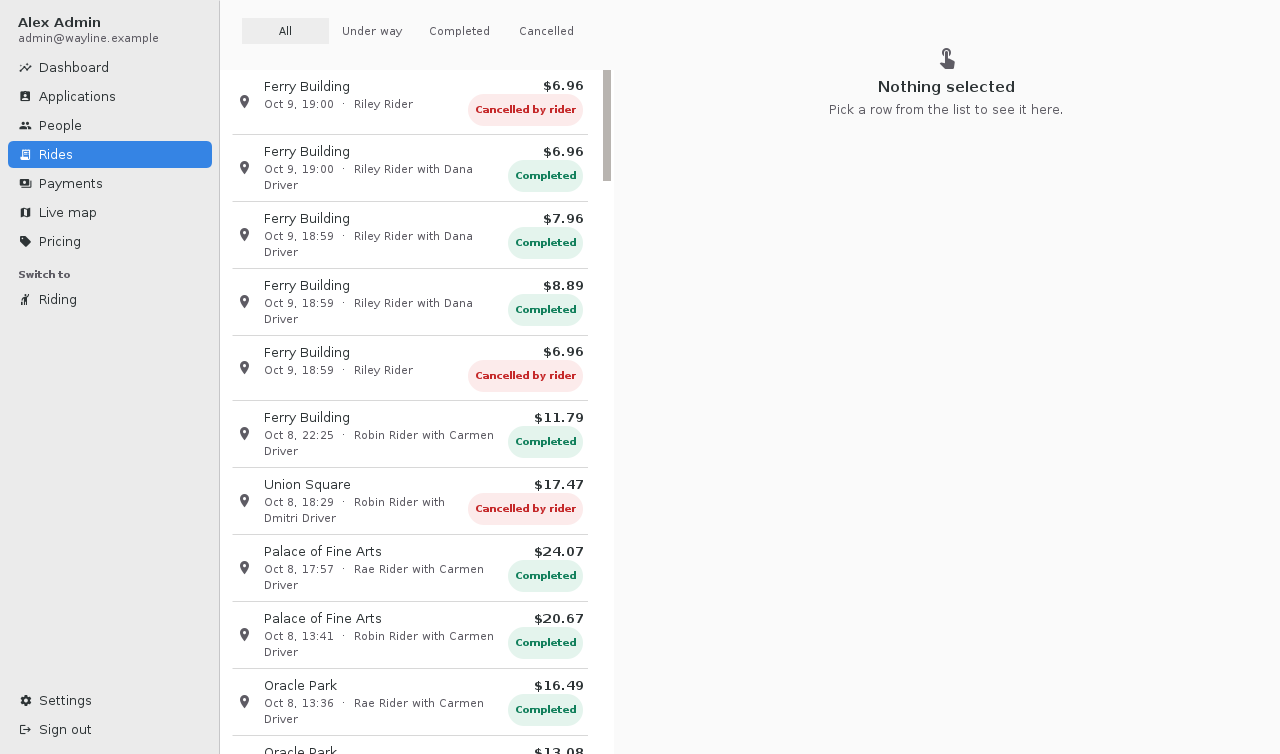
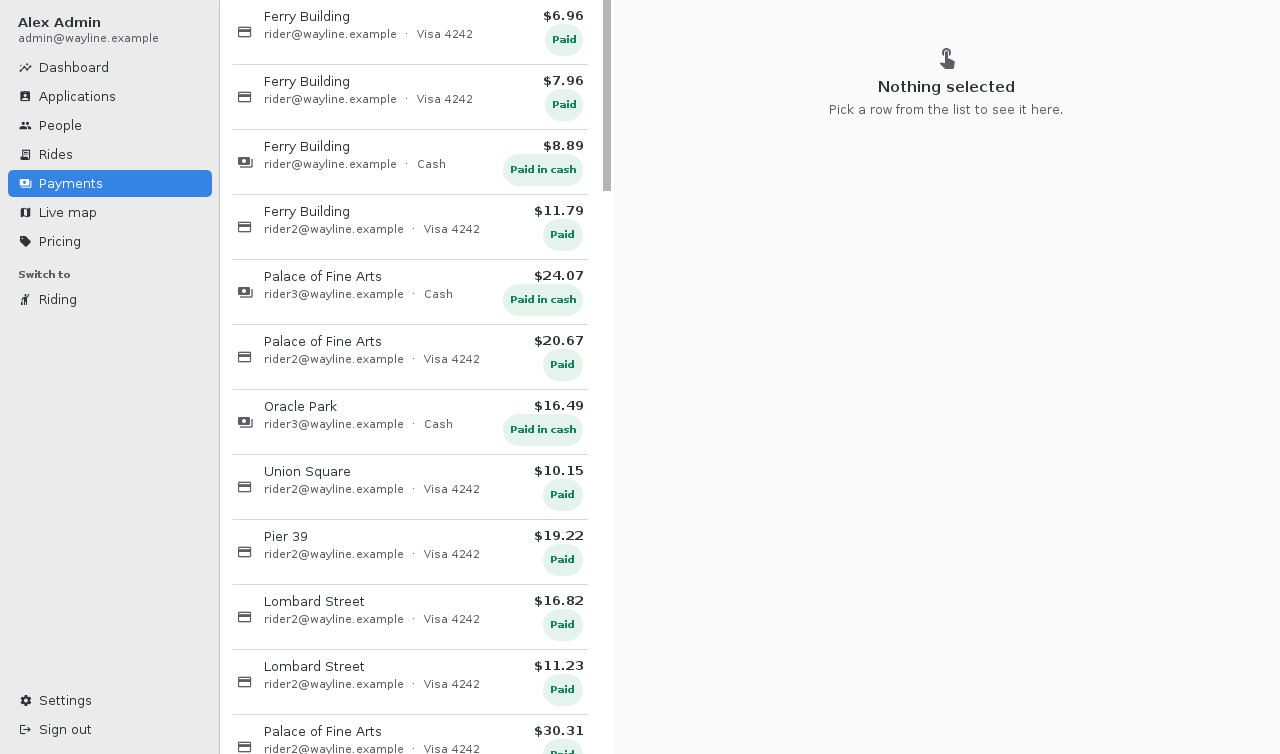
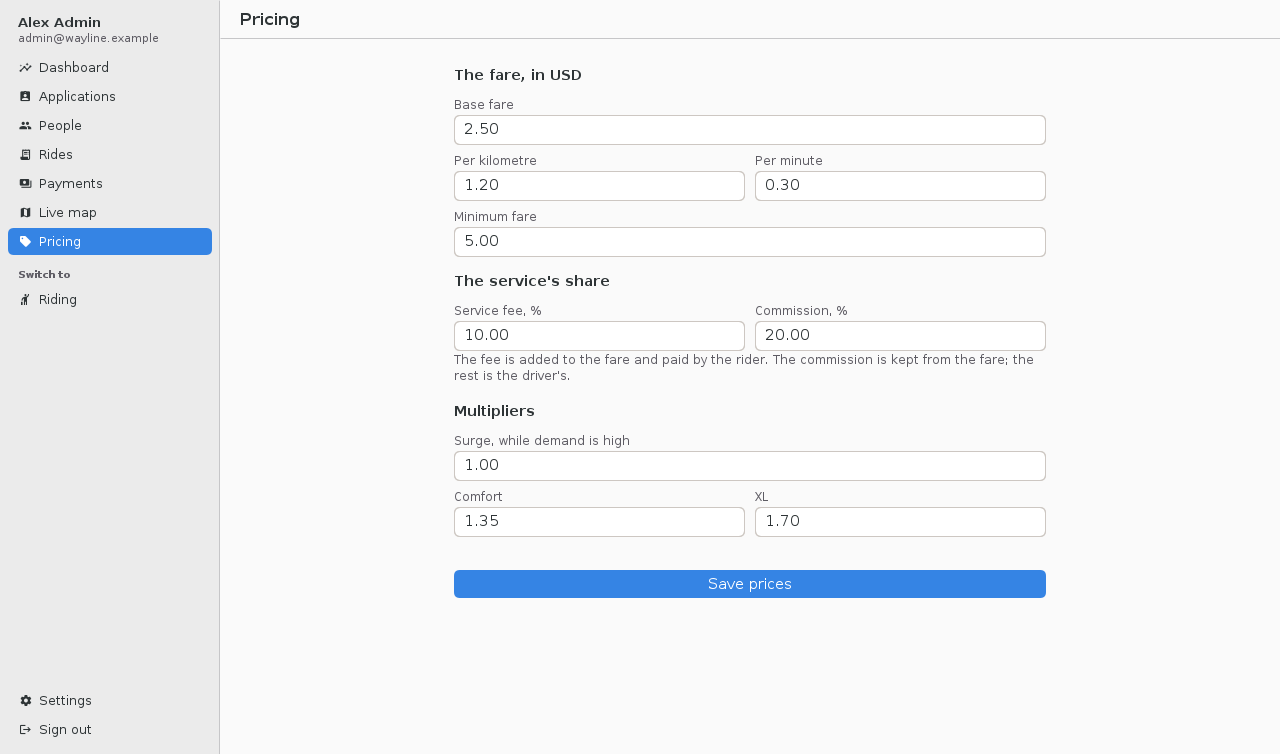
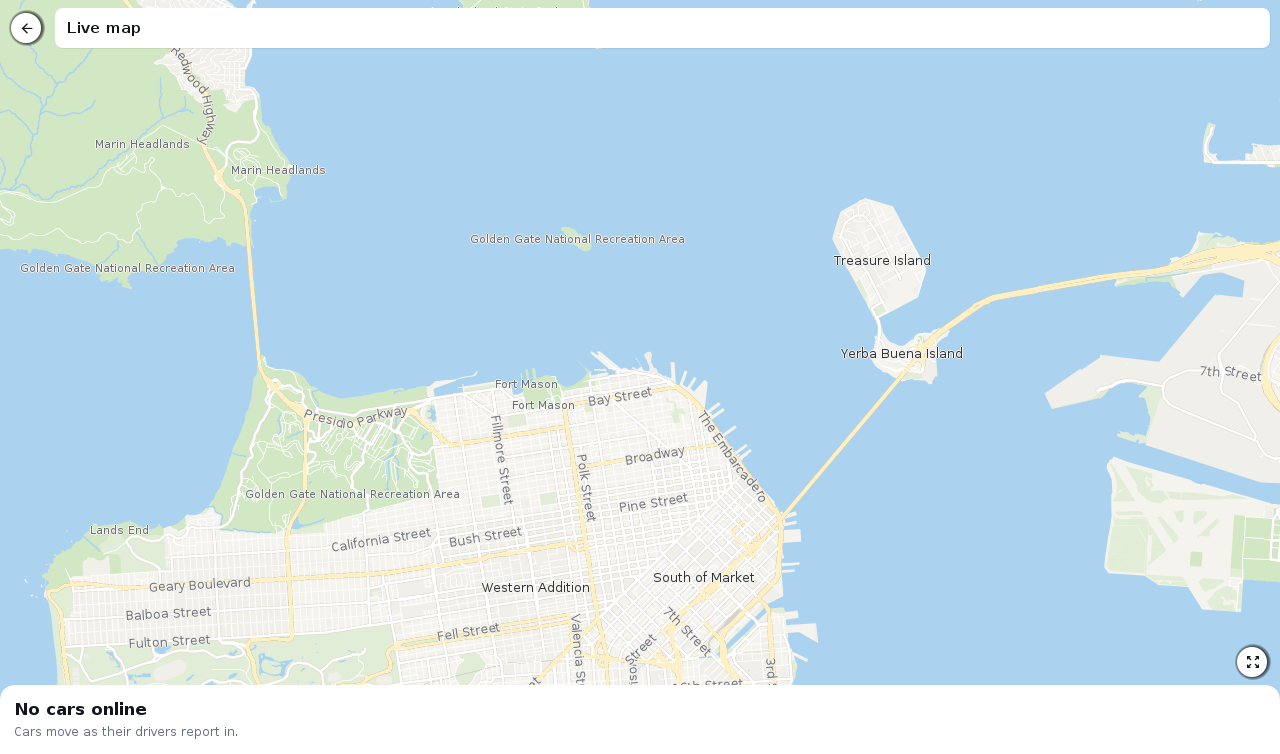
Pricing is editable: base fare, distance, time, minimum fare, fees, commission, and multipliers. The payments list distinguishes a completed refund from one still pending. The live map shows online cars, and the guide screenshot below captures its empty state rather than inventing a busy fleet.
Billing includes the awkward cases
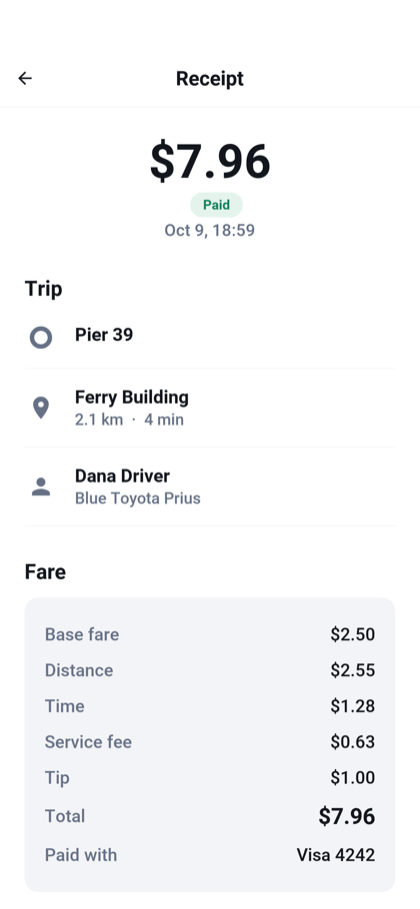
The wallet stores payment methods, and receipts break down the fare. Development uses simulated cards with test behavior for success, decline and uncertain results. Real payment providers sit behind a PaymentProvider interface.

A completed ride and a settled payment are separate facts. Wayline commits the trip, calls the payment provider without holding that database transaction open, then records the result. Charges carry a key derived from the ride so retrying an uncertain request can reuse the same payment identity. This call from Payments.settle() makes that key explicit:
reference = charge("ride-" + ride.getId(), ride.getRider(), ride.getMethodId(), amount,
        ride.getCurrency(), "Wayline ride");
The helper resolves the stored provider references and delegates to PaymentProvider.charge. A definite decline becomes FAILED; an I/O failure leaves the result PENDING so recovery can ask again using the same key.
If the server stops between those steps, a recovery pass revisits pending payments. A definite decline is treated differently from a lost response. Refunds can be pending too; the admin screen doesn’t call the money returned just because a provider accepted the request.
The included Stripe adapter uses hosted card setup so card details don’t pass through the app’s server. It has tests against stand-in provider responses, but hasn’t been validated against a Stripe account. Before taking real payments, exercise its full flow with your provider and complete the missing production work described in the billing section: webhooks, required cardholder authentication, driver transfers and your tax/invoice rules.
In particular, Cash out currently records a payout in the ledger; it doesn’t transfer money to a driver’s bank. That is a concrete extension point, not a hidden promise behind a finished-looking button.
Maps change the starting economics
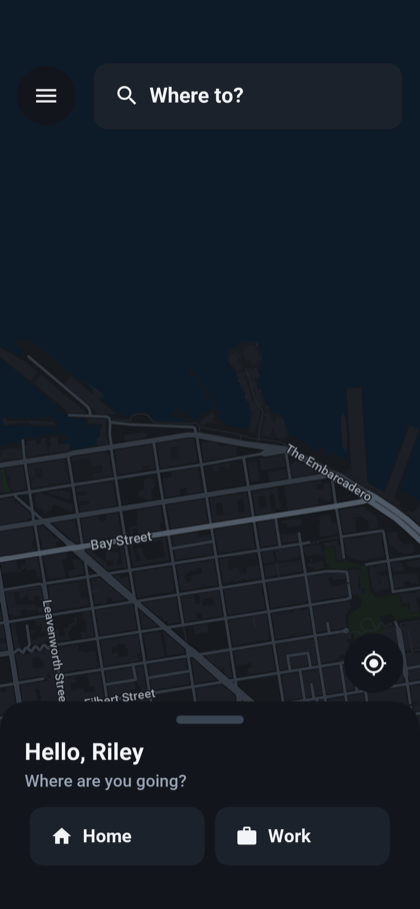
In 2018, native maps were central to this kind of app. We still support native maps, including the platform integration described in the guide. Wayline focuses on hosted map data rendered by Codename One’s MapView, which gives a small operator more control over the provider and the cost model.
The default setup draws OpenStreetMap vector tiles from OpenFreeMap without an API key. Routes use the OSRM demo service, and place search goes through your backend to Photon. These are separate choices, not one inseparable maps account. The map factory selects the tile source and style directly:
MapView map = new MapView(tiles == null ? MvtTileSource.openFreeMap() : tiles,
        Look.dark() ? MapStyle.dark() : MapStyle.light());
map.setWheelZoom(true);
map.moveCamera(center, zoom);
This excerpt comes from Maps.create(). Maps.useTiles(TileSource source) supplies a replacement source, which also lets the screenshot tests use bundled tiles instead of depending on a network service.
You can point the app at your own tile and routing services, or choose hosted providers. A small business can begin without a map SDK billing account and later choose whether it wants a provider bill or the work of hosting its own data services. Self-hosting still costs money and operational time; public routing and search servers aren’t a production service guarantee. The default routes don’t include live traffic.
That changes the question from “which map vendor must this application use?” to “which service fits this region and volume?” The maps chapter of the implementor’s guide shows the replacement points and the decisions to make before launch.
Readable Java, even when an agent makes the change
You can hand an agent the job of changing a fare rule, adding a service area or branding the screens. Java’s strict types and straightforward structure help keep that work readable. A request has a declared type, a service has explicit dependencies, and a repository states what it reads. A changed method signature must agree with its callers.
Wayline gives the agent the same things I want as a developer: named responsibilities, conventional code, tests and a development MCP endpoint. You can review the resulting diff and follow the behavior through the application. The code remains yours to understand and maintain.
Spring Security users should recognize the authorization rules. This excerpt is part of SecurityConfig’s API chain:
.authorizeHttpRequests(auth -> auth
        .requestMatchers(AntPathRequestMatcher.antMatcher("POST",
                "/api/account/register")).permitAll()
        .requestMatchers("/api/driver/**").hasRole(Roles.DRIVER)
        .requestMatchers("/api/admin/**").hasRole(Roles.ADMIN)
        .anyRequest().authenticated())
The complete chain configures JWT authentication and other protections. The server reads the caller from its security context, rather than accepting a rider identity supplied by the client. The APIs use Codename One packages and supported Spring-style conventions; this isn’t a Spring runtime hidden in the project.
The data layer is similarly recognizable. Wayline’s RideRepository begins:
@Repository(entity = Ride.class, key = String.class)
public interface RideRepository extends CrudRepository<Ride, String> {
    Ride findFirstByRiderAndStateIn(String rider, RideState[] states);
    Ride findFirstByDriverAndStateIn(String driver, RideState[] states);
}
The build writes the query implementation. Services decide what changes belong in one transaction. If you prefer a direct data access object, the backend also generates DAOs. This separate example from the database guide shows that lower-level style using its Reminder entity:
Dao<Reminder> reminders = em.dao(Reminder.class);
Reminder reminder = new Reminder();
reminder.title = "renew the certificate";
reminder.due = new Date();
reminders.insert(reminder);

Reminder stored = reminders.findById(Long.valueOf(reminder.id));
stored.done = true;
reminders.update(stored);
On the frontend, a helper creates an ordinary component, gives it a test name and attaches an action. This is Wayline’s button helper:
private static Button button(String text, String name, String uiid,
        ActionListener<ActionEvent> onClick) {
    Button button = new Button(text, uiid);
    button.setName(name);
    if (onClick != null) {
        button.addActionListener(onClick);
    }
    return button;
}
The UIID connects it to CSS. The primary style uses shared variables for branding and shape:
WlPrimary {
    color: var(--brand-contrast);
    background-color: var(--brand);
    border-radius: var(--radius);
    font-family: "native:MainBold";
    font-size: 2.9mm;
    text-align: center;
    padding: 2.75mm 4mm 2.75mm 4mm;
    margin: 1.6mm 0 0.8mm 0;
}
The variables and their dark variants live near the top of theme.css. An agent changing your brand color has a clear place to edit, and a human reviewing the change can see whether it touched anything else.
You can inspect these excerpts in the Wayline source. The implementor’s guide links each feature to its implementation and explains how to adapt it.
Settings are part of making the app yours
Wayline includes light and dark themes, distance units and translations into English, Spanish, French, German, and Hebrew. The Hebrew layout runs right to left. Wide settings screens stay in a readable column instead of stretching every field across the monitor.
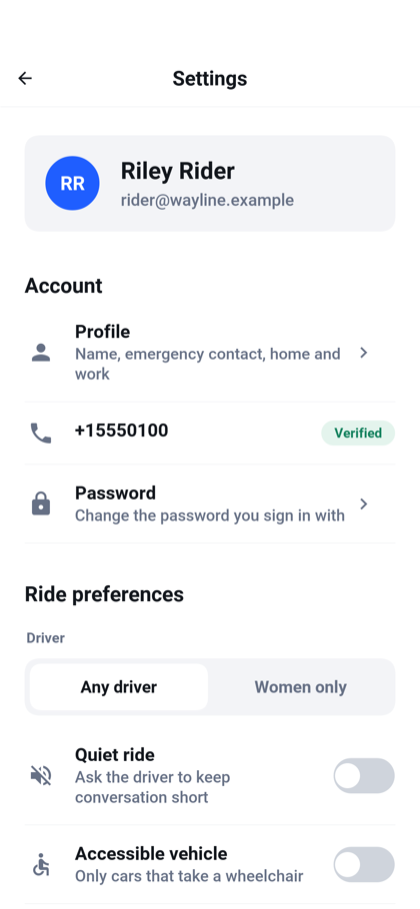
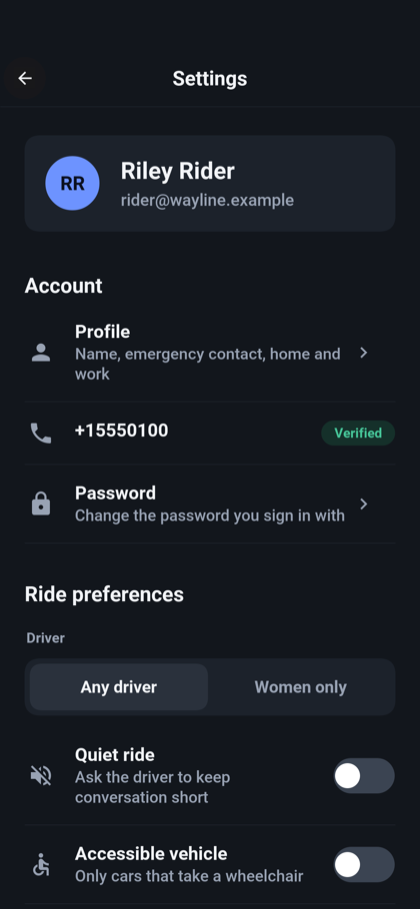
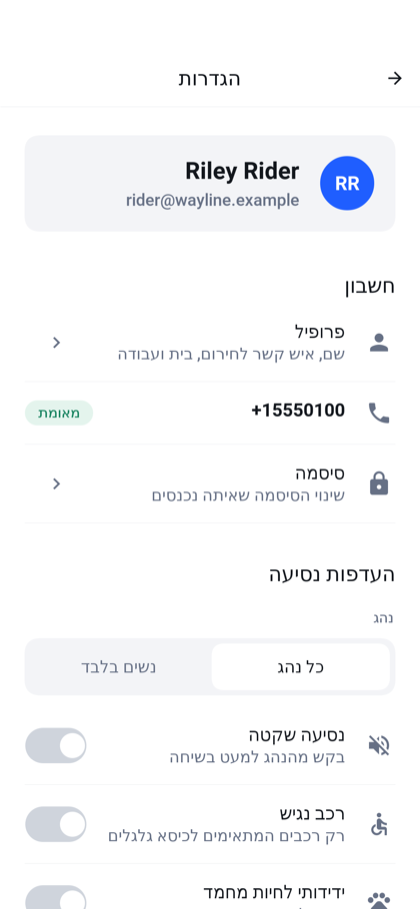
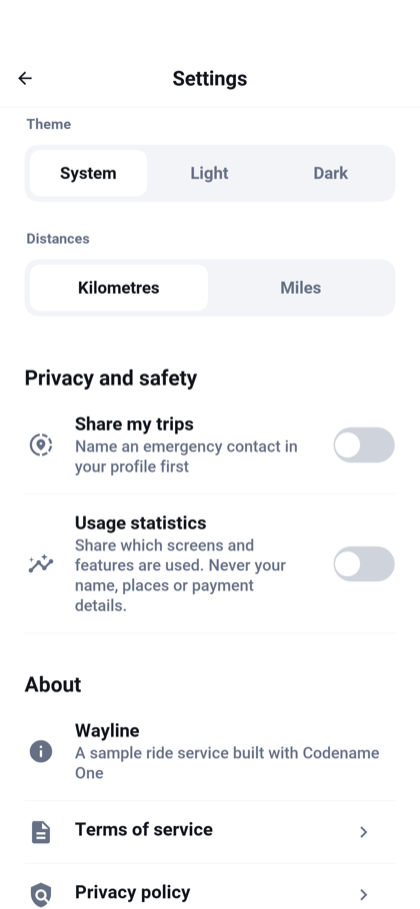
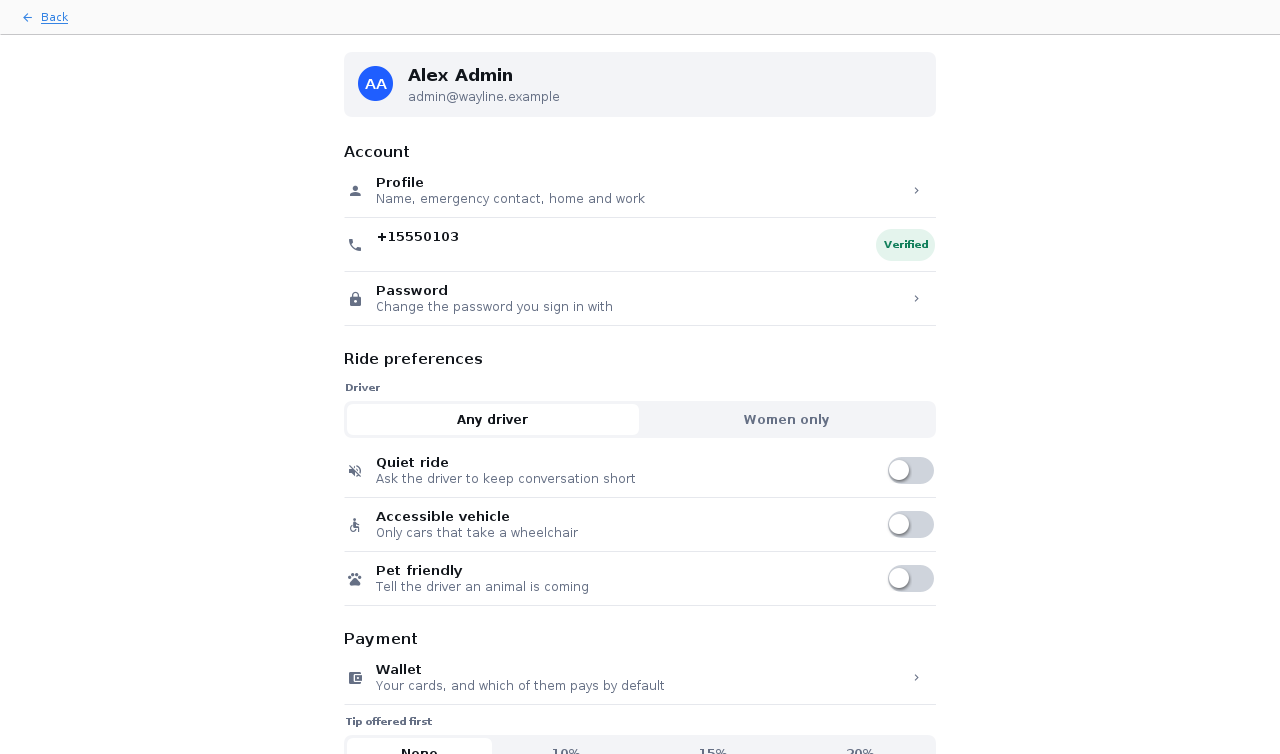
Some settings are hooks for your product policy. The promotions switch is stored, but Wayline sends no promotions. The emergency contact and automatic trip-sharing preference are stored without sending messages; the ride’s Share action is separate. The guide calls these out so you can decide what they should mean for your service.
Run it, then change one thing
Generate the Wayline template from the Initializr. It renames the Java package, artifacts and application configuration for your project. With JDK 17 or newer and Maven installed, start the development backend from the generated project’s root:
CN1_PROFILE=dev backend/server.sh run
In another terminal, start the simulator:
mvn verify -Psimulator -DskipTests -Dcodename1.platform=javase
The development profile uses an in-memory database, demo accounts and simulated external services. The launch instructions list the accounts and show how to run the rider and driver together. Keep that profile for development.
For a browser version hosted by the same backend:
backend/server.sh web
CN1_PROFILE=dev backend/server.sh run
Then open http://localhost:8080/. The first command builds the browser application; rerun it after changing the client. Server packaging can also produce a native binary.
Before handing a change to an agent, give it a useful check. The backend test command is:
mvn -pl shared,backend -Dcodename1.platform=backend test
The suite covers roles, the ride lifecycle and payment outcomes, among other service behavior. Native compiled test execution is available as a local-only option in the testing guide. The development profile’s /mcp endpoint gives an agent another way to inspect the backend; it isn’t an endpoint to expose publicly without the production authentication configuration.
Build a service your market needs
I see this as an opening for startups whose idea begins with ride hailing. Airport transfers, a specialist fleet or transport for a particular community can start here, then build the part that makes the service useful to those people. Make something better.
A taxi company can run its own branded, hosted app with central management. The taxi-station adaptation discusses a fixed fleet, manual dispatch and phone bookings as changes to make. Those additions aren’t all finished screens in Wayline, but the guide shows where they belong.
I can see a cottage industry around that work: developers who adapt and operate these applications for local businesses. A small operator gets more freedom over its brand and service rules, and the developer can spend time on the local requirements instead of recreating the wallet and sign-in flow. Whether that becomes a business depends on finding operators whose problems you can solve. The starting code is now available to try.
More This Week
Spring Data-style repositories, statically compiled
A finder such as findFirstByDriverAndStateIn puts a query next to the rest of the entity’s data access. The new repository generator supplies its implementation, including support for declared queries and CASE expressions.
@Repository(entity = Ride.class, key = String.class)
public interface RideRepository extends CrudRepository<Ride, String> {
    Ride findFirstByDriverAndStateIn(String driver, RideState[] states);
}
You get Spring Data-style finder methods and familiar Hibernate persistence conventions with generated Java implementations. Native builds compile those implementations ahead of time. There is no repository classpath scan or runtime proxy generation, and the resulting calls are available to the compiler for optimization.
Transaction isolation and callbacks deal with the next question: when can another part of the system act on that result? A completion callback runs after the database acknowledges the commit. If the callback fails, the database change is still committed, so retrying the entire operation is the wrong default.
Saturday’s repository and transaction article covers both the convenience and the boundaries, including bulk updates, supported isolation levels and durable event delivery.
Thymeleaf, Spring MVC and htmx in a native backend
Thymeleaf-style templates, Spring MVC-style controllers and htmx make a useful combination for a fast server-rendered admin site. Our implementation compiles the supported template syntax into Java renderers, then into the native backend. The controller can return a page or a fragment for htmx:
return Htmx.isRequest(request) ? "products :: catalog" : "products";
Typed model access becomes direct Java access. Production requests execute compiled rendering code, without parsing templates or interpreting property expressions. That is the performance advantage of doing the template work during the build.
Sunday’s Thymeleaf and Spring MVC article follows a working catalog through controllers, form errors and partial updates. It also explains what this subset leaves out.
A stylesheet shouldn’t need a monitor
The CSS compiler is fully headless. The same mvn cn1:css goal can run on a worker without a display server or framebuffer setup. Removing that machinery removes startup work and display-dependent assumptions from theme compilation.
This is also a substantial change to an old compiler with fragile corners. Fonts, image borders and physical-unit conversions deserve visual checks even when a build succeeds. Monday’s headless CSS article shows the workflow and what to compare.
Use the desktop title area

The title area of our native macOS editor prototype. Document actions share the top row with the OS controls, leaving the ribbon and document below.
Putting Save, Search or document controls in the window title area is a niche feature. If you’re building an editor, it can save a whole row. Codename One supports it in the native macOS, Windows and Linux ports while keeping real OS window controls.
editor.getToolbar().setTitleComponent(title);
With custom title mode selected, the framework reserves room for the native controls and separates interactive components from draggable background. Tuesday’s desktop tools article explains the differences between the three operating systems.
Run an external tool from Java
The new shared com.codename1.io.ProcessBuilder started with backend needs, then extended naturally to desktop apps. You can launch an installed command, stream its input and output, wait with a timeout and inspect its exit status.
boolean available = com.codename1.io.ProcessBuilder.isSupported();
Mobile and browser targets return no process-launch capability. Tuesday’s article covers that boundary and the output-draining pattern that keeps a full pipe from hanging the worker.
Export a ZIP without inventing an archive format
The ParparVM runtime now provides streaming java.util.zip APIs, including ZIP, GZIP, and checksums. An app can export data through the familiar stream interfaces; a backend can write an archive straight to its response.
zip.putNextEntry(new java.util.zip.ZipEntry("report.txt"));
zip.write("Completed rides\n".getBytes("UTF-8"));
zip.closeEntry();
This excerpt assumes an open ZipOutputStream. The desktop tools article also shows the helper for preserving an executable launcher’s Unix permissions, and the limits of the streaming subset.
Install the web app again
PWA support disappeared during the move from TeaVM to ParparVM. JavaScript builds now generate the manifest, icons and service worker again, giving supporting browsers an installable application and cached offline launch.
Wednesday’s PWA article covers deployment, cache updates and the difference between an offline UI and a ride request that still needs a server.
Not a Cloud IDE
The experimental browser IDE opens a Java project with an editor and a running preview. Compilation and execution happen in the page, and files stay in this browser’s storage. The cloud build server does its usual job when you explicitly request a platform build.
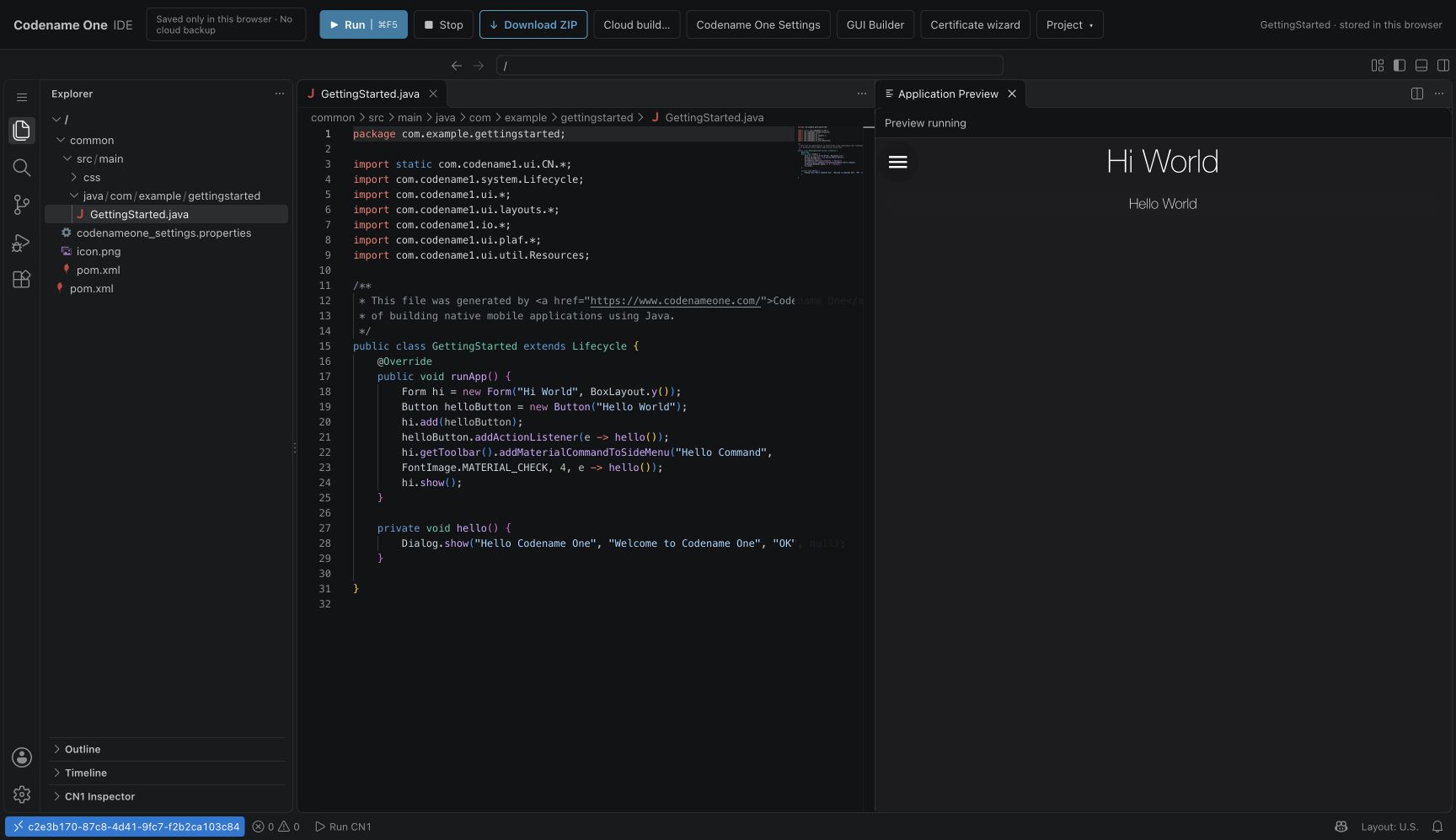
This is a very early preview. It won’t replace IntelliJ or reproduce all of Java inside JavaScript. It can let someone try an app before installing a development environment, then download the project when they’re ready to continue locally. Thursday’s IDE tour shows that path and explains browser-local storage.
Where is this going?
Everywhere. Wayline is the first step in a wider collection of full-stack application templates in Initializr. We plan to do this for many more applications, including delivery: choose a template, generate your own project, then build the service your market needs. Raising the starting point is good for the whole market. Your moat can grow in the part competitors can’t get from a template: the service you provide, the relationships you build and the problems you understand better. Starting with an application as substantial as Wayline gives you more time to build that advantage. I want to see what you make of it.